Studio One ArtistQuick Start
Creating a New Song
Quantum-series
Owner’sManual
PowerUserTip:
IfyouplanonusingtheTalkbackmic,youwillneedtoenableitas
an input for your session and create a track for it.
用户提示:如果你打算使用对讲系统,你需要为会话做一个输入,并为
它创建一个轨道。
4.
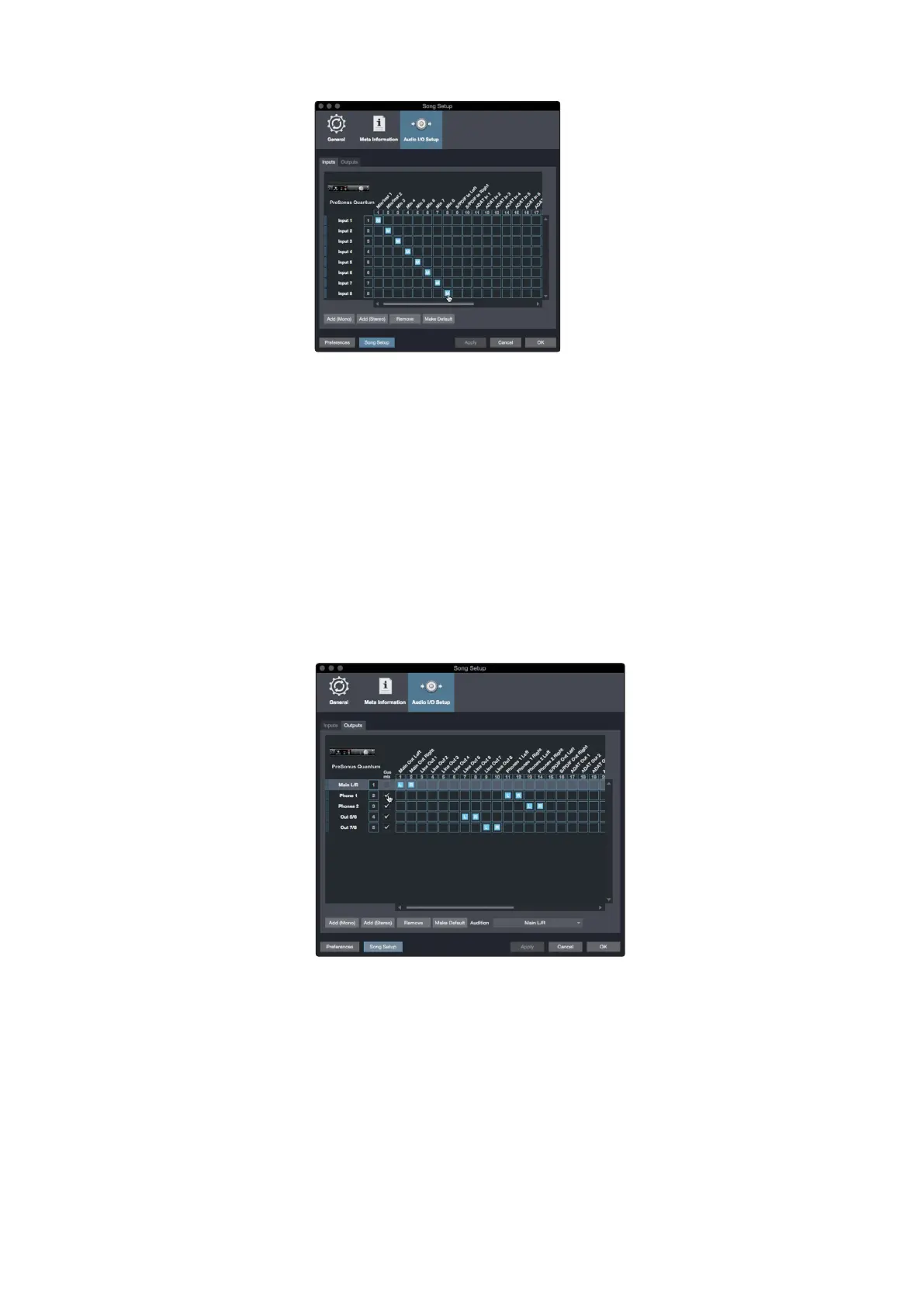
Click on the Outputs tabs to enable any or all of the outputs on your
Quantum audio interface. In the lower right corner, you will see the
Auditionselect menu. This allowsyou to choose the output from which
you will audition audio files prior to importing them into Studio One
Artist. In general, you will want this to be the main output bus.
点击 " Outputs"选项卡,启用Quantum音频接口上的任何或所有输
出。在右下角,你会看到试听选择菜单。将音频文件导入
Studio
One Artist
之前,你可以选择用于试听的输出。一般来说,你希望
这是主输出总线。
PowerUserTip:
IfyouwouldlikethisI/Oconfigurationtobethesameevery time you
open Studio One, click the Make Default button.
用户提示:如果你想让这个
I/O
配置在你每次打开
Studio One
时都是一样的,
请点击
Make Default
按钮。
Studio One allows you to create monitor mixes right from the console.
To enable this function, you must designate at least one output pair to
be a Cue Mix output. Click on the Cue Mix box next to any output pair
you’d like to use as a monitor mix output to enable this feature.
Studio One 允许你直接从控制台创建监听混音。要启用这个功能,
你必须指定至少一个输出组为 ”Cue Mix” 输出。点击你想用作监听
混合输出的任何输出,对旁边的
”Cue Mix”
方框,以启用这一功
能。















 To Next Page