32018 Voxx Electronics Corporation. All rights reserved.
Arming the Security System (Optional)
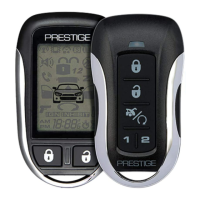
To arm the system, exit the vehicle, close all doors, then press the button. The
parking lights will ash 1 time indicating the system is armed, has locked the doors (if
equipped and connected) and activated the starter disable feature. The LED status
indicator will blink steadily, once per second.
NOTE: Ths feature requires additional programming and installation. Contact your
dealer for more information
*Throughout this manual, ‘press’ refers to pressing for less than 1 second; ‘press and hold’ refers to pressing for more
than 3 seconds.
Using Your Remote Control
Two Stage Door Unlock (Optional)
If this feature is enabled on your system, pressing the button one time will unlock
only the driver’s door. Press again within three seconds to unlock the remaining
doors.
Disarming the Security System
To disarm the system press the button. The parking lights will ash 1 time, indicating
the system is disarmed and has unlocked the doors (if equipped and connected).
NOTE: Ths feature requires additional programming and installation. Contact your
dealer for more information.
Activating the Trunk Release Feature (Optional)
If this feature is enabled on your system, pressing and holding the button for 3
seconds will open the vehicle’s trunk or hatch.
Door Lock
To lock the vehicle doors press and release the button.
NOTE: The system is equipped with a feature called Silent Choice. If enabled, the
system requires a second press of the button to activate an audible arming response
from the vehicle.
Door Unlock
To unlock the vehicle doors press and release the button.
NOTE: The system is equipped with a feature called Silent Choice. If enabled, the
system requires a second press of the button to activate an audible arming response
from the vehicle.


 To Next Page