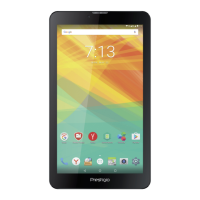
This document is a user manual for the Prestigio Grace 3157 4G Tablet PC (PMT3157_4G). It provides essential information for operating and maintaining the device.
Function Description
The Prestigio Grace 3157 4G is a Tablet PC designed for mobile usage, allowing users to connect to the Internet via Wi-Fi or mobile operator's data connection, browse web pages, send and receive emails and text messages, take photos and videos, listen to music, and read e-books. It features a touch screen for navigation and supports various applications and widgets running on the Android operating system. The tablet can also be used as a wireless router or for USB tethering to share its data connection with other devices.
Important Technical Specifications
- Processor: Quad Core, up to 1.1GHz
- Memory: 8 GB Flash + 1 GB RAM
- Operating System: AndroidTM 7.0, Nougat
- Storage Expansion: Micro SDHC/SDXC, up to 64GB
- Display: 7" IPS, 16:9, 720*1280
- Cameras: Front 0.3 MP + Rear 2MP
- Connectivity:
- WCDMA: 900/2100
- GSM: 850/900/1800/1900
- LTE: band 3/7/20
- Wi-Fi (802.11 b/g/n)
- Bluetooth 4.0+HS
- GPS
- Battery: 2800 mAh
- Dimensions: 1871099.9mm (HWD)
- Weight: 460g (approx.)
- SAR Value: 0.796 W/kg (10g) for ICNIRP recommendation.
Usage Features
The tablet offers a range of features for daily use:
- Navigation: Uses a touch screen with gestures like tap, tap and hold, swipe, slide or scroll, zoom in, zoom out, and flick. On-screen keys for recent apps, Home, and Back are also available.
- Home Screen: Customizable with wallpapers, app icons, and widgets. Multiple panels can be accessed by swiping.
- List Menu: Provides access to all installed apps and widgets.
- Notifications Panel: Displays event notifications and new information, accessible by sliding down from the top left of the screen.
- Quick Settings: Allows quick access to airplane mode, Wi-Fi, brightness, and auto-rotation, accessible by sliding down from the top right corner.
- Connectivity:
- SIM Card: Supports standard SIM cards for mobile data and calls.
- Memory Card: Allows expansion of storage.
- PC Connection: Connects to a PC via micro USB for file transfer (Media device MTP).
- Wi-Fi: Connects to wireless networks for Internet access.
- Bluetooth: Pairs with compatible devices for data exchange.
- Tethering: Can act as a wireless router (Wi-Fi hotspot) or use USB tethering to share its mobile data connection.
- Security: Screen lock patterns, PINs, or passwords can be set to protect personal information.
- Text Input: Uses the Prestigio keyboard, with options for uppercase, lowercase, numbers, symbols, and punctuation. Text can be cut, copied, and pasted.
- Web Browsing: Built-in browser for accessing websites, with features like bookmarks, history, and tab management.
- Email: Supports setting up personal and company email accounts, sending, receiving, replying to, forwarding, and deleting emails. Gmail is also directly accessible.
- Camera: Features a rear camera (2MP) and a front camera (0.3MP) for photos and videos. Supports various capture modes including single photo, self-portrait, panoramic photo, and HDR. Camera settings can be customized.
- Multimedia:
- Gallery: Views photos and videos, supports slideshows, and offers basic editing functions (delete, rotate, crop, set as wallpaper/contact image). Photos can be shared via email, MMS, or Bluetooth.
- Video Player: Plays videos stored on the tablet.
- Music Player: Plays music, browses by artists, albums, playlists, or songs. Offers playback controls (shuffle, repeat, skip tracks) and allows setting songs as ringtones.
- FM Radio: Listens to radio programs (requires a connected headset as an antenna) and can record radio programs.
- Utilities:
- Clock: Sets alarms, checks world time, and measures duration.
- Calendar: Creates and manages events.
- System Settings: Manages wireless and network settings (Wi-Fi, Bluetooth, data usage, airplane mode, VPN, tethering, mobile networks), device settings (sound, display), personal settings (location access, security, language & input, backup & reset), accounts, and system information (date & time, accessibility, about tablet).
Maintenance Features
The manual provides guidelines for maintaining the device and troubleshooting common issues:
- Safety Instructions: Emphasizes protecting the tablet from extreme temperatures, direct sunlight, moisture, dust, chemicals, strong magnetic/electrical fields, hits, and extreme pressure. Advises against placing objects on the screen or using it on unstable surfaces.
- Battery Optimization: Tips include adjusting display backlight, turning off unused features (Bluetooth, Wi-Fi), and avoiding magnetic objects or metal surfaces.
- Charging: Recommends using authentic accessories and disconnecting the charger after full charge.
- Cleaning: Suggests cleaning the touch screen with a soft cloth, slightly dampened if needed, and avoiding abrasives or cleaning solutions.
- System Upgrade: The tablet can check for and notify about new software upgrades. Users are advised not to press any buttons during an upgrade.
- Troubleshooting: Addresses issues such as:
- "BLOCKED" or "IMSI failure" messages (contact service provider).
- Lost network connection (try different location, reconnect, or contact operator).
- Unresponsive touch screen (remove protective covers, clean hands, restart device, check for software updates, contact dealer if damaged).
- Overheating battery (use authentic charger).
- Incoming calls not displaying numbers (network/subscription dependent, contact operator).
- Unable to send text messages (check SMS centre number, contact operator).
- Unable to receive/store JPEG pictures (file size, name length, or format issues).
- Missed calls (check call divert options).
- Battery icon not showing charge (charge in appropriate temperature range).
- SIM failure (check SIM insertion, replace SIM if damaged).
- Poor performance in a car (metallic parts can absorb electromagnetic waves).
- Tablet not charging (may require precharge if battery is flat).
- Unclear camera pictures (clean camera lens).
- Device freezing or fatal errors (press and hold power button for 8-10 seconds to reboot, or perform factory data reset).
- Others unable to hear during calls (check microphone coverage, proximity, headset connection).
- FM radio error messages (ensure headset is connected as antenna, scan for stations).
- Bluetooth device not located (ensure Bluetooth is activated on both devices, check range).
- No connection to computer (check USB cable, drivers, Windows XP Service Pack 3, Windows Media Player 10 or higher).
- Warranty: Information available at www.prestigio.com/service. Device life cycle is 2 years.
- Data Usage Management: Tools to track and limit mobile data consumption, with recommendations to use Wi-Fi and sync less frequently to save data.
- Memory Card Formatting: Warns that formatting a memory card permanently deletes all data.
- Internal Memory: Notes that actual available capacity is less than specified due to the operating system and default applications.

 Need help?










 To Next Page
 General