www.prestigio.com
Getting started
Installation
Power on your phone
Home screens
List menu
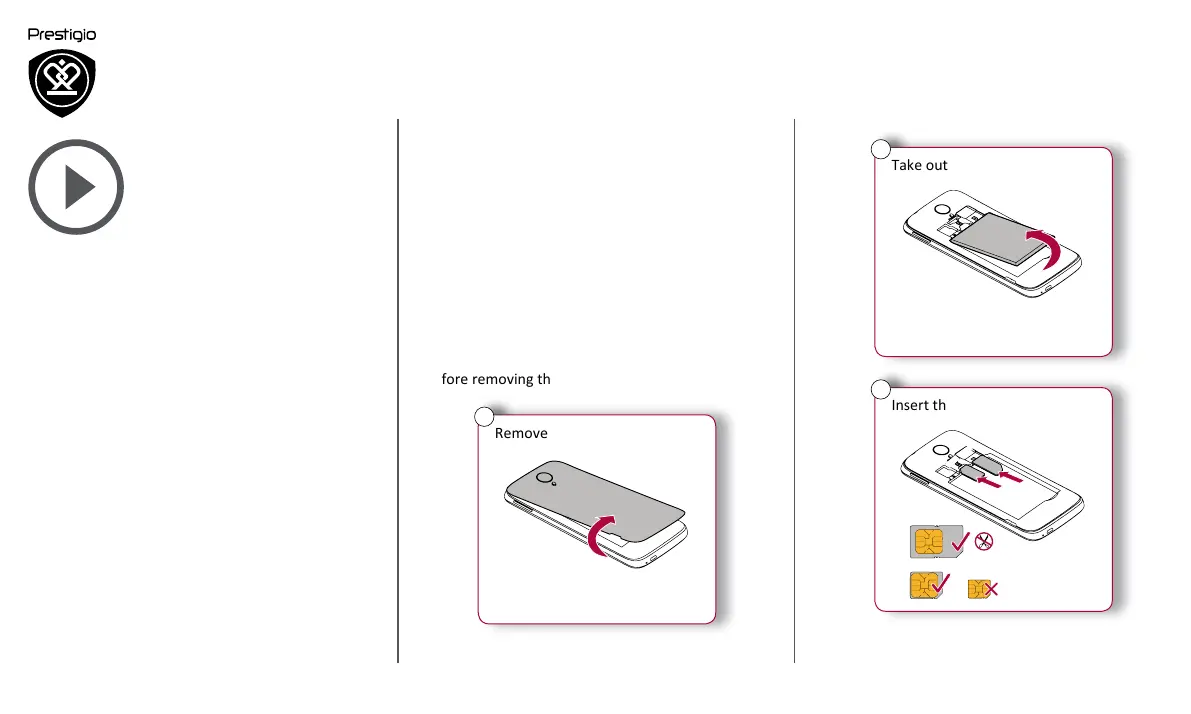
Take out the battery.
2
Insert the SIM card.
Nano SIM
Micro SIM
Standard SIM
S
IM
1
S
IM
2
3
Congratulations on your purchase and welcome to
Prestigio. To get the most from your product and
enjoy all that Prestigio has to offer, please visit:
www.prestigio.com/catalogue/MultiPhones
For more details about your product, please visit:
www.prestigio.com/support
Installation
Follow the steps below to prepare your phone for
using. Remember to turn off your mobile phone
before removing the rear panel.
Remove the rear panel.
1












 To Next Page