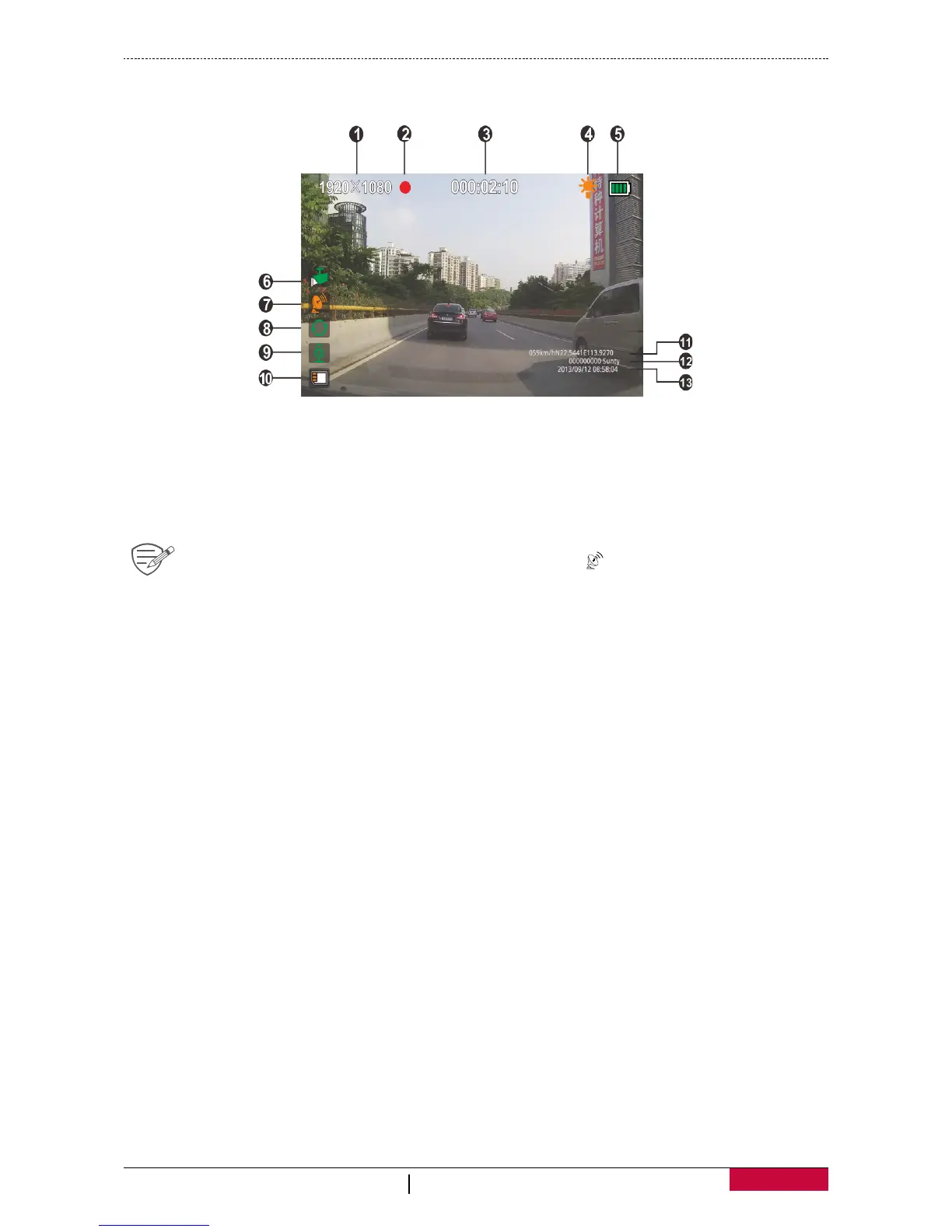
Main screen
Press power button to turn on device, you will enter preview mode, and get below screen:
1 Resolution 8 Loop recording
2 Recording icon 9 Microphone
3 Recording time 10 Memory card
4 Infrared light 11
Speed and GPS location
5 Battery 12 Plate number and LOGO stamp
6
Motion detect
13 Date and time
7
GPS
When the device is connected to the GPS signal, the icon will be green.


 To Next Page