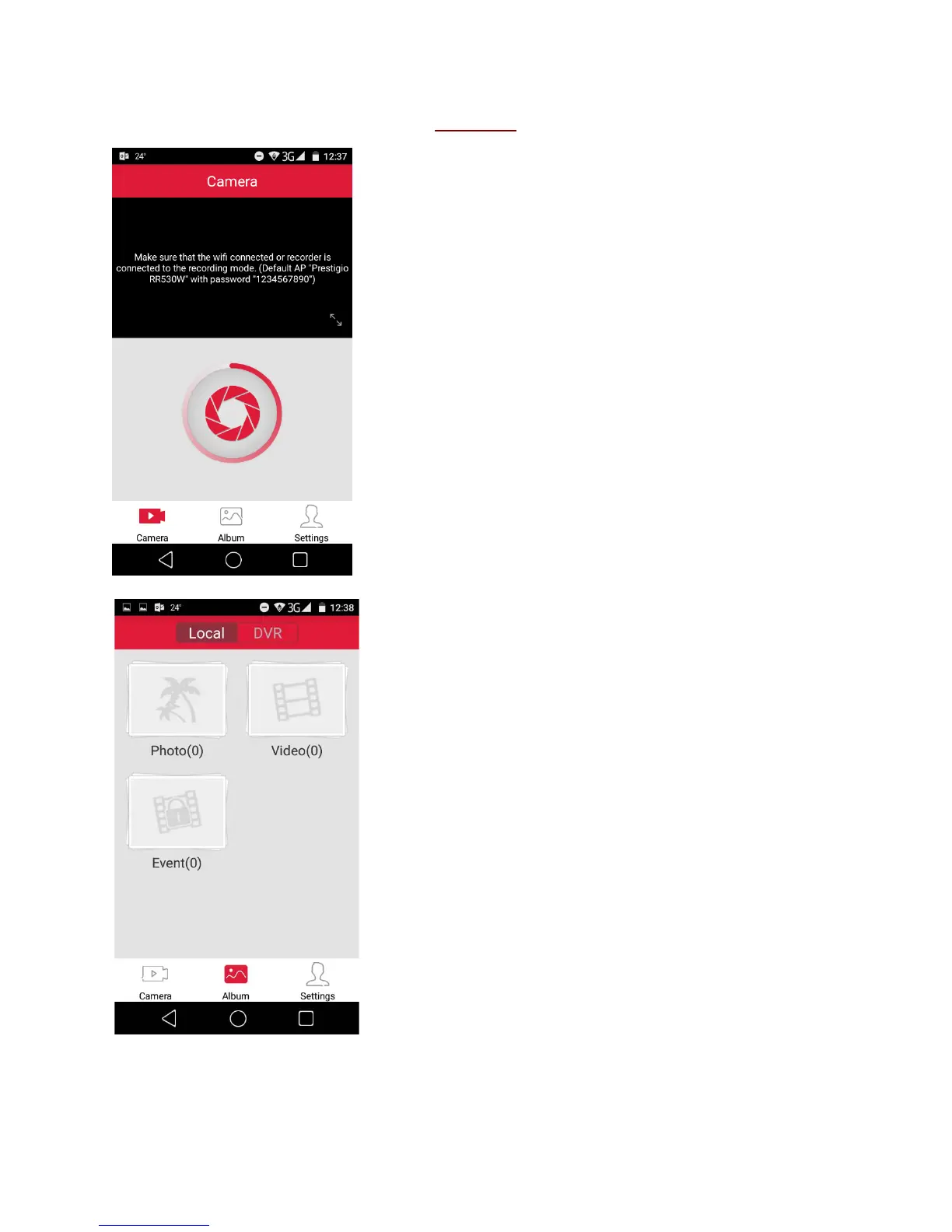
Main Menu
1. Camera mode
By pressing the button capture photos with your DVR.
2. Album Mode
View, download and delete recorded images and video
straight to your smartphone.
- Watch recorded video and photos in “Local”
(smartphone) and in “DVR”
- Watch/D
elete recorded video and photos straight
from DVR
- Download recorded video and photos to your
smartphone and find them in Gallery
- Stream recorded video from DVR directly to the
smartphone.


 To Next Page