Prestigio Road Cam menu is based on A
ndroid devices. Screenshots might be slightly
different for iOS devices.
Prestigio R
oad Cam App is available through Google Play Store and the Apple Store.
Mobile App device OS version requirements: …
Connect Wi-Fi with Password
Download and install Prestigio Road Cam application
Turn on Wi-Fi on the dash cam to enter Wi-Fi connection mode
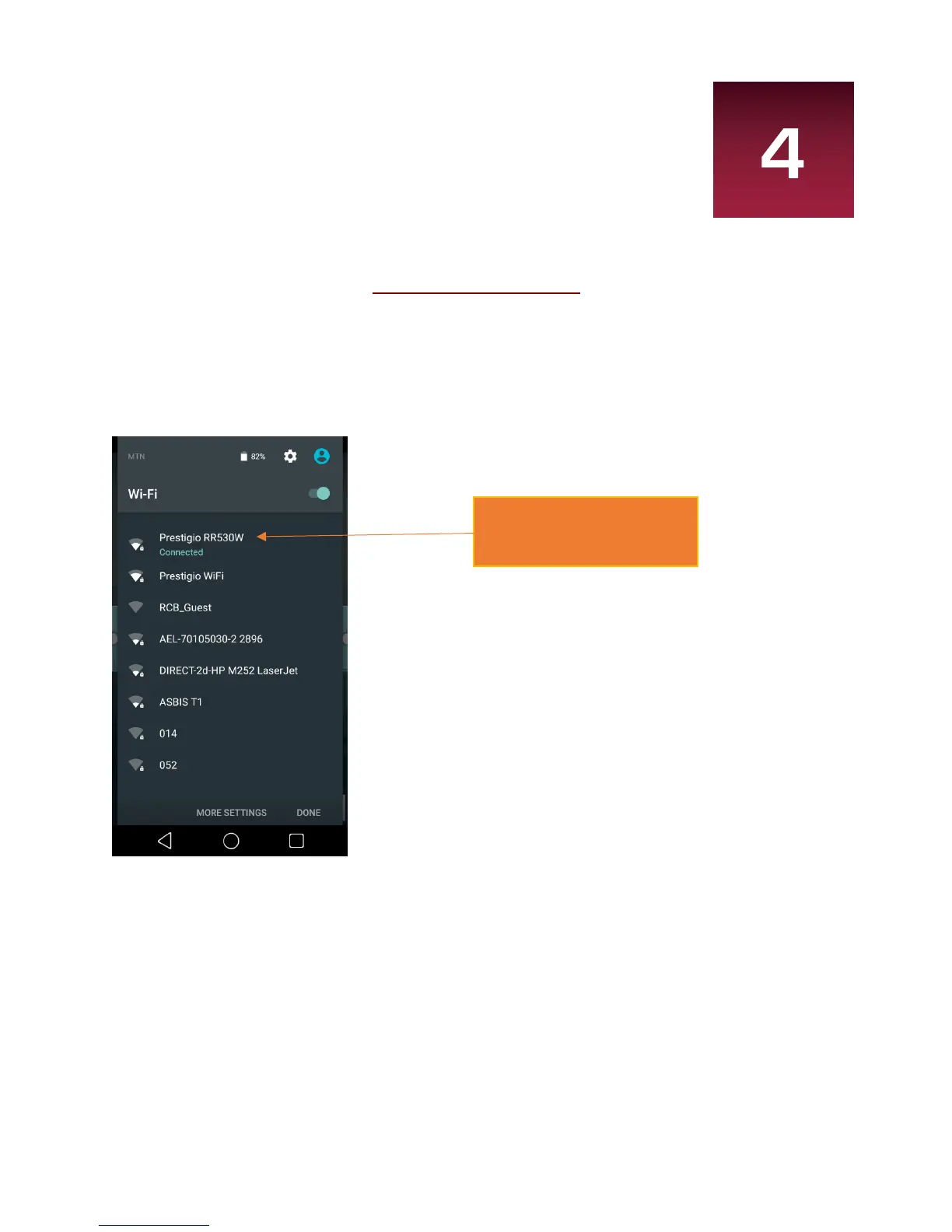
Make sure to turn on the Wi-Fi in the device setting and select “Prestigio RR530W” from SSID list, and
enter password as 1234567890.
*Password is only required during first time you try to connect. The device will auto-connect in
subsequent connections.
**1234567890 - default password
3
User Manual RoadRunner CUBE
3
User Manual RoadRunner CUBE
3
User Manual RoadRunner CUBE
4.
Prestigio Road Cam APP


 To Next Page