EasyManua.ls Logo

Prexiso X2 - User Manual

Prexiso X2
10 pages
Print Icon
To Next Page IconTo Next Page
Loading...
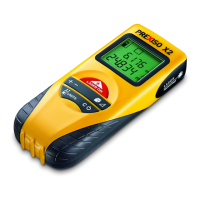
PREXISO X2 LASER DISTANCE METER
Operating instruction
Storm.book Seite 1 Dienstag, 12. Februar 2008 8:52 08

Questions and Answers

  • T
    Thomas SpearsAug 1, 2025
    What to do if there is a calculation error on Prexiso X2 Analytical Instruments?
    • M
      Mary ChaseAug 1, 2025
      If you are getting a calculation error on your Prexiso Analytical Instruments, this is due to a calculation error. Try performing the measurement again.
  • M
    michaelkentAug 6, 2025
    Why does my Prexiso Analytical Instruments say temperature too high?
    • J
      jillkirbyAug 6, 2025
      If your Prexiso Analytical Instruments device displays a 'Temperature too high' message, it means the device's temperature is too high. To resolve this, allow the device to cool down.
  • P
    penningtonchristinaAug 11, 2025
    What to do if the laser beam is interrupted on Prexiso X2?
    • C
      Christine EnglishAug 11, 2025
      If the laser beam is interrupted on your Prexiso Analytical Instruments, it means that the laser beam was interrupted during measurement. You should repeat the measurement.
  • J
    Joshua GonzalezAug 16, 2025
    Why does my Prexiso X2 say temperature too low?
    • C
      Christopher GuerreroAug 16, 2025
      If your Prexiso Analytical Instruments device displays a 'Temperature too low' message, it means the device's temperature is too low. To resolve this, warm the device up.
  • L
    Laura RodgersAug 21, 2025
    What to do if reception signal is too weak on Prexiso X2?
    • W
      wbuchananAug 21, 2025
      If you're getting a 'Reception signal too weak' message or the measuring time is too long on your Prexiso Analytical Instruments, this is because the reception signal is too weak. Try changing the target surface to something like white paper.
  • R
    Rhonda QuinnAug 27, 2025
    What does 'Measurement outside of the measuring range' mean on Prexiso X2?
    • D
      Dylan KaneAug 27, 2025
      If you receive a 'Measurement outside of the measuring range' error on your Prexiso Analytical Instruments, it means that your measurement is outside of the device's capabilities. Mind the range of the device.

Summary

1 Symbols

1.1 Warning notices

Defines warning signs for property damage, bodily harm, and danger to life.

1.2 Other symbols

Explains notes for handling devices and composition of operating instructions/schedules.

2 Safety and dangers

6 Overview

6.1 Keys

Details the function of each key on the PREXISO X2 laser distance meter.

6.2 Display

Explains the various indicators and symbols shown on the device's display.

7 Initial operation

Battery insertion and changing

Guides through inserting batteries and when to replace them for reliable use.

8 How to use

Measuring conditions and operation

Covers factors affecting measurement quality and device power on/off procedures.

9 Measuring

9.1 Single distance measurement

Step-by-step guide for taking a single distance measurement accurately.

9.2 Continuous measuring

Using the continuous mode for staking out distances efficiently.

10 Functions

Overview of key functions

Briefly describes Add/Subtract, Area, Volume, and Pythagoras measurement functions.

11 Troubleshooting

12 Technical data

EMC and FCC statements

Details electromagnetic compatibility (EMC) and FCC compliance for US users.

12.3 Laser classification

Laser class 2 safety

Explains laser safety classification and precautions for Class 2 lasers.

13 Care

14 Warranty

15 Disposal

Prexiso X2 Specifications

General IconGeneral
BrandPrexiso
ModelX2
CategoryAnalytical Instruments
LanguageEnglish

Related product manuals