EasyManua.ls Logo

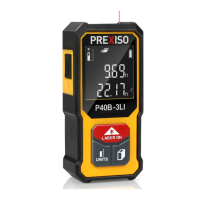
Prexiso P40B-3LI - User Manual

Prexiso P40B-3LI
10 pages
Print Icon
To Next Page IconTo Next Page
Loading...
IMPORTANT: Read before Using
®
LI-ION RECHARGEABLE POCKET
LASER DISTANCE MEASURE
www.prexiso-eu.com
2
WARRANTY
LIMITED
YEARS
P40B-3LI
P40B-3LI

Questions and Answers

  • K
    kbakerAug 10, 2025
    Why won't my Prexiso P40B-3LI switch on?
    • J
      Joseph BrownAug 10, 2025
      If your Prexiso Analytical Instruments fails to switch on, there are a few potential reasons. It could be due to hardware protection activated after a shock, in which case you should restart the device. Another possibility is a low battery, so try recharging the device. Finally, ensure you are pressing the On/Measure/Units button firmly.
  • S
    sbensonAug 23, 2025
    What to do if my Prexiso P40B-3LI shows all dashes on the display?
    • C
      Cody MckinneyAug 25, 2025
      If your Prexiso Analytical Instruments displays all dashes, it could be due to several reasons: * The beam is being moved too fast, so try moving the measuring tool more slowly. * The object may be out of the rated range; ensure you are measuring within the specified range. * The signal may be too weak or the measuring time too long. Try changing the target surface, for example, use white paper. * The signal may be too strong because the target is too reflective; again, try changing the target surface, such as using white paper. * Ambient light may be too strong. Try to shadow the target area.

Prexiso P40B-3LI Specifications

General IconGeneral
TypeLaser Distance Meter
Accuracy± 1.5 mm
Laser Type635 nm, <1 mW
Laser ClassClass II
Units of Measurementm, in, ft
Power Supply2 x AAA batteries
Battery Life5000 measurements
Operating Temperature0°C to 40°C
Storage Temperature-10°C to 60°C
FeaturesArea and volume calculation, continuous measurement, addition/subtraction, indirect measurement (Pythagoras)
DisplayMulti-line display with backlight

Related product manuals