EasyManua.ls Logo

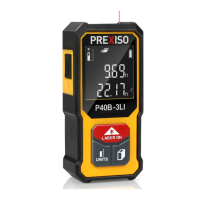
Prexiso P40B-3LI - Instrument Set-Up; Overview; Display; Charge the Device

Prexiso P40B-3LI
10 pages
To Next Page IconTo Next Page
To Previous Page IconTo Previous Page
Loading...
P40B-3LI
2
EN
Instrument Set-up
Overview Display
i
Prexiso P40B-3LI
The safety instructions and the user manual should
be read through carefully before the product is
used for the first time.
The person responsible for the product must
ensure that all users understand these directions
and adhere to them.
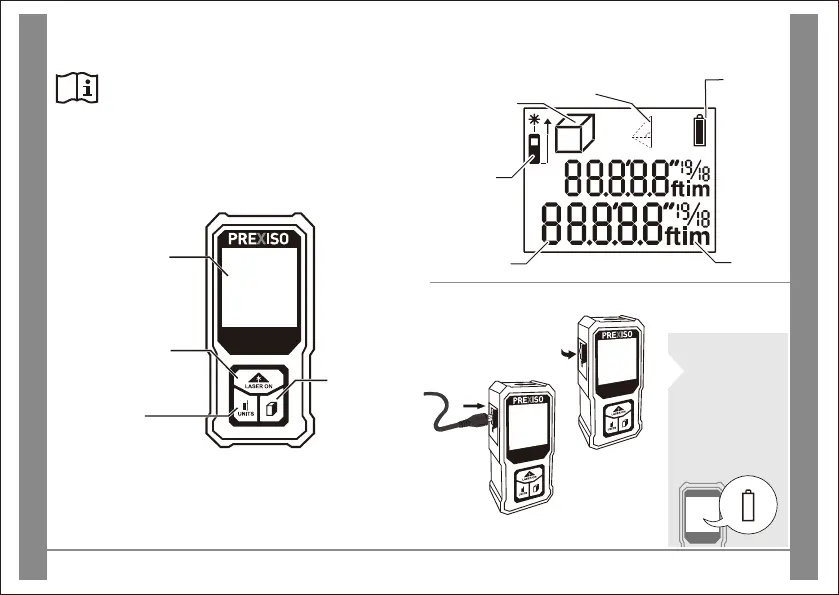
Display
On / Measure /
Continuous
Measuring
Charge the device
Open the cap
and insert the
USB recharging
cable with
Mirco-USB Port
Recharge the device
when battery symbol
shows empty.
Battery
Units
Main line
Measuring
Reference
Area / Volume
Pythagoras
(2-Point/3-Point)
P40B-3LI
P40B-3LI
Micro-USB
Units /
Measuring
Reference
Area /
Volume/
Pythagoras
(2-Point/
3-Point)

Related product manuals