14
[Deleting History Data]
The history and count data in each mode can be deleted by continuously pressing the Up and
Down Scroll buttons simultaneously for 2 or more seconds.
Device Measurement Range and Setup
●
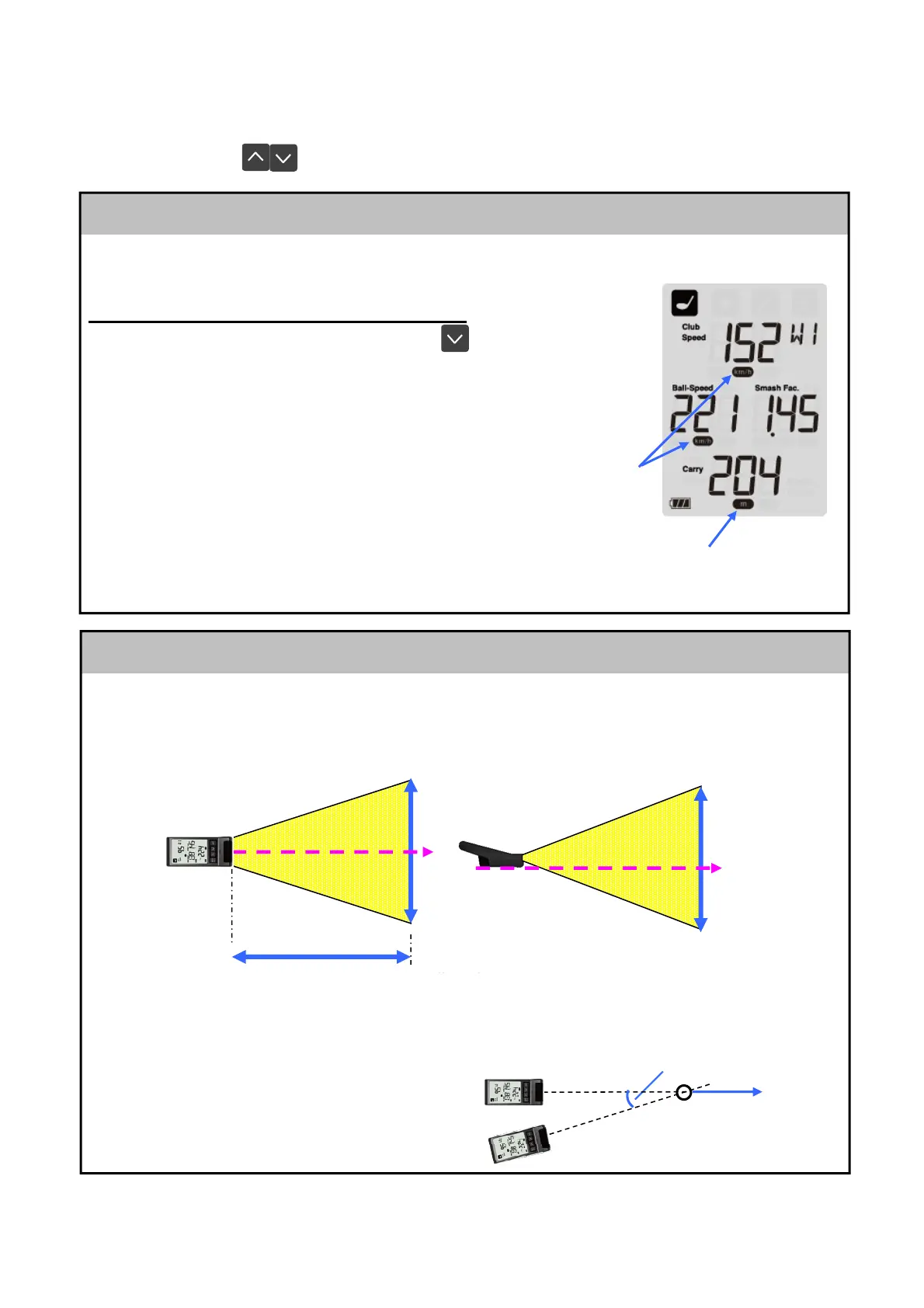
This device can be used to measure the speed of a ball passing through the following
general ranges.
The estimated ranges shown below are those when using a softball. Measurement may
not be possible depending on the ball material.
● If the device is set up at an angle in regards to an object’
s direction of travel, the speed
displayed will be slower than the actual speed.
Example: when measuring a target moving at 70 mph
0 degrees: 70 mph (100%)
10 degrees: 69 mph (98%)
20 degrees: 66 mph (94%)
30 degrees: 61 mph (87%)
3.5 ft
3.5 ft
* Align the
bottom of the device with the target
Set-up angle
Direction of travel
The units of measurement displayed on this device can be switched between imperial and
metric. Use the following procedure to switch the displayed units of measurement.
Switching displayed units of measurement
・ Press and hold the Down Scroll button and ENTER button
simultaneously.
⇒ Every time the above buttons are pressed, the displayed units
of measurement will switch between imperial and metric.
“MPH” and “yard” ⇔ “km/h” and “m”
* Displayed unit of speed will switch on all modes.
* The operations and usage methods remain the
same for each mode.
* Next time the device is restarted, the displayed
units of measurement will be the same as those
when the device was turned off.
Switching units of measurement
of speed
MPH
⇔
km/h
Displayed unit
of distance
⇔


 To Next Page