11
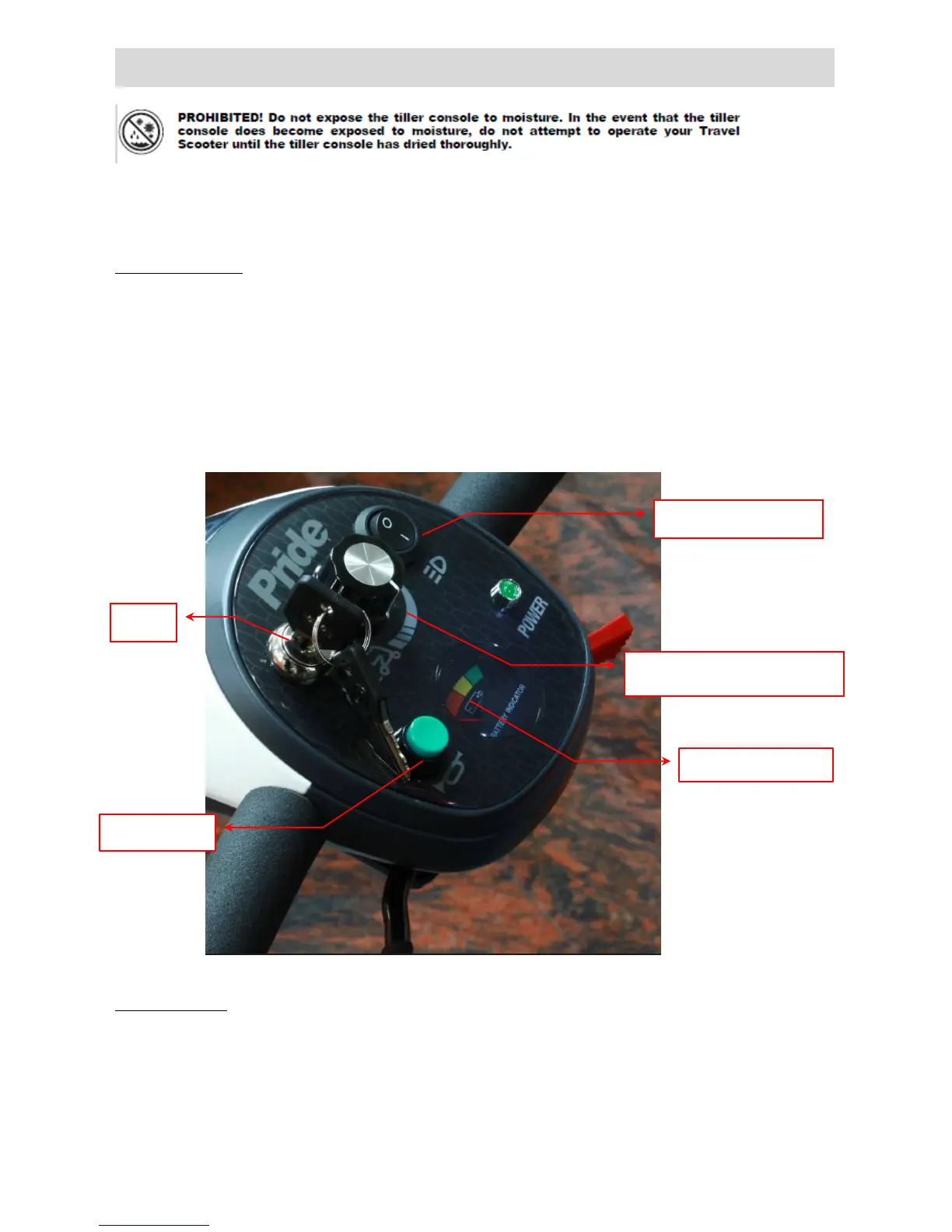
OPERATION OF CONTROL PANEL
The power scooter is simple to operate. However, we recommend that you read carefully the following
instructions to become familiarized with your new vehicle.
A Word of Caution:
Before you turn the power on, always be aware of the environment that surrounds you to select your desired
speed. For indoor environments we recommend that you select the slowest speed setting. For outdoor
operation of this vehicle we recommend that you select a speed that is comfortable for you to control it safely.
The following steps are required to operate your vehicle safely with the controller.
Button functions
1. Battery Indicator: When your scooter is switched on, the needle on the meter will move across the scale
from the left 'red' sector towards the 'green' sector, indicating the state of charge in your batteries. As the
power is used up in your batteries, the needle will slowly towards the 'red' sector indicating the state of



 To Next Page