3- Operating Instructions
3.3 Setting the pressing parameters
3.3 Setting the pressing time
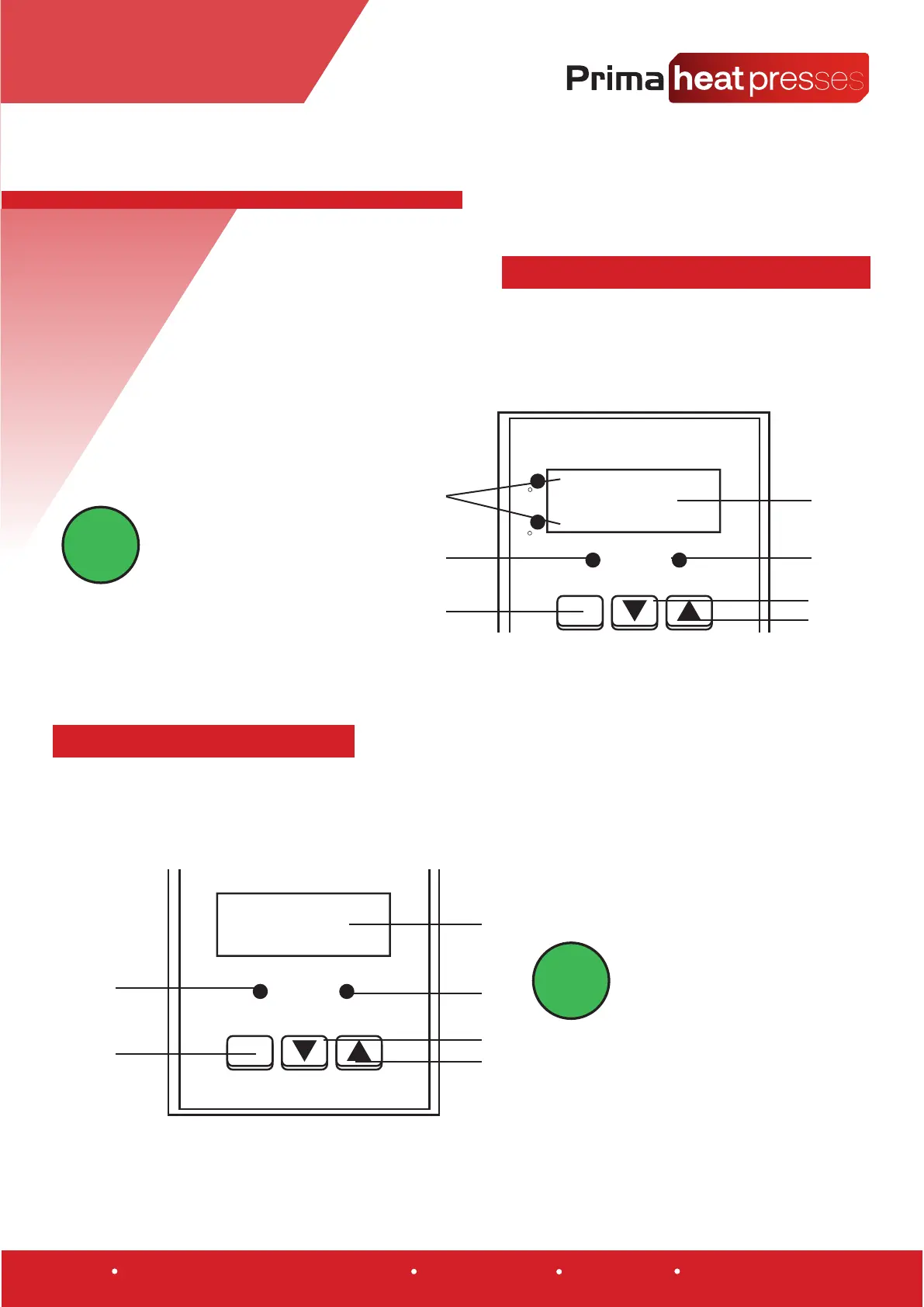
1. To set the power press the Temperature SET Button (3) the SETTEM LCD will light up.
2. You can then use then use the Temperature UP (7) and Temperature DOWN (6) arrow to
set the desired Temperature.
1. To set the power press the Temperature SET Button (12) the SETTEM LCD will light up.
2. You can then use then use the Temperature UP (10) and Temperature DOWN (9) arrow to
set the desired Temperature.
3. Once the desired temperature has been set
press the Temperature SET button (3) again to
conrm the setting.
3. Once the desired temperature has been set
press the Time SET button (12) again to
conrm the setting.
1
4
5
6
7
2
3
SET
Temperature
C
F
SETTEM
OUT
8888
Once the temperature has been set the heat
platen will begin to climb to the desired tem-
perature. This may take a few minutes as the
element heats up. An alarm will sound once
the desired temperature is reached. To stop the
alarm close and then open the press.
Once set the mer will begin to count down
when the heat press is closed. An alarm will
sound when the press cycle is complete
indicang when to open the press again
INFORMATION!
INFORMATION!
7
8
9
10
11
12
SET
S
SETITM
NTIF - 2000
AT/ALM
8888
Warehouse 3, Browns of Carlisle, Carlisle, Cumbria, CA5 6LF www.primaheatpresses.com +44 (0) 01228 712128 VAT No. GB944407715


 To Next Page
 Loading...