Audio Setup:
By pressing MENU button ,and thenpressing VOL(-/+) buttonsit will bringyou to
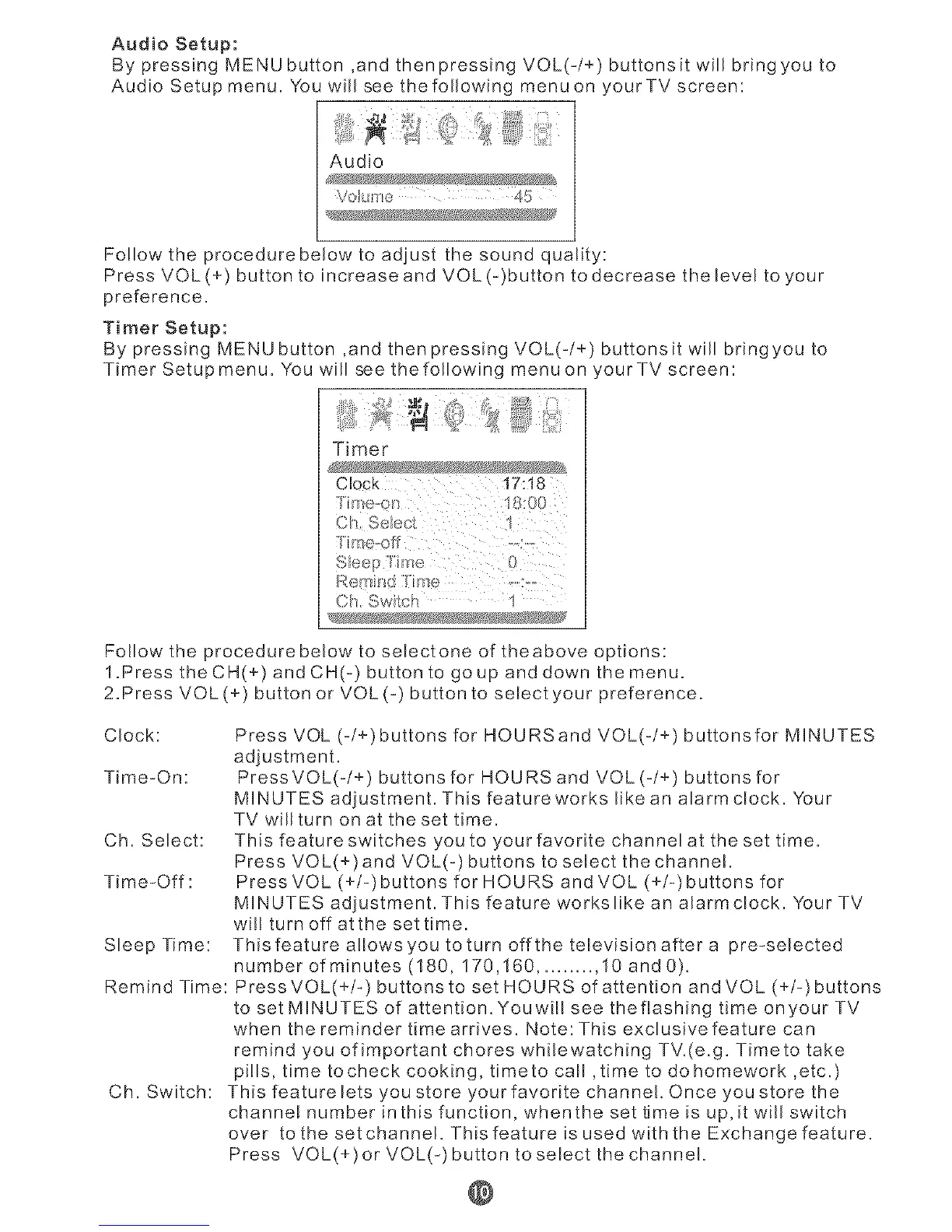
Audio Setup menu. You will see the following menu on yourTV screen:
Audio
VO!LI_ e 4!:i
Follow the procedure below to adjust the sound quality:
Press VOL(+) button to increase and VOL(-)button to decrease thelevel to your
preference.
Timer Setup:
By pressing MENU button ,and then pressing VOL(-/+) buttonsit will bringyou to
TimerSetupmenu. You will see thefollowing menuon 'ourTVscreen:
Timer
Clock 17:18
{h, Swilch 1
Follow the procedure below to selectone of theabove options:
1.Press the CH(+) and CH(-) button to go up and down the menu.
2.Press VOL(+) button or VOL(-) button to select your preference.
Clock:
Time-On:
Ch. Select:
Time-Off:
Sleep Time:
Remind Time:
Ch. Switch:
Press VOL (-/+)buttons for HOURSand VOL(-/+) buttonsfor MINUTES
adiustment.
Press VOL(-/+) buttons for HOURS and VOL (-/+) buttons for
MINUTES adjustment. This feature works like an alarm dock. Your
TV willturn on at the set time.
This feature switches you to your favorite channelat the set time.
Press VOL(+)and VOL(-) buttons to select the channel.
Press VOL (+/-)buttons for HOURS and VOL (+/-)buttons for
MINUTES adjustment. This feature workslike an alarm clock. Your TV
wil! turn off at the set time.
This feature a!lowsyou to turn off the television after a pre-selected
number of minutes (!80, 170,!60 .......... 10 and 0).
PressVOL(+/-) buttons to set HOURS of attention and VOL (+/-)buttons
to set MINUTES of attention. Youwill see theflashing time onyour TV
when the reminder time arrives. Note: This exclusive feature can
remind you of important chores whilewatching TV.(e.g. Timeto take
pills, time tocheck cooking, timeto call ,time to do homework ,etc.)
This featurelets you store yourfavorite channel. Once you store the
channe! number inthis function, whenthe set time is up,it will switch
over to the setchanneI. ThisfeatureisusedwiththeExchangefeature.
Press VOL(+)orVOL(-)buttontoselectthechannel.
@


 To Next Page
 Loading...
