Function Setup:
By pressing the MENU button, and then pressing VOL(-/+) buttons, you will enter the
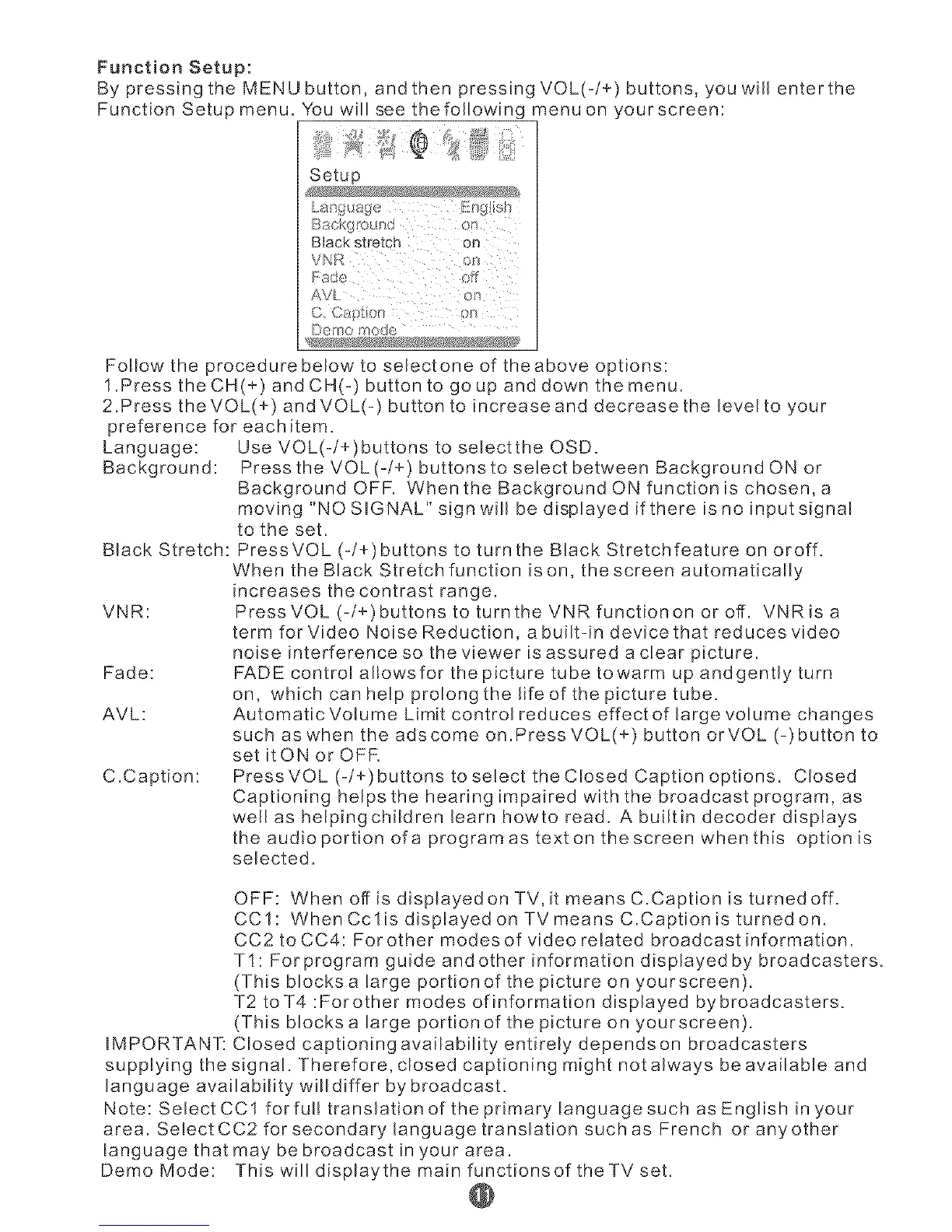
Function Setup menu. You will see the following menu on yourscreen:
Setup
Black stretch on
AVL o!'_
{:}cl°r/o R_od¢
Follow the procedure below to select one of the above options:
1.Press the CH(+) and CH(-) button to go up and down the menu.
2.Press theVOL(+) and VOL(-) button to increase and decrease the levelto your
preference for each item.
Language: Use VOL(-/+)buttons to selectthe OSD.
Background: Press the VOL (-/+) buttons to select between Background ON or
Background OFF. When the Background ON function is chosen, a
moving "NO SIGNAL" sign will be displayed if there is no input signal
to the set.
Black Stretch: Press VOL (-/+)buttons to turn the Black Stretchfeature on oroff.
When the Black Stretch function is on, the screen automatically
increases the contrast range.
VNR: PressVOL(-/+)buttonstoturntheVNRfunctiononoroff. VNRisa
term for Video Noise Reduction, a built-in device that reduces video
noise interference so the viewer is assured a clear picture.
Fade: FADE control al!owsfor the picture tube towarm up andgently turn
on, which can help prolong the life of the picture tube.
AVL: Automatic Volume Limit control reduces effect of large volume changes
such as when the adscome on.Press VOL(+) button orVOL (-)button to
set itON or OFF.
C.Caption: Press VOL (-/+) buttons to select the CIosed Caption options. Closed
Captioning helps the hearing impaired with the broadcast program, as
well as helpingchildren learn howto read. A builtin decoder displays
the audio portion ofa program as text on the screen when this option is
selected.
OFF: When off is displayedon TV, it means C.Caption is turnedoff.
CCI: When Cclis displayed on TV means C.Caption is turned on.
CC2 to CC4: For other modes of video related broadcast information.
TI: For program guide and other information displayed by broadcasters.
(This blocks a large portion of the picture on yourscreen).
T2 toT4 :For other modes of information displayed by broadcasters.
(This blocks a large portion of the picture on yourscreen).
IMPORTANT: Closed captioning availability entirely depends on broadcasters
supplying the signal. Therefore, closed captioning might not always be available and
language availability will differ by broadcast.
Note: Select CC1 forful! translation of the primary language such as English in your
area. Select CC2 for secondary language translation suchas French or anyother
language that may be broadcast in your area.
DemoMode: ThiswilldisplaythemainfunctionsoftheTVset.
@


 To Next Page
 Loading...
