Channel setup:
By pressing MENU button ,and then pressing VOL-/+ buttonit will bringyou to
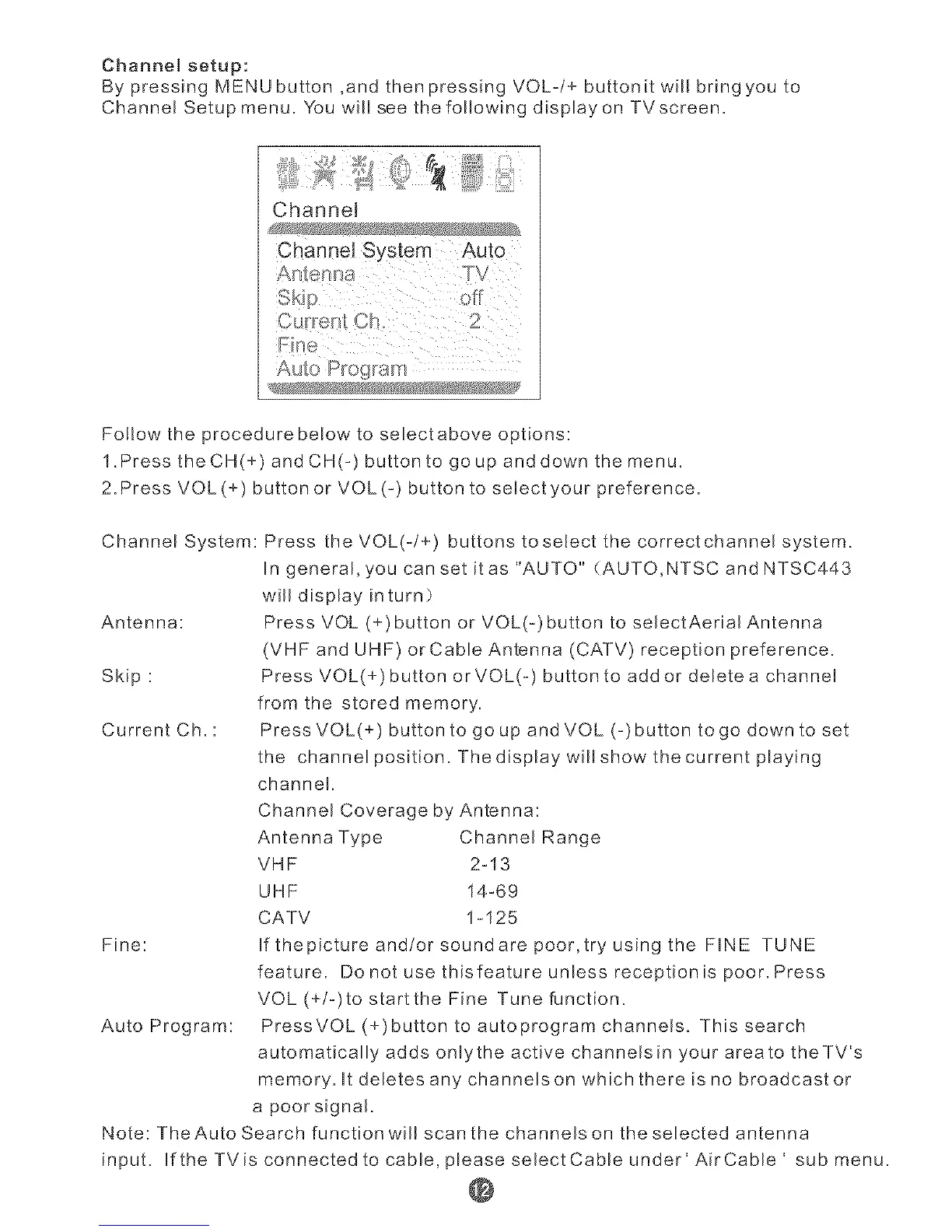
Channel Setup menu. You will see the following displayon TVscreen.
Channel
Channel System Auto
off
A@o Program
Follow the procedure beEow to selectabove options:
1.Press the CH(+) and CH(-) button to go up and down the menu.
2. Press VOL(+) button or VOL(-) button to selectyour preference.
Channel System: Press the VOL(-/÷) buttons toseLect the correctchanner system.
Ungeneral, you can set itas "AUTO" (AUTO,NTSC and NTSC443
will display inturn)
Antenna: Press VOL (+)button or VOL(-)button to serectAerial Antenna
(VHF and UHF) or Cable Antenna (CATV) reception preference.
Skip : Press VOL(+) button orVOL(-) button to addor delete a channel
from the stored memory.
Current Ch. : Press VOL(+) button to go up and VOL (-)button to go down to set
the channel position. Thedisplay willshow the current playing
channel.
Channel Coverage by Antenna:
Antenna Type Channel Range
VHF 2-13
UHF 14-69
CATV 1-125
Fine: If thepicture and/or soundare poor,try using the FINE TUNE
feature. Do not use thisfeature unless reception is poor. Press
VOL (+/-)to startthe Fine Tune function.
Auto Program: PressVOL (+)button to autoprogram channels. This search
automatically adds only the active channelsin your area to theTV's
memory. It deletes any channelson which there is no broadcast or
a poor signa!.
Note: TheAuto Search function will scan the channels on the selected antenna
input. IftheTVisconnectedtocable,@easeselectCableunder'AirCable' sub menu.
@



 To Next Page
 Loading...