Using the Re ote Contro|
@
@
POWER
SCAN RECALL DISPLAY MUTE
@@@
TV/DVD
CALENDAR T_ME
G
REV FWD PREV NEXT
STOP SETUP PAUSE_STEP
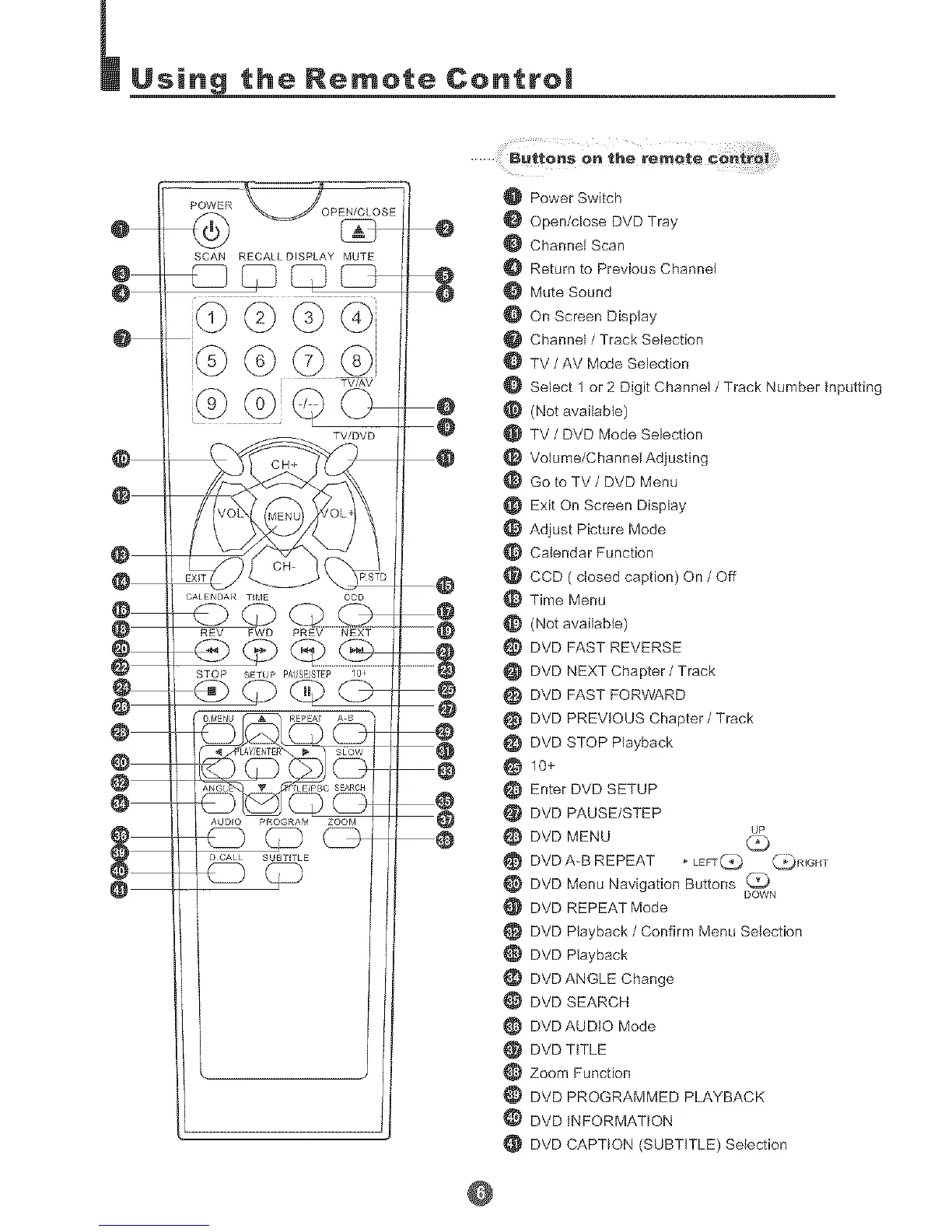
O Power Switch
Open/close DVD Tray
Channel Scan
Return to Previous Channel
Mute Sound
On Screen Display
Channel / Track Selection
TV / AV Mode Selection
O Select 1 or 2 Digit Channel / Track Number Inputting
(Not available)
TV / DVD Mode Selection
Volume/Channel Adjusting
Go to TV / DVD Menu
Exit On Screen Display
Adjust Picture Mode
Calendar Function
CCD ( closed caption) On / Off
Time Menu
(Not available)
_} DVD FAST REVERSE
DVD NEXT Chapter / Track
DVD FAST FORWARD
DVD PREVIOUS Chapter / Track
DVD STOP Playback
10+
Enter DVD SETUP
DVD PAUSE/STEP
e DVD MENU
DVD A-B REPEAT , LEFT(_ _RIGHT
DVD Menu Navigation Buttons
DOWN
DVD REPEAT Mode
DVD P{ayback / Confirm Menu Selection
DVD Playback
DVD ANGLE Change
DVD SEARCH
DVD AUDIO Mode
DVD TtTLE
Zoom Function
DVD PROGRAMMED PLAYBACK
DVD INFORMATION
DVD CAPTION (SUBTITLE) Selection
@



 To Next Page