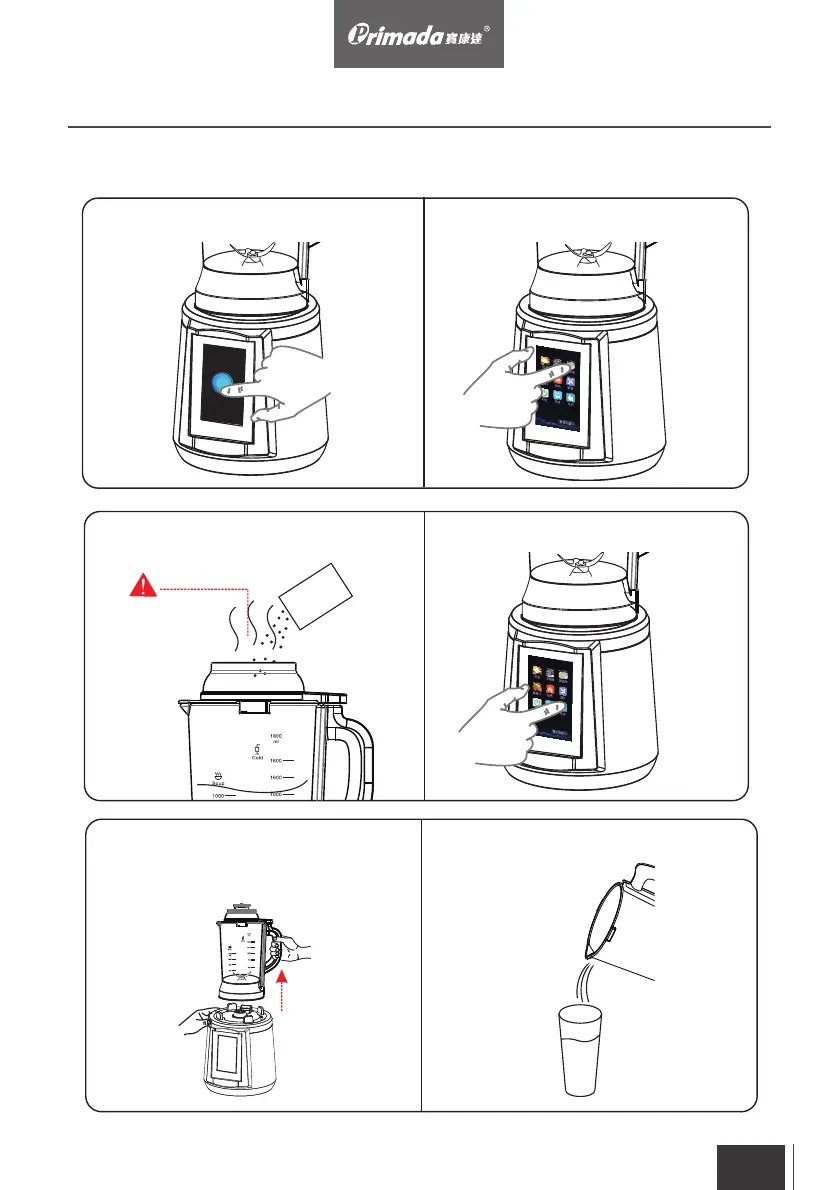
7. Touch the “POWER” button to go to
standby mode
8. Go to the program menu and choose
the desired program
11. After done, disconnect
the power supply and carefully remove
the blender cup from the motor base
10. Press and hold the stir button for a
few seconds
9. After the program is finished, remove
the feeding cover and add seasoning
12. Pour it into cup to serve
3. Operating
3.1 Operation and Use
se
as
on
in
g
Beware of steam
to avoid scalding
EN
20


 To Next Page