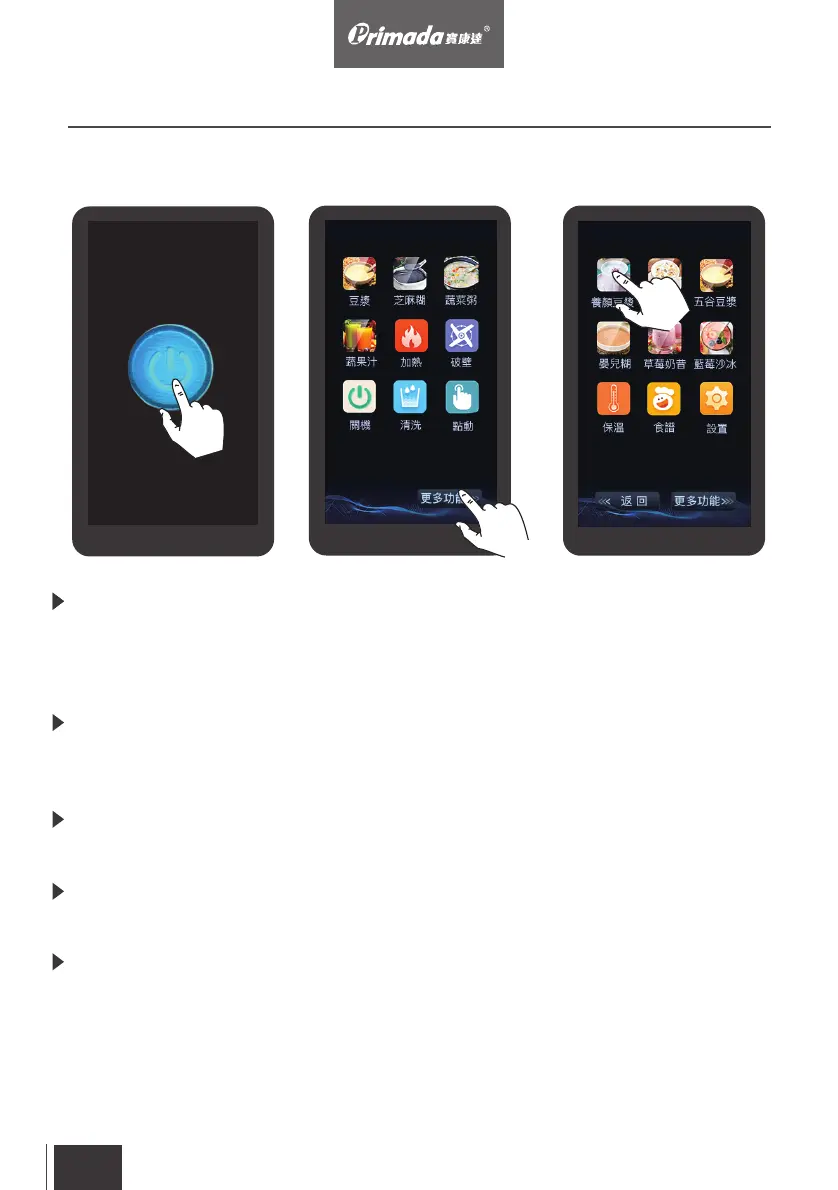
Pic. 1
Pic. 2
Pic. 3
Power on: After connecting to the electricity supply, the "POWER" button
lights on. Touch the "POWER" button to activate the main control interface
which is accompanied with a 2-second reminder tone. The machine will then
be on standby mode (Pic. 1)
Power off: Under standby mode and no function is selected, touch the
“POWER off”button on the main control interface to turn off. Disconnect
the power after the screen turns off.
Go to the program menu: Touch the “more functions” button on the main
control interface to go to the program menu (Pic. 2)
Return to the previous program menu: Touch the “back” button to return
to the previous program menu
Open the program: Touch the program button to open the desired
program (Pic. 3)
3. Operating
3.2 Control Panel
EN
21



 To Next Page