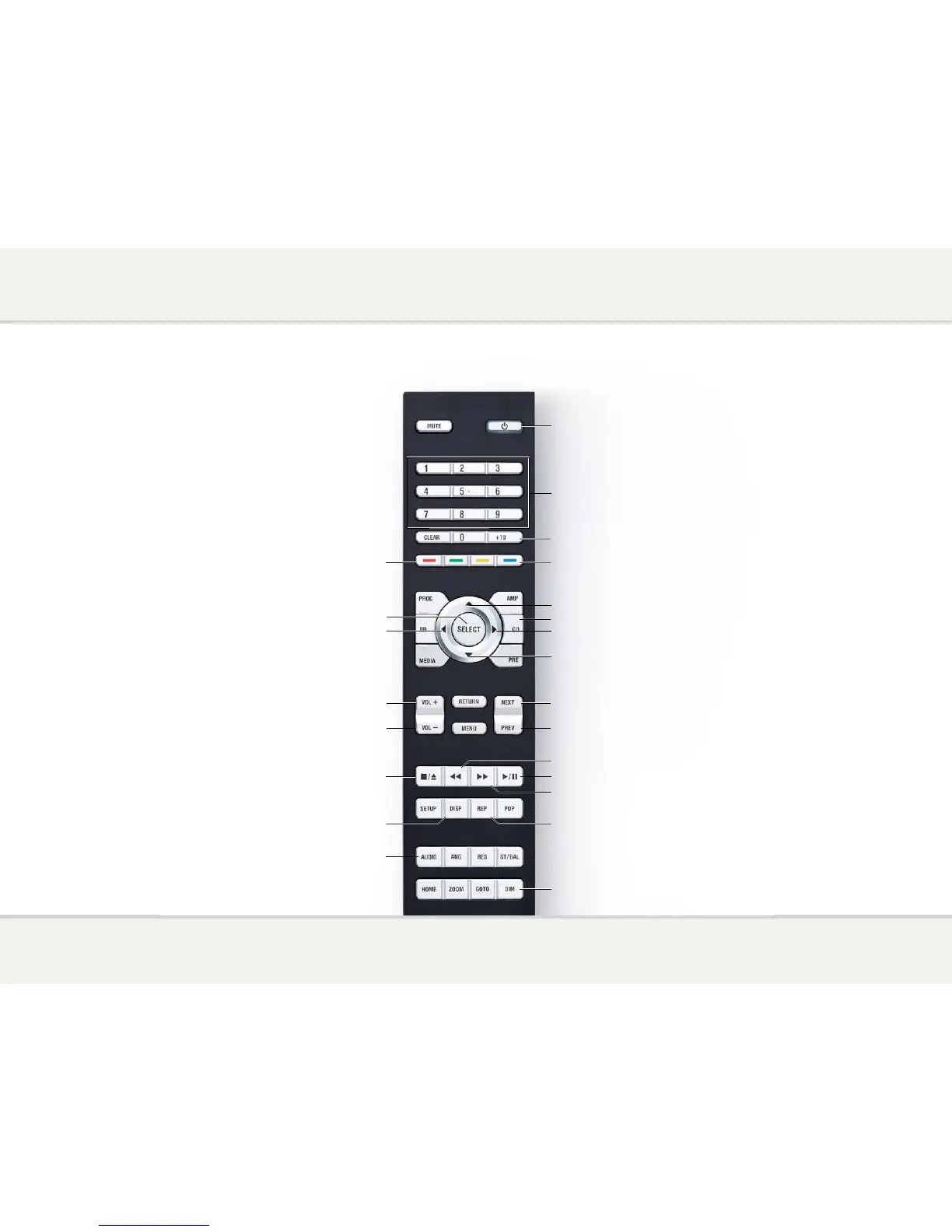
Switch on/off
Display tracks in a folder
on CDR/USB menu
Move up on CDR/USB menu
Move down on CDR/USB menu
Select between disc and USB
Change the display brightness
Display folders on CDR/USB menu
Decrease volume of amplifier
Increase volume of amplifier
Enter track number
Enter number >10
Select item on CDR/USB menu
Play or pause the disc
Change the sampling rate
Forward scan
Reverse scan
Repeat the track or disc
Change the displayed information
Stop the disc, or hold down
to open/close the tray
Shuffle tracks
Restart the current track,
or skip to the previous track
Skip to the next track
Select CD mode


 To Next Page