1
Welcome
Welcome to the Primare T23! Your T23 is a combined high-quality FM and DAB receiver.
This page shows how to set up your T23 in five simple steps:
1 Unpack the T23
Your T23 is supplied with the following
components:
•
Mains cable.
•
C22 remote control.
•
Two batteries for the remote control.
If any of these items are missing please contact
your supplier. We recommend you retain the
packaging in case you need to transport the unit at
a later date.
2 Connect to a
preamplifier
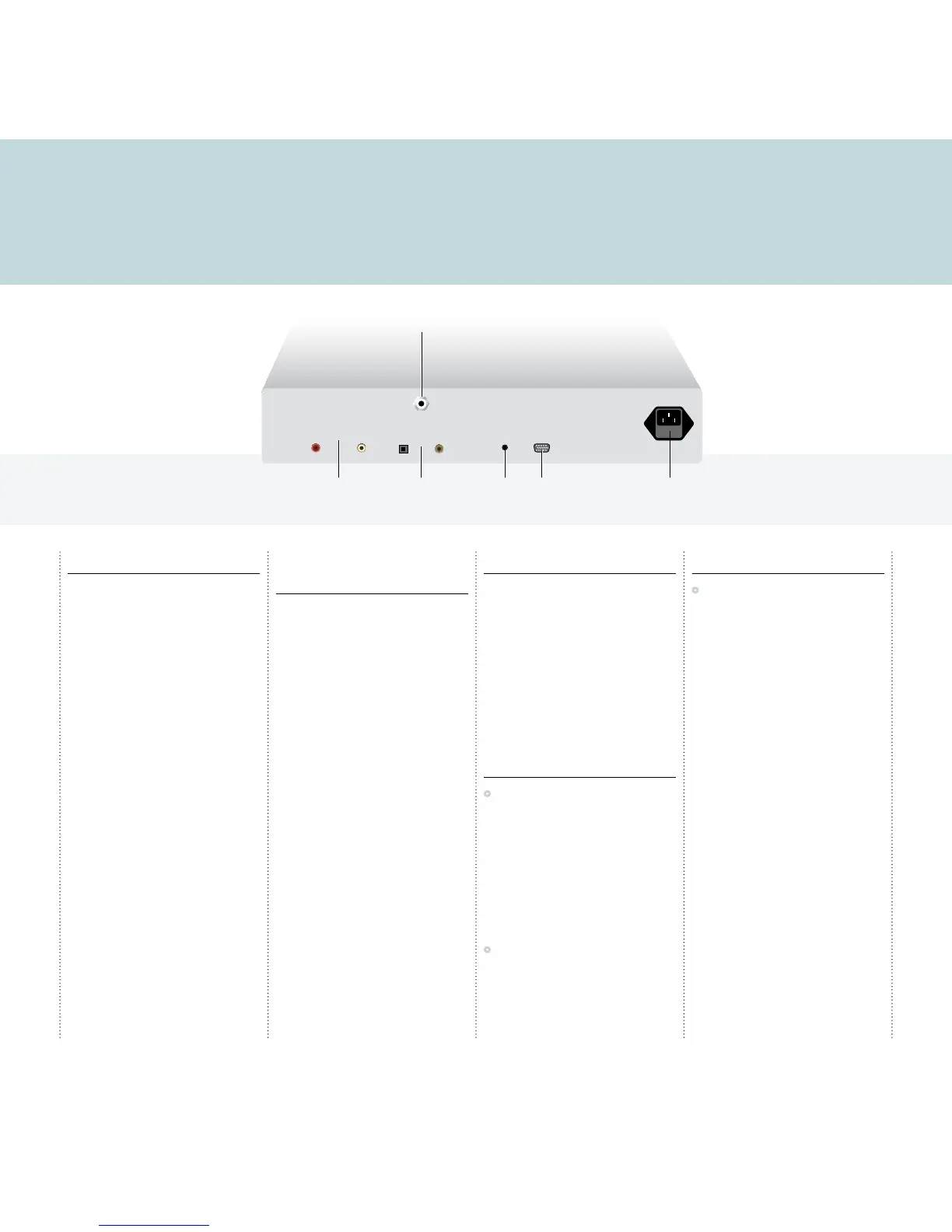
Analogue outputs
The T23 is designed to be connected to the line
input of a preamplifier.
Connect the ANALOG OUTPUTS to a suitable line
input using a pair of analogue RCA leads.
Digital outputs
The T23 also provides both optical and coax digital
outputs, to allow you to connect the T23 to a
digital surround processor or digital preamplifier
with digital inputs, or record from the T23 to a
digital recorder. The T23 includes an analogue to
digital converter, so FM is also available on the
digital output.
Connect using an optical cable or coax digital cable
as appropriate.
3 Connect an aerial
The T23 includes a combined FM/DAB (Digital
Audio Broadcasting) radio receiver, and to receive
stations on either of the DAB or FM wavebands
you need to connect a suitable aerial to the aerial
connector on the back panel. The FM/DAB aerial
connector is an F-type screw connector.
Connect the aerial by pushing the pin into the
hole in the center of the connector, then screwing
the sleeve onto the outside. For more information
about connecting and positioning the aerial for
best reception see
Using the radio
, page 7.
4 Connect power
•
Plug one end of the mains cable supplied with
the T23 into the power connector on the back
panel, and connect the other end to a wall
socket.
If this cable is not suitable for your power outlets
please contact your supplier for an alternative
cable.
WARNING: Always disconnect the
T23 from the mains power before
connecting or disconnecting any cables.
•
Switch on the T23, using the switch under the
right-hand end of the front panel.
The standby indicator will light up on the front
panel.
5 Tune to a DAB station
•
Press d on the front panel, or TUNER on
the remote control, until the display shows:
DAB
The first time you select the DAB receiver it scans
for stations, and the display will show:
DAB autoscan full...
with a progress bar showing the progress of the
scan and the number of stations found.
The tuner will then select the first station found, in
alphabetical order.



 To Next Page
 Loading...