Using the T23
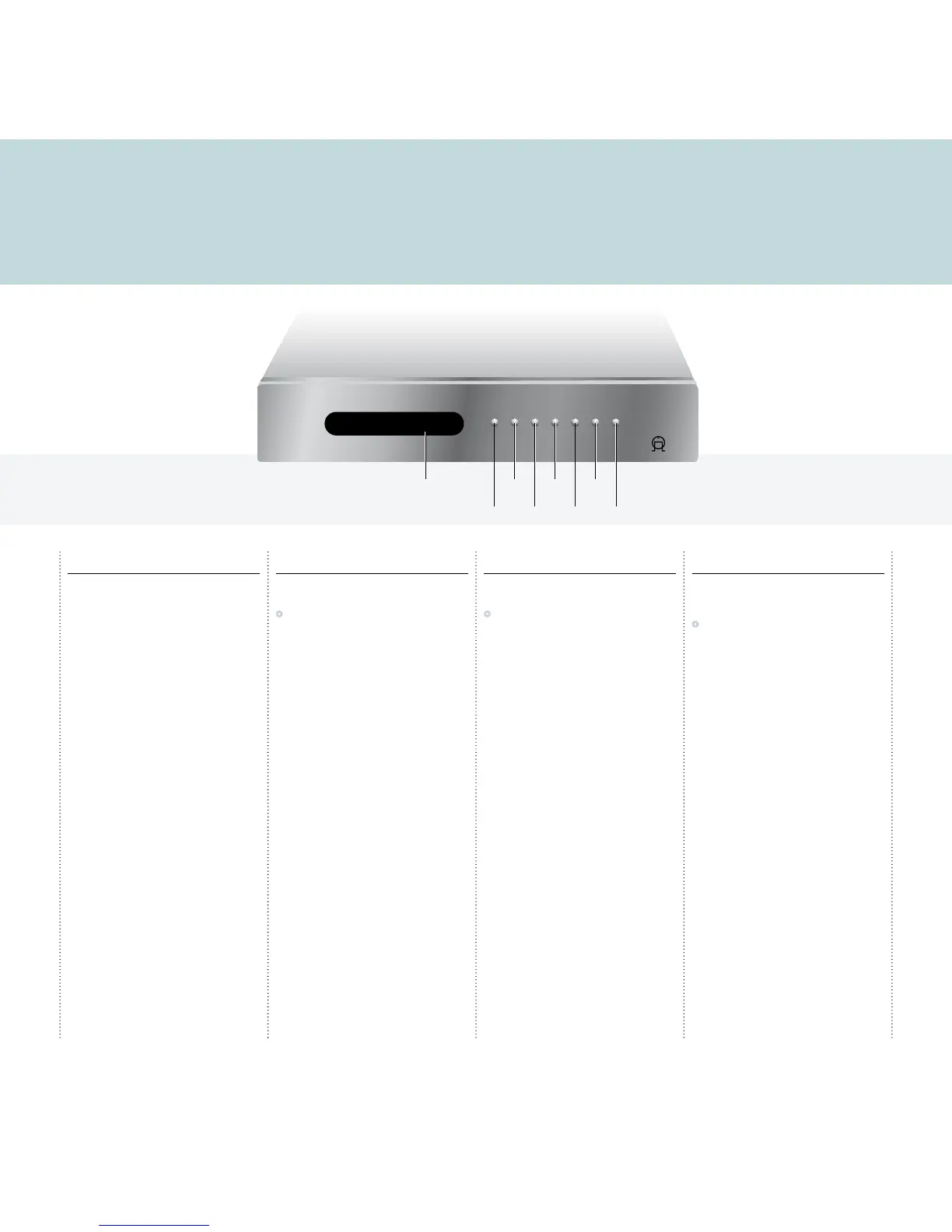
This page explains how to operate your T23, with an explanation of the function of each of the front panel controls.
Front panel controls
Previous V
In tune mode displays the previous station (DAB) or
tunes down manually (FM). In preset mode selects
the previous preset.
Next A
In tune mode displays the next station (DAB) or
tunes up manually (FM). In preset mode selects the
next preset.
Select R
Selects the displayed DAB station.
FM/DAB d
Switches between FM and DAB.
Display i
Changes the displayed information.
Preset mode p
Switches the function of the A and V keys
between tune mode and preset mode.
Standby O
Press to put the T23 into standby. The display
shows:
-OFF-
Press again to switch the T23 on.
Listening to DAB radio
To select the DAB tuner
•
Press d on the front panel, or TUNER on
the remote control, until the display shows:
DAB
When you first select the DAB tuner, the
tuner scans to locate all the stations in your
neighbourhood, and the display shows:
DAB autoscan full...
with a progress bar showing the number of
stations found.
For more information see
DAB
, page 5.
Listening to FM radio
To select the FM tuner
•
Press d on the front panel, or TUNER on
the remote control, until the display shows:
FM
For more information see
FM
, page 5.
Changing the display
The T23 allows you to adjust the display brightness
between four options: off, dim, medium, or bright.
•
Press DIM on the remote control to step
between the options.
If you turn the display off, it will light up for a short
time each time you change a setting.



 To Next Page