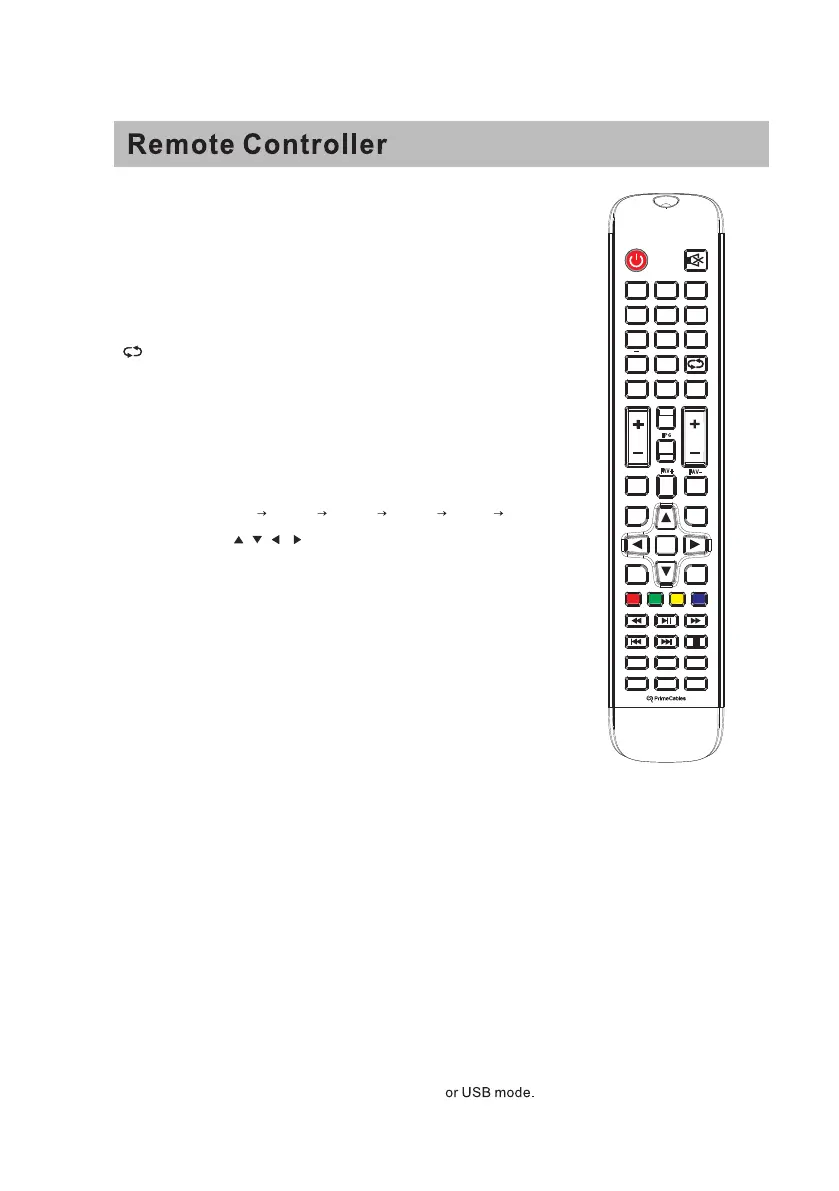
1. : Set your TV to power on or standby mode.
2.MUTE : Press to mute the sound. Press again or press VOL+
to unmute.
3.0-9: Press 0-9 to select a TV channel directly when you are
watching TV. The channel will change after a few seconds
4.- : Press “-” to enter a program number for a multiple program
channel, such as 2-1etc. Return to the previous channel
viewed.
5. : Return to the previous channel viewed.
6.P.MODE : Press to cycle through the different picture settings.
7.S L E E
P: Select the amount of time before TV turns off
automatically.
8.S .MODE : Press to cycle through the different sound settings.
9.ME NU: Allows you to navigate the on-screen menus.
10.S OUR CE : Press to cycle through the input source as follows:
TV → AV
YPBPR HDMI1 HDMI2 HDMI3 PC
11.THUMB S TIC K ( / / / / E NTE R ):
Allows you to navigate the on-screen menus and adjust the
system settings to your preference.
12.E XIT : Exit from the menu or sub- menu and cancel the
function in progress (if possible).
13.DIS P LAY: Press to display the source and channel’s
information.
14.MTS : Press to select the audio mode,you can select Stereo,
Mono,or SAP (second audio program).
15.V +/-: Press to increase or decrease the sound level.
16.C H+/-: Press to scan thro
ugh or to select a channel.
17.AUTO : Adjusting the PC image rate automatically.
EP G:
18.FAV: Add or delete the current channel as a favorite channel.
19.FAV+:
Move down to a favorite program.
20.FAV-:
Move up to a favorite program.
21.C C : Press to display the closed caption.
22.ZOOM: Select display mode.
23.S TO P: Press to STOP in the USB mode.
24.P LAY/PAUS E : Press to PLAY/PAUSE in the USB mode.
Start recording and PAUSE in the USB mode.
25.P R E V: Press to skip backward in the
USB mode.
26.NE XT: Press to skip forward in the storage mode
Power
Electronic programme guide,a function that when the channel
is included EPG information, then press EPG button on the
remote control can show all the channel, and then press left
and right button on the remote control, you can choose the channel information.
39
+
TV
HDMI
PC
C C
A U TO
1 2
3
5
6
4
97 8
0
CH
S L E E P
P. M O DE
S .M OD E
V OL
E X IT
D I S P L AY
E N T E R
M E N U
S O U R C E
M T S
E
P G
FAV-
FAV +
FAV
A S P E C T



 To Previous Page
 Loading...