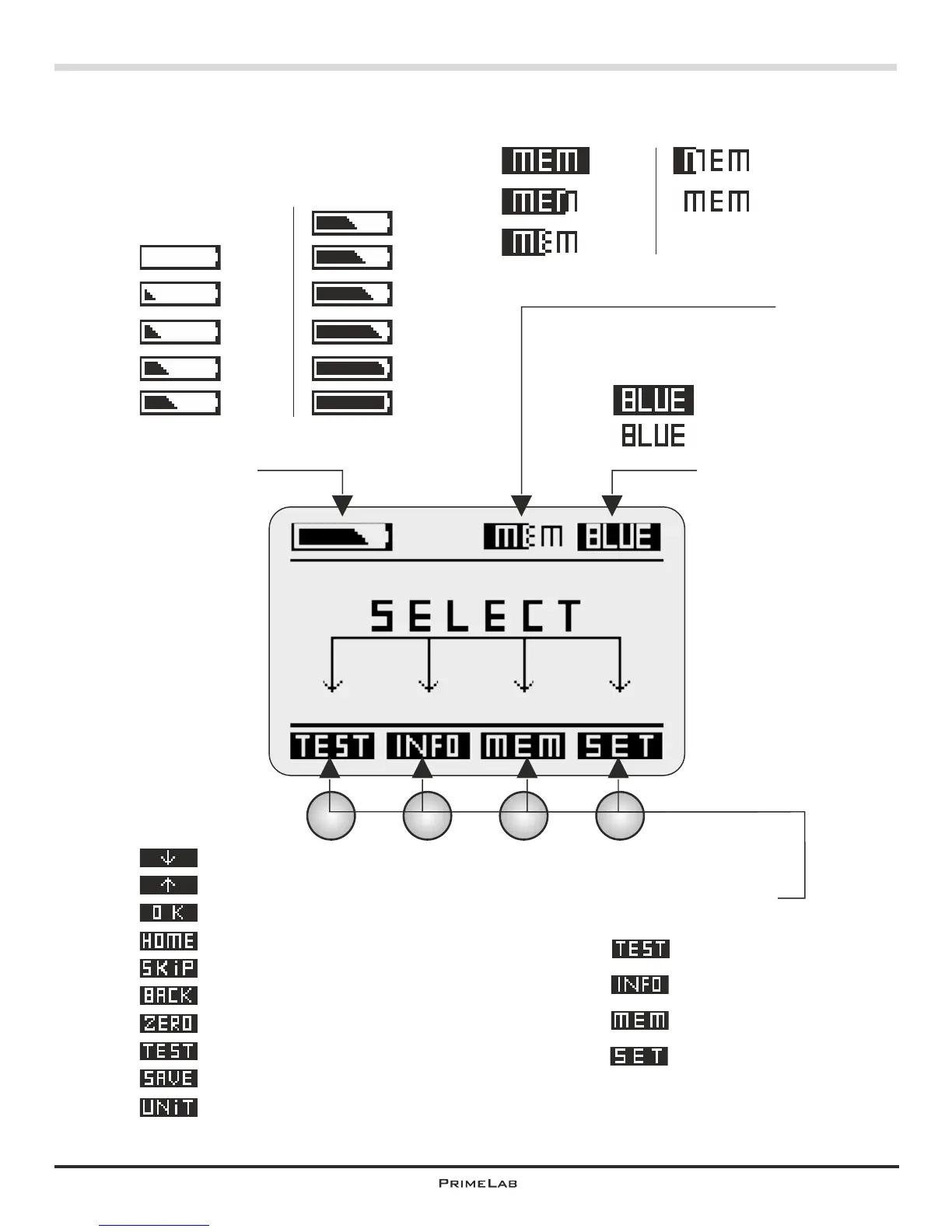
The PrimeLab / Display symbols
8
activated
deactivated
PrimeLab memory usage
100%
75%
50%
25%
0%
Battery state display
100%
90%
80%
70%
60%
50%
40%
30%
20%
10%
0%
Assign of
buttons 1 - 4
upon start:
Menu TEST
Menu INFO
Menu MEMORY
Menu SETUP
Other button
assignments:
8
®
Bluetooth -transmitter
Scroll down or decrease value
Scroll up or increase value
Confirm input / output
Step back or return to start screen
Skip messages / skip countdown
Step back
Initiate ZERO measurement (baseline)
Initiate test
Save result
Convert result to different units


 To Next Page