EN
Página 23 de 43
Import/Export Configuration: It is possible to import a machine configuration from a
USB memory stick or to export the current machine configuration to a memory stick. When
this button is pressed, an intermediate window is displayed where we select whether to
import or export (as in programmes).
If IMPORT is selected, the same window as in programmes is displayed in order to browse
through the USB, but only configuration files (with extension .cfg) can be selected.
If EXPORT is selected, the current machine configuration is saved to the root directory of the
USB.
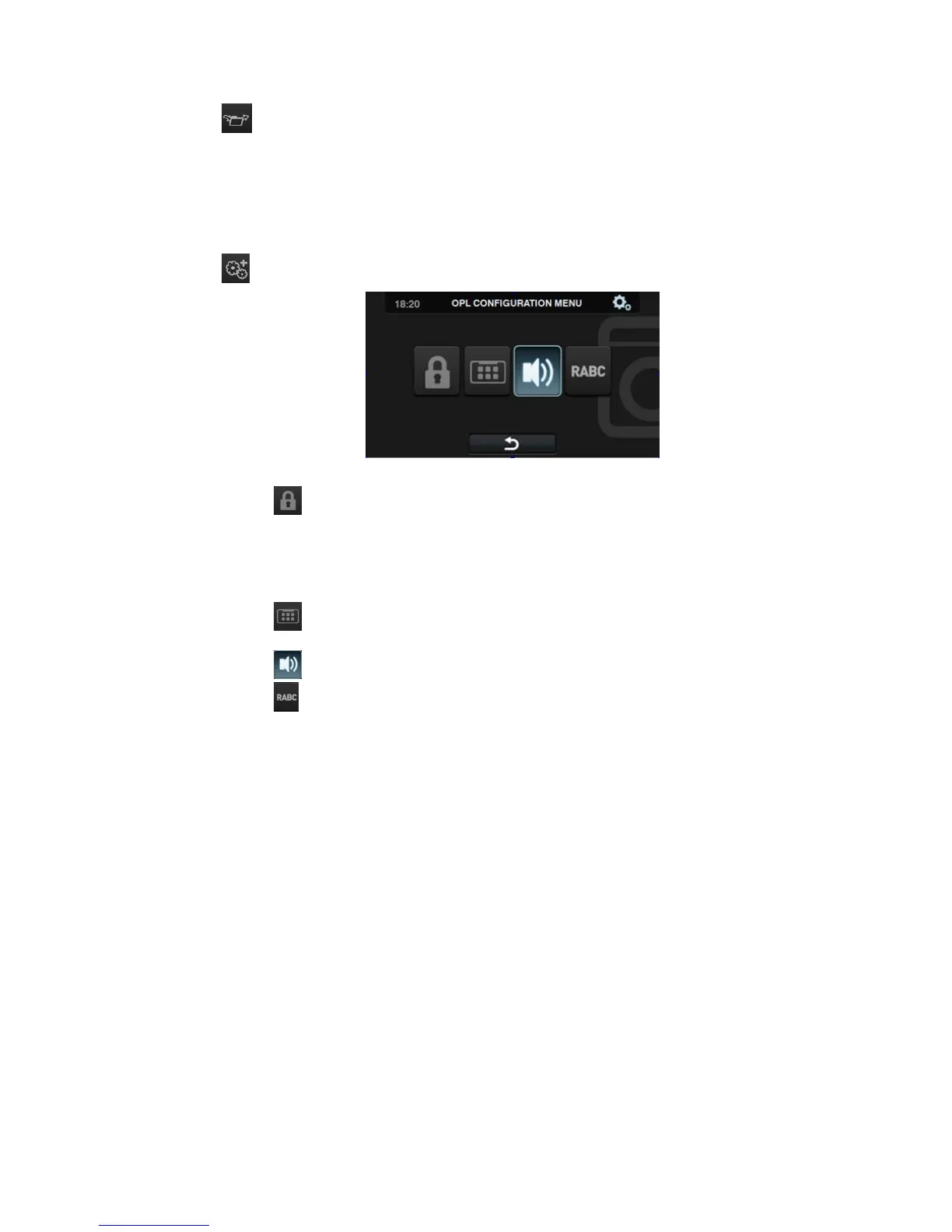
Advanced configuration
Restricted access: This allows the washing machine configuration to be
restricted, by establishing a password to enter the main menu. The default setting is
deactivated.
The required password (1234 by default) for entering the main menu can be
configured. There is also a master password in the event that the user forgets the
established password (0777).
HUD: The HUD configuration activates/deactivates the display of the parameters
on the different screens.
Beep: Option permitting the buzzer to be disabled. By default it is enabled.
RABC/Traceability: The information for each wash is registered, and the
following information saved:
At the start of each cycle: Programme, start time, weight (where applicable). During
the programme, every 15 seconds: Level, temperature and error (where applicable).
When downloading the data, the required period must be selected (by default, start
date and end date, today's date).
The data will be saved for a minimum of 15 days.
Every time a download is made, a folder is created with
NumSeries_Date_Time_RABC, creating a “.rabc” file for each of the programmes
that has been run.



 To Next Page