EN
Página 39 de 43
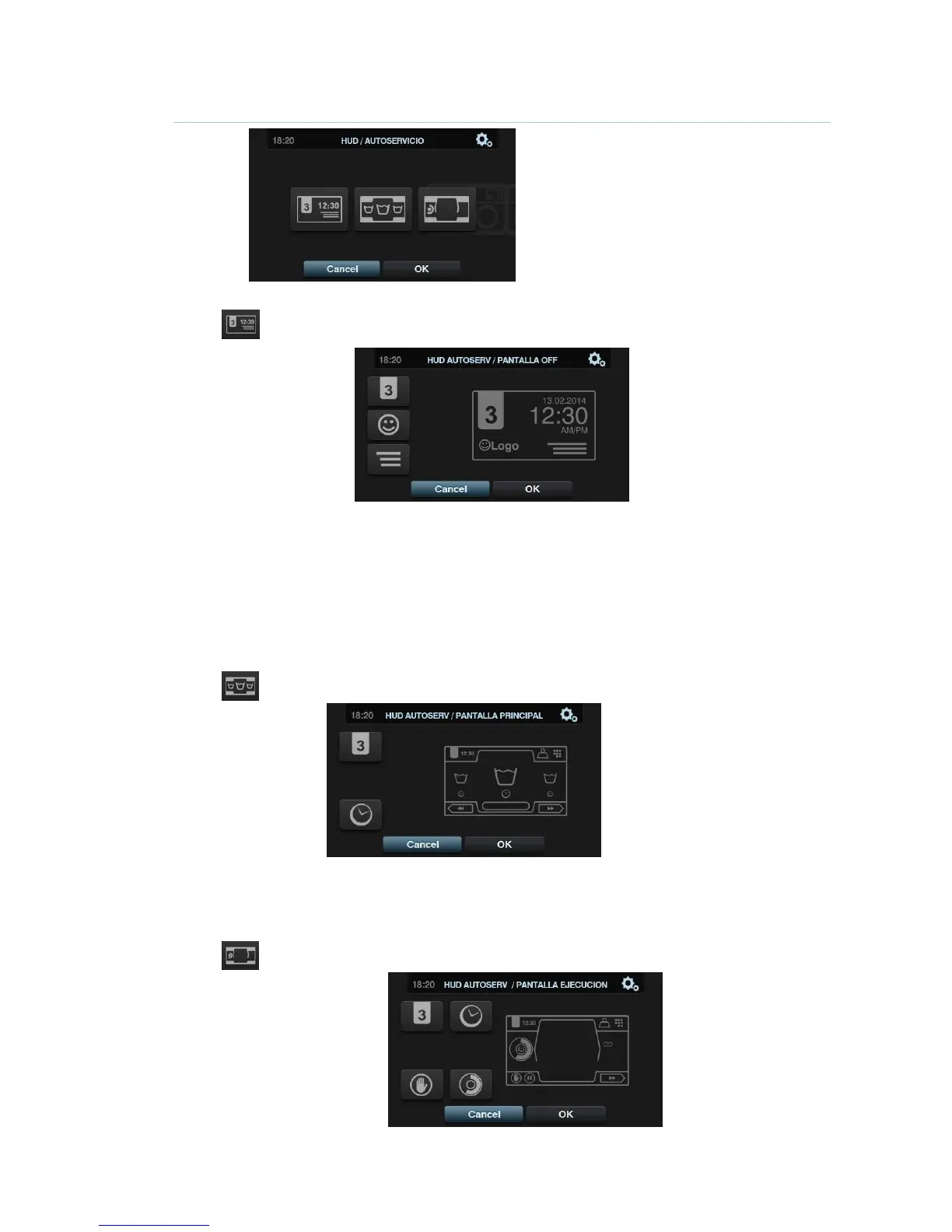
4.2.2 HUD programming
Standby Screen: These are the parameters that can be configured:
o Machine identifier: The machine identifier can be enabled/disabled, and the number
to be allocated to the identifier can be edited (between 1 and 99). By default it is
disabled.
o Logo: This allows the user to select whether or not to display the logo. By default it is
enabled.
o Laundrette message: Start message that can be edited by the user (Max. 40
characters). By default it is disabled.
o Date: Option that can be enabled/disabled. By default it is enabled.
Main Screen: This allows the following parameters to be configured:
o Machine identifier: The machine identifier can be enabled/disabled. By default it is
disabled.
o Time: Display/hide current time. By default it is enabled.
Run Screen: The configurable options are listed below:



 To Next Page