EN
Página 38 de 43
Price programming: In addition to the basic price configuration, it is possible to define a price
programming. That is, periods of specific time for which you wish to change the defined programme
price. Maximum, 10 simultaneous programmings.
The programmed prices are valid for the configured time slot. The prices return to the general prices
outside the configured time slot.
If there is a conflict between different programmings, the condition of the first plan will be applied. In
addition, plans can only be created from the current date.
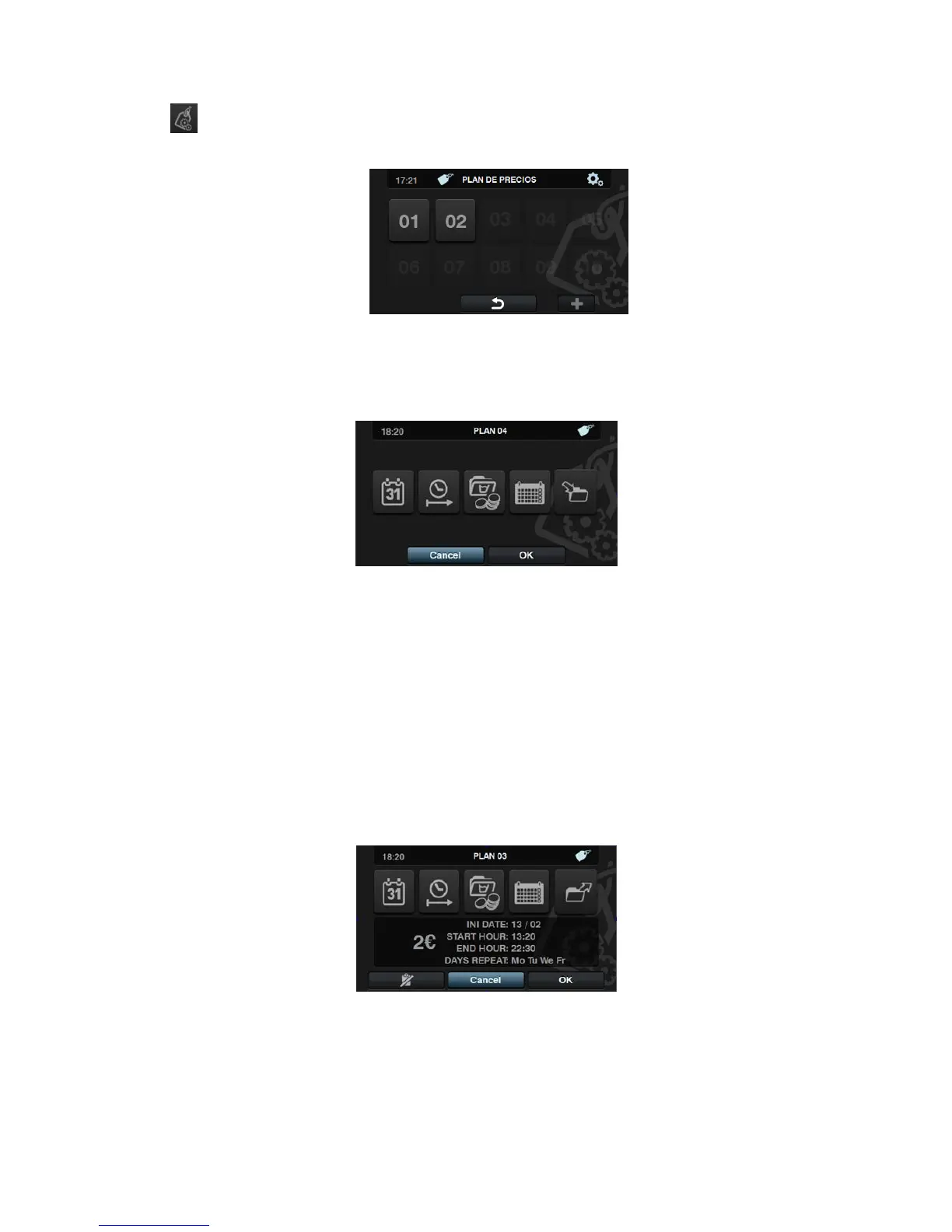
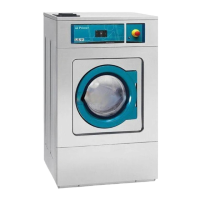
On pressing “+” to create a new plan, these are the fields that must be completed when preparing a
programming:
Date: Time period in which programming is to be made.
Start/end time: Start and end time of the programming.
Programme(s) & Prices: Price or discount to be allocated to each of the existing
programmes in “My Programmes”.
A set price can be allocated or a discount applied to the selected programmes.
Calendar: Within the selected time period, days on which the programming is to be
applied.
Import: In addition to entering the fields one by one, it is also possible to import an
existing plan from a USB memory stick.
If IMPORT is selected, the same screen as in programmes is displayed in order to
browse through the USB, but only plan files (with extension .plan) can be selected. It is
only possible to import one plan when importing.
On pressing OK and importing the plan, the display returns to the main window of price
plans.
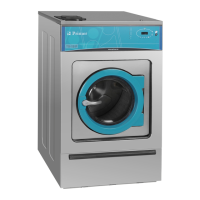
On pressing the number of an active plan, a summary of the configured parameters is
displayed.
The parameters described above can be changed one by one by pressing the corresponding button.
In addition, there is an “Export” button for exporting this plan (in a file with a .plan extension) to the
root directory of the USB memory stick.



 To Next Page