Need help?
Do you have a question about the Primos Proof Camera Series 63054 and is the answer not in the manual?
Lists all items included in the camera package.
Details the necessary items required to make the camera operational.
Guide to setting the camera's date and time for accurate logging.
Adjusting shutter speed for night vision to balance motion blur and brightness.
Explains selecting Photo, Video, or Time Lapse modes for capturing.
Details setting photo burst, video length, and time lapse intervals.
Sets the time delay between captured photos or video recordings.
Explains OFF, ON, and SETUP modes for camera control.
Details the auto-adjusting Passive Infrared (PIR) sensor for sensitivity.
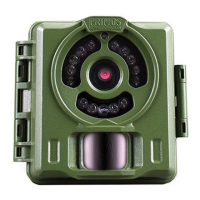
Explains the function and importance of the front red LED light.
Methods for viewing recorded photos and videos from the SD card.
Learn how to use the camera and find answers to common questions.
Instructions on mounting and positioning the camera for best results.
Tips for achieving good image quality and resolving motion blur.
Addresses whiteout, dark, or light image quality issues.
Explains causes and solutions for false triggers and media not saving.
Recommendations for storing the camera and removing batteries.
Notes on testing the camera indoors versus its intended outdoor operation.
Instructions on how to play back and adjust speed for time lapse videos.
Suggestions for optional accessories like padlocks and security cables.
Details the 1-year limited warranty, terms, and limitations.
Instructions on how to contact customer service and return the product for repair.
 General
| Battery Type | AA |
|---|---|
| Battery Quantity | 8 |
| Storage | Up to 32GB SD card |
| Recovery Time | 1 second |
| Weight | 1.5 lbs |
| Video Resolution | 720p |
| IR Flash Range | 80 feet |
| Flash Type | Low Glow IR |

 To Next Page