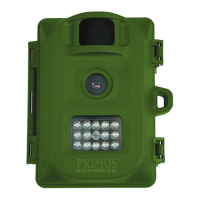
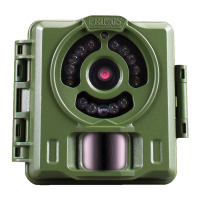
Need help?
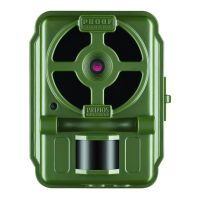
Do you have a question about the Primos Proof Camera Series 63056 and is the answer not in the manual?
Describes the photo capture mode and its media type.
Explains video recording with audio.
Details high-definition video recording.
Covers high-definition time-lapse recording.
Describes combined time-lapse and photo capture.
Lists critical warnings to prevent fire, shock, or product damage.
Provides advice on handling and using the product carefully to avoid damage.
Warns that unauthorized modifications void the warranty.
Warns against mixing battery types to prevent hazards.
Guides on how to insert batteries into the camera.
Instructs on installing the SD memory card.
Details setting the date and time in setup mode.
Explains how to set switches and turn the camera ON.
Lists all items included in the camera package.
Specifies items necessary for the camera to function.
Guides on setting the camera's date and time accurately.
Explains how to adjust night vision shutter speed for clarity.
Details the different capture modes available for the camera.
Describes the Photo capture mode and its media type.
Explains the Video capture mode and its media type.
Covers the All Day Time Lapse mode and its media.
Explains the combined Time Lapse and Photo mode.
Explains how setting switches correspond to mode settings.
Defines the number of pictures taken per triggering event.
Specifies the duration of each recorded video clip.
Describes the time interval between time-lapse photos.
Explains the delay between photo/video recordings.
Details final steps to make the camera operational after setup.
Describes the three basic operational modes of the camera.
Explains the safe OFF mode for maintenance and storage.
Details the ON mode for active recording and its indicator.
Describes the SETUP mode for checking and changing settings.
Explains the auto-adjusting PIR sensor for sensitivity.
Describes the function of the red light on the camera's front.
Warns against covering the red LED light as it acts as a light sensor.
Explains how the LCD shows file count and battery life.
Provides examples of battery life under various usage conditions.
Advises against mixing old and new batteries for optimal performance.
Recommends using only one type of battery (lithium or alkaline).
States that formatting erases all data from the SD card.
Outlines the steps to format the SD card using the camera.
Warns about data deletion during the formatting process.
Explains methods for viewing captured photos and videos.
Describes viewing media by inserting the SD card directly into a computer.
Details viewing media using an external USB card reader.
Lists the types of information included in the image stamp.
Suggests visiting the website for instructional videos.
Directs users to a website for troubleshooting and FAQs.
Guides on how to ensure the camera is pointed correctly.
Provides recommendations for mounting the camera's height.
Explains causes of blurry images and potential solutions.
Discusses motion blur and how to minimize it.
Explains causes of whiteout images due to object proximity.
Discusses image quality variations during light transitions.
Addresses causes and prevention of empty or false triggers.
Provides steps to resolve issues with saving photos/videos.
Advises on proper storage conditions and battery removal.
Notes that the camera is designed for outdoor use.
Guides on viewing and playing back time-lapse video files.
Lists recommended accessories like padlocks and security cables.
Outlines the terms and conditions of the 1-year limited warranty.
Specifies registration and proof of purchase requirements for warranty.
Lists limitations and exclusions for the product warranty.
Provides instructions for obtaining warranty service and returning the product.
Directs users to the website for instructional videos.
Provides contact information for customer service inquiries.
 General
| Brand | Primos |
|---|---|
| Model | Proof Camera Series 63056 |
| Category | Scouting Camera |
| Language | English |

 To Next Page