508 761 PUB DATE: 01/03 USER´S MANUAL 7
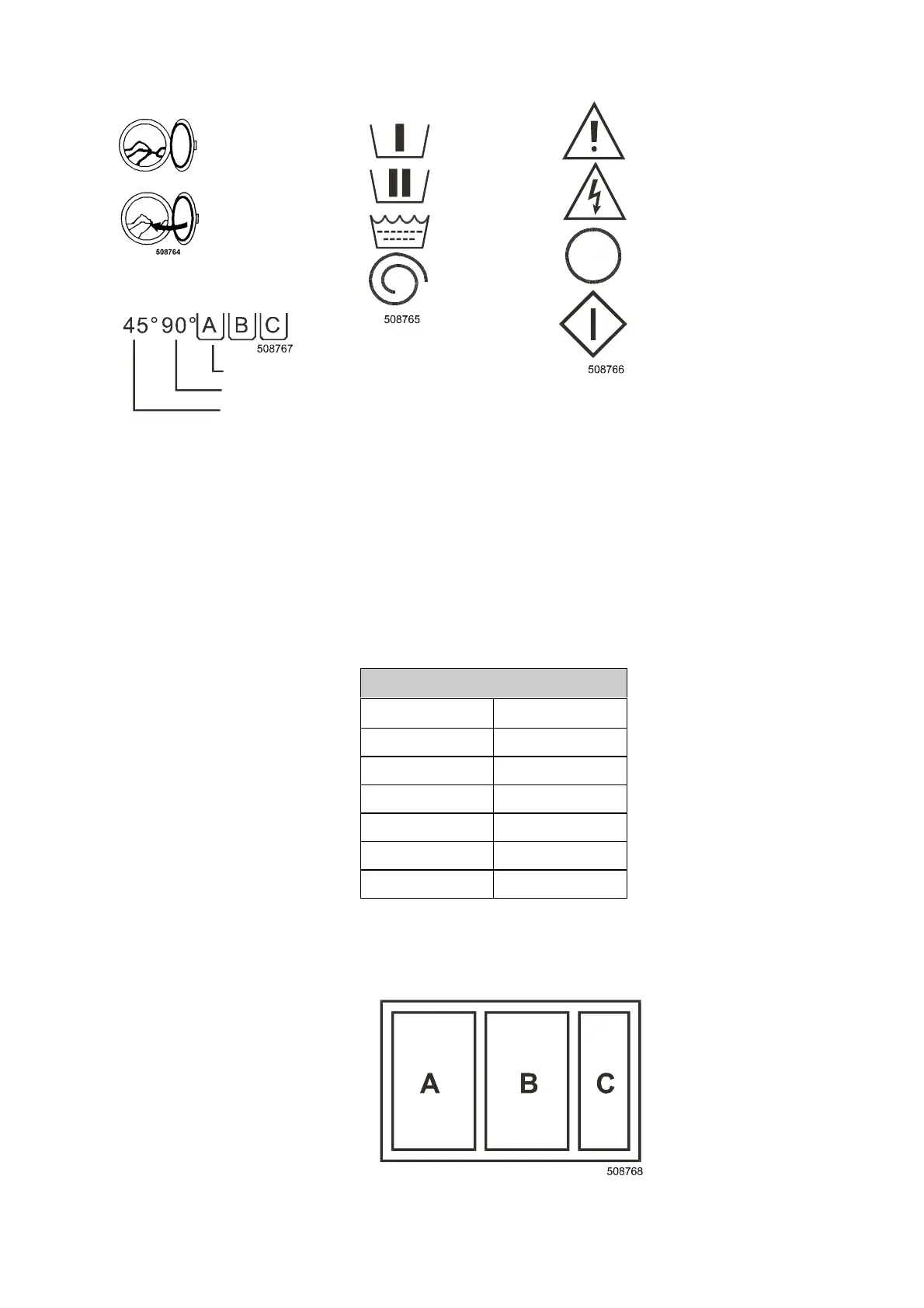
3. OPERATOR PANEL SYMBOLS
Insert the laundry
into the machine
Close the door
Fill these soap hoppers
Main wash temperature
Prewash temperature
4. OPERATION INSTRUCTIONS
4.1. BEFORE WASHING
THE MANUFACTURER DOES NOT CARRY ANY RESPONSIBILITY FOR DAMAGES TO LAUNDRY
CAUSED BY INCORRECT WASHING PROCEDURE.
The laundry must be separated according to their type and chosen wash temperature. Empty out the pockets
and remove foreign objects such as nails, pins, screws and so on, which could damage the laundry or the
machine. To achieve better washing results, mix large and small pieces of laundry together and place it
loosely and separately into the machine.
1. Open the door by using the door handle.
9. Insert the laundry into the machine. Do not overload the machine.
CAPACITY
KG LBS
615
718
10 25
16 35
22 50
35 80
Tab. 4.1.
10. Close the door using the door handle.
11. Choose a program according to the degree of dirtyness and type of the laundry.
12. Fill the soap hoppers
– into A, washing agent for prewash
– into B, washing agent for main wash
– into C, softener
Fig. 4.1. Soap hoppers
Prewash
Main wash
Rinse
Spinning
Warning, read and keep
writen instructions
Dangerous electric
current, electric appliance
Emergency stop button,
press in case of emergency
(for not coin machines)
Push the button to start
the machine



 To Next Page