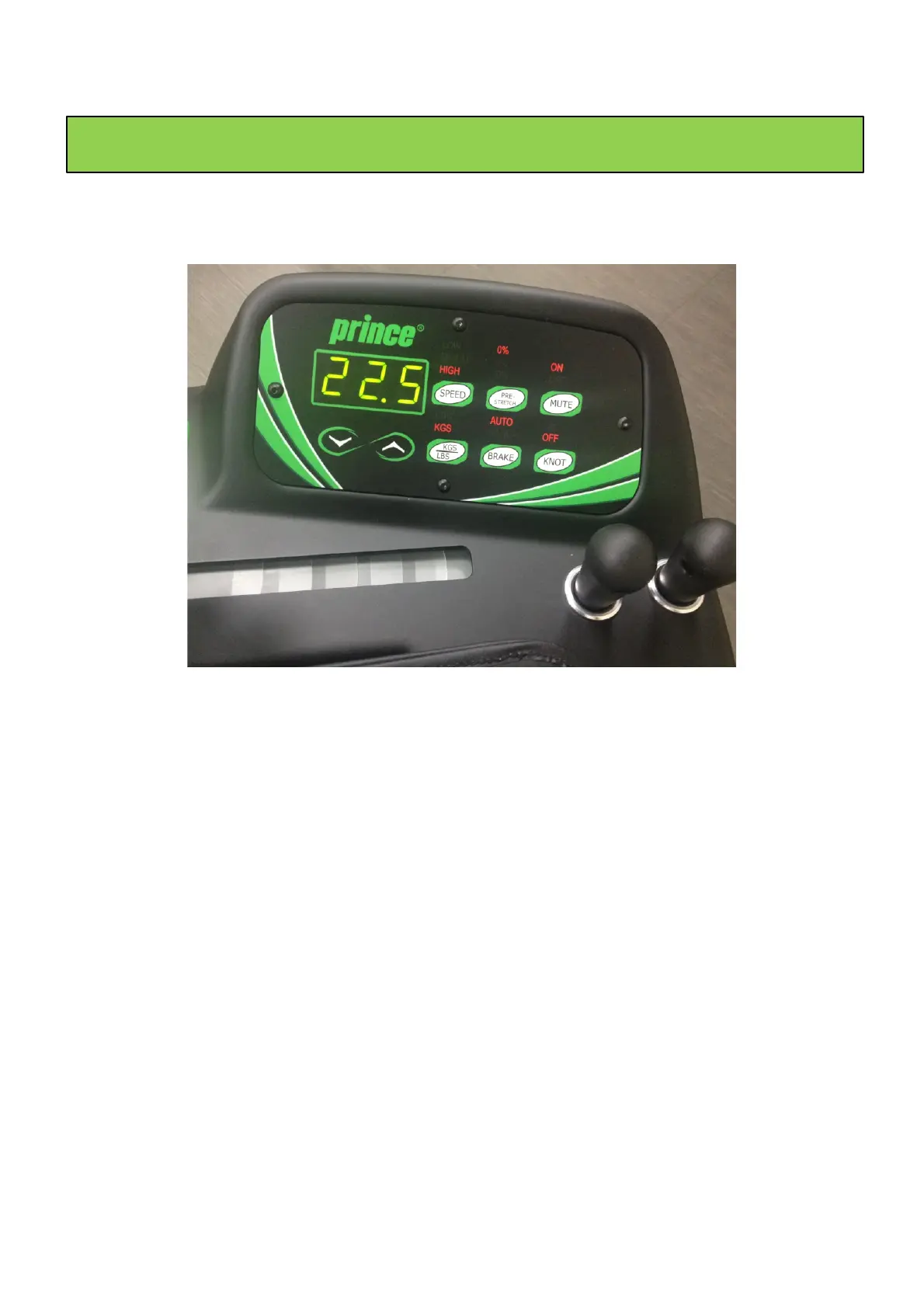
Select kgs or lbs by pressing the LBS/KGS button for 3 seconds to switch.
Adjust the tension setting by pressing the
↑
and
↓
arrows on the control panel.
Select LOW/MED/HIGH by pushing the SPEED button. It is recommended to use the
low speed with low elongation strings such as Kevlar, or strings of a more fragile
nature such as natural gut. The medium speed is well suited for polyester type
strings, and the high speed is suited for nylon based string types.
The amount the machine pulls beyond the desired tension before setting back to
that tension. Many stringers like to pre-stretch strings to reduce the amount of
tension loss. Select the amount of pre-stretch by pushing the PRE-STRETCH button.
Press the Knot Button to have the machine making one pull with +10% increased
tension
Press the Mute Button if you do not want to hear the BEEP sound while pulling the
Press the Brake button for 3 sec. to switch between automatic or manual break.
Automatic means that with every tension pull the break will lock. Manual means
that the stringer decides by pushing the button when the break locks in.


 To Next Page