Need help?
Do you have a question about the Princess 01.358640.01.001 and is the answer not in the manual?
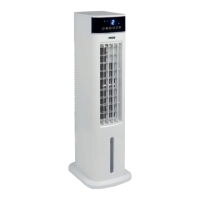
Lists all parts of the air cooler with their corresponding numbers for identification.
Details the various functions and buttons available on the remote control for operating the device.
Step-by-step guide on how to correctly insert the battery into the remote control.
Instructions for filling the water tank and adding ice packs for enhanced cooling.
Procedure for connecting the air cooler to a Wi-Fi network for smart control.
Guide to downloading and setting up the Princess Home app for device management.
Details on how to adjust the fan speed to different levels for optimal airflow.
Explanation of the different operating modes available for the air cooler.
Instructions on how to regularly clean the air filter to maintain performance.
 General
| Brand | Princess |
|---|---|
| Model | 01.358640.01.001 |
| Category | Air Conditioner |
| Language | English |

 To Next Page