5
3.3. Taking a Measurement
• Ensure the correct user is selected before starting the
measurement.
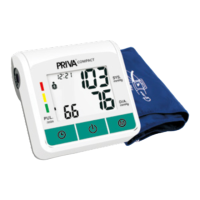
• Press the “POWER” button. The cu will inate.
• Once the ination pressure is reached, the pump pressure
slowly diminishes. The cu pressure (large characters) is
displayed during the measurement.
• When the device has detected the pulse, the heart symbol
in the display will start to ash and a beep tone is audible for
every pulse beat.
• When the measurement has been concluded, a long beep
tone will sound. Your blood pressure and pulse rate will now
be displayed.
• After 150 seconds of no interaction with the device, the device
switches o automatically.
3.4. Interrupting a Measurement
If it is necessary to interrupt a blood pressure measurement for
any reason (e.g. the patient feels unwell), the “POWER” button can
be pressed at any time. The device will immediately lower the cu
pressure and stop the reading.
3.5. Irregular Heart Rate
During testing, the device will detect the heart rate and display
the “ ” symbol on the LCD screen. If an irregular heart beat is
detected, the device will display the “ ”, symbol on the LCD
screen. This is an indication of a possible arrhythmia - please
consult with your healthcare professional.


 To Next Page