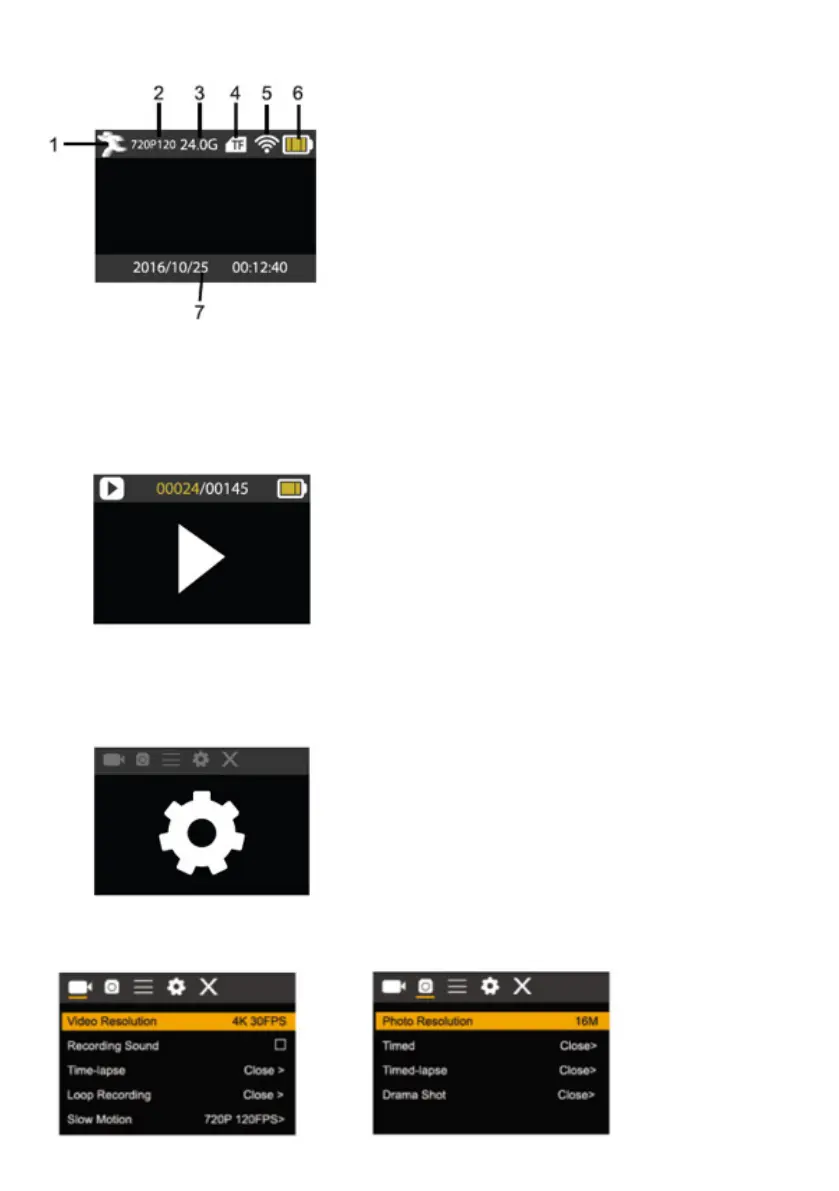
1.
movement mode
2.
resolution and fps.
3.
Storage available.
4.
Micro SD card.
5.
WIFI.
6.
Battery.
7.
Date and time.
7.Playback mode
Turn on the camera, you can press the
Screen display in movement mode
mode key to enter playback mode. You can press the up/down key to choose the photo
or video you want to play, then press the shutter key to enter preview.
Press mode key to enter playback mode to browse photo/video, play the video recorded
by this camera.
Play movie: press the shutter key to start/pause play video, press the Up/Down key to
restart quickly/ fast forward playback, press the power key to stop play video.
Menu setting mode
Menu display
Press mode key until enter in options display. Here you can select the different options to
configure your recording or photo.
Recording and photo menu:



 To Next Page