have to rename the photo files to allow your software identify them correctly.
Connecting to HDTV
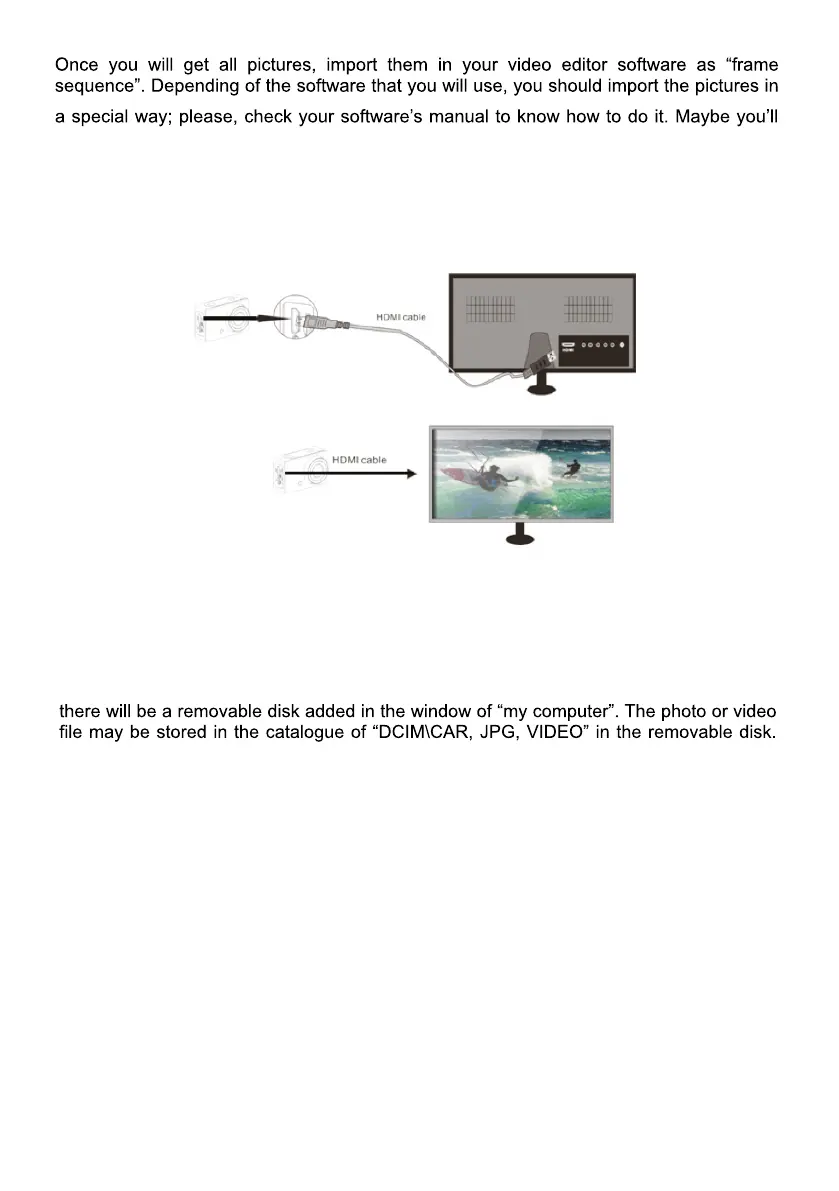
Connect the DV to HDTV via HDMI cable (optional)
If you need to transfer the image and audio to an HDTV for playback, insert the com end
of the HDMI cable to the DV, and the other end (output) to the HD input of the HDTV, as
shown in the following figure:
When the camera is connected with the HDTV successfully, the camera display is
synchronizing with HDTV display.
Note: before connecting or removing the HDMI cable, please stop video recording
and disconnect WI-FI first.
Connect to PC
When the camera is connected with the computer and entering removable disk mode,
You may enter this catalogue to copy files on to hard disk of your computer.
Note: during file downloading, it is prohibited to disconnect USB connection, and
plugging out the memory card when USB connected is also prohibited to avoid
loss of data.
In U-disk mode (MSDC mode), press the shutter key to switch to web cam mode
(PCCAM) the LCD will display: PCCAM.
Now you can start the web cam through application. To return to U-disk mode (MSDC
mode), press the power key again.
Note: Driver is not required for web cam mode (PCCAM mode) on Windows
XP(SP3) version or above.


 To Next Page
 Loading...