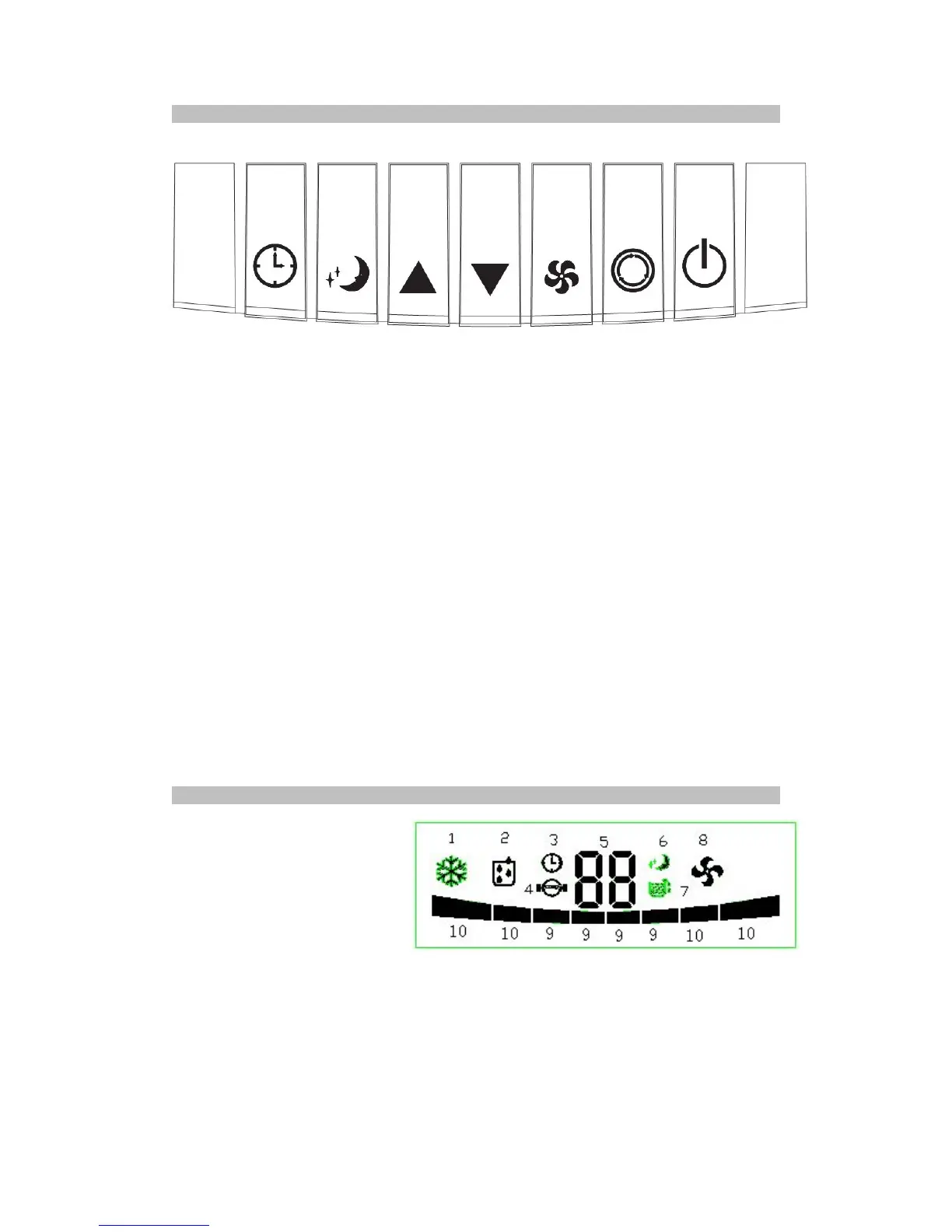
1. POWER: press to turn the air conditioner on. When the air conditioner turns on, the default
mode is cooling with low fan speed. Pressing it again will return the air conditioner to the
standby mode.
2. MODE: press this key to select cooling, dehumidifying and fan mode.
3. FAN: press this key to select the fan speed (high or low)
4. DOWN: in cooling mode, press this key to reduce the temperature. Temperature range is
16°C to 31
o
C
5. UP: in cooling mode, press this key to increase the temperature. Temperature range is
16°C to 31
o
C
6. SLEEP: in the cooling mode, press this key to turn on/off the sleep mode function
7. TIMER: in the power-on or standby mode, press this key to setup on/off delay timer from 1
to 24 hours


 To Next Page