© Pro-Ject Audio Systems · Pro-Ject CD Box S2 · Revision 2018.10.22
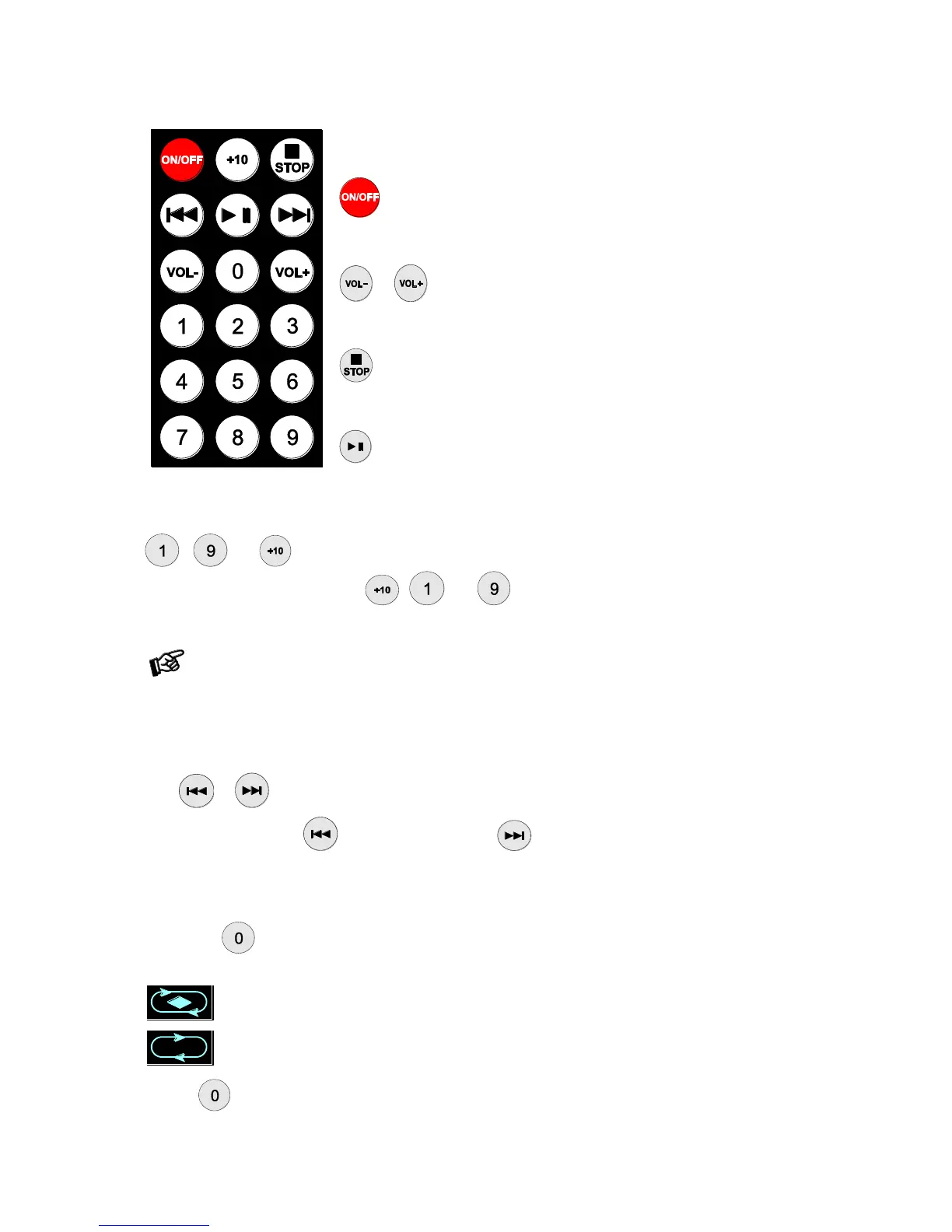
To switch on from standby or to standby
turns the unit on or back into standby
Volume control
or adjust the sound volume of your Pro-Ject Audio amplifier
Stop
stops playback
Play / Pause
starts and pauses playback
Selecting tracks
- and accesses a specific track directly and start playback.
For example, to play track 19, press , and .
Access to a specific track with a lower track number than the one that is currently playing takes a little
longer than selecting a track with a higher track number. Pressing stop before selecting a track shortens
the time.
Stepping between tracks, scanning through the disc
Press or . The display shows the number of the tracks as you step.
Press and hold the button for fast reverse scanning. activates fast forward scanning.
Repeat
pressing the button when playback is stopped repeatedly selects the repeat modes in turns. The display
shows:
repeat play for the current track
repeat play for all tracks
Pressing again takes the CD player back to standard playback.


 To Next Page