© Pro-Ject Audio Systems · Pro-Ject Stream Box S2 · Revision 2018.11.29
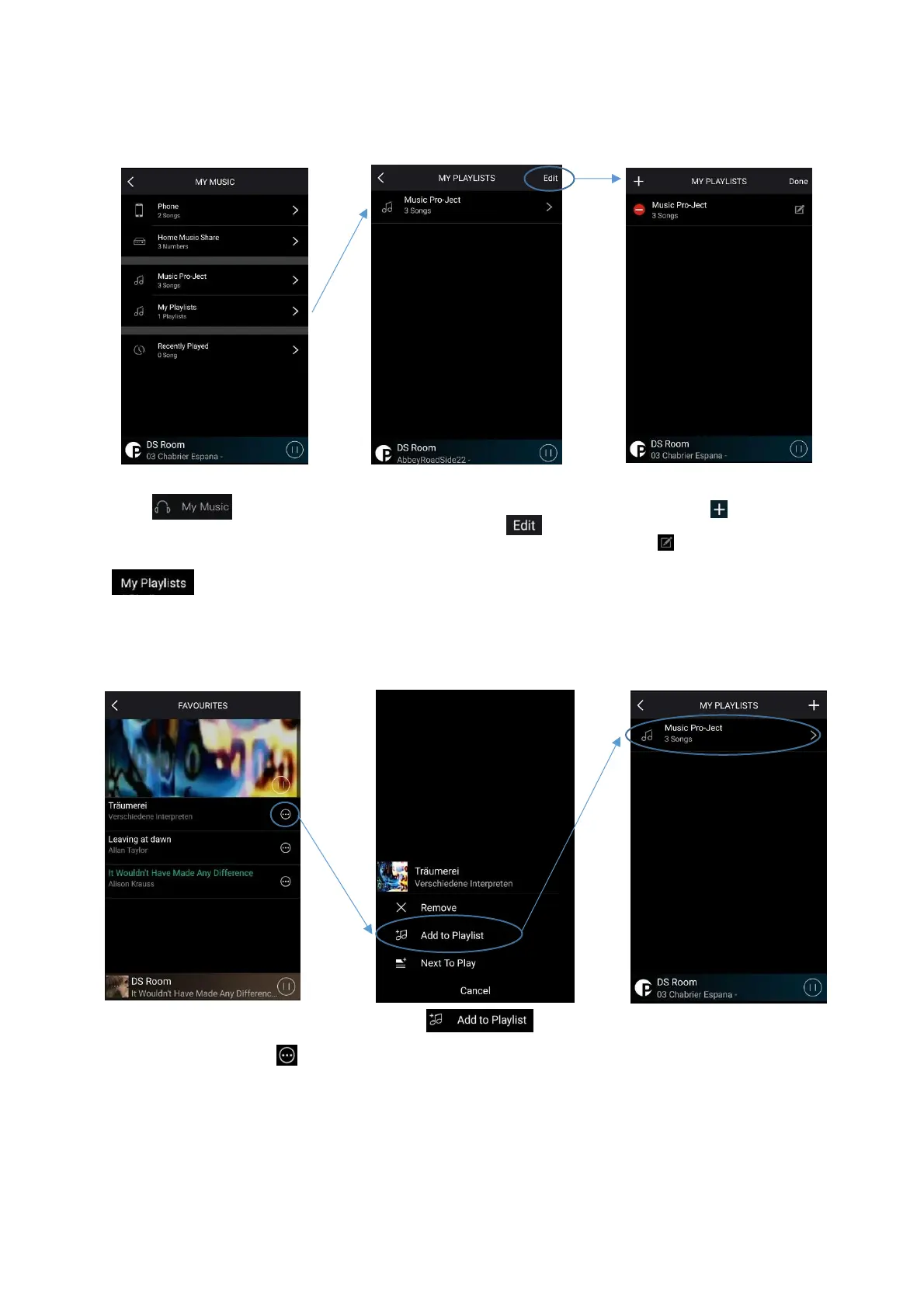
Choose the playlist you want to
add the track to.
Create and manage playlists
Under Meine Musik on the Left-
Side page, you can view and
manage your playlists. To create
a new playlist, choose the menu:
Here you find a collection of all
your playlists. Choose eiten to
create a new playlist or modify an
existing one.
The + symbol allows you to
create a new playlist. The notebook
symbol modifies an existing one.
Tracks that you have already
added to your favorites, can be
added to a playlist with the bla
symbol.


 To Next Page