LED Queuing Unit
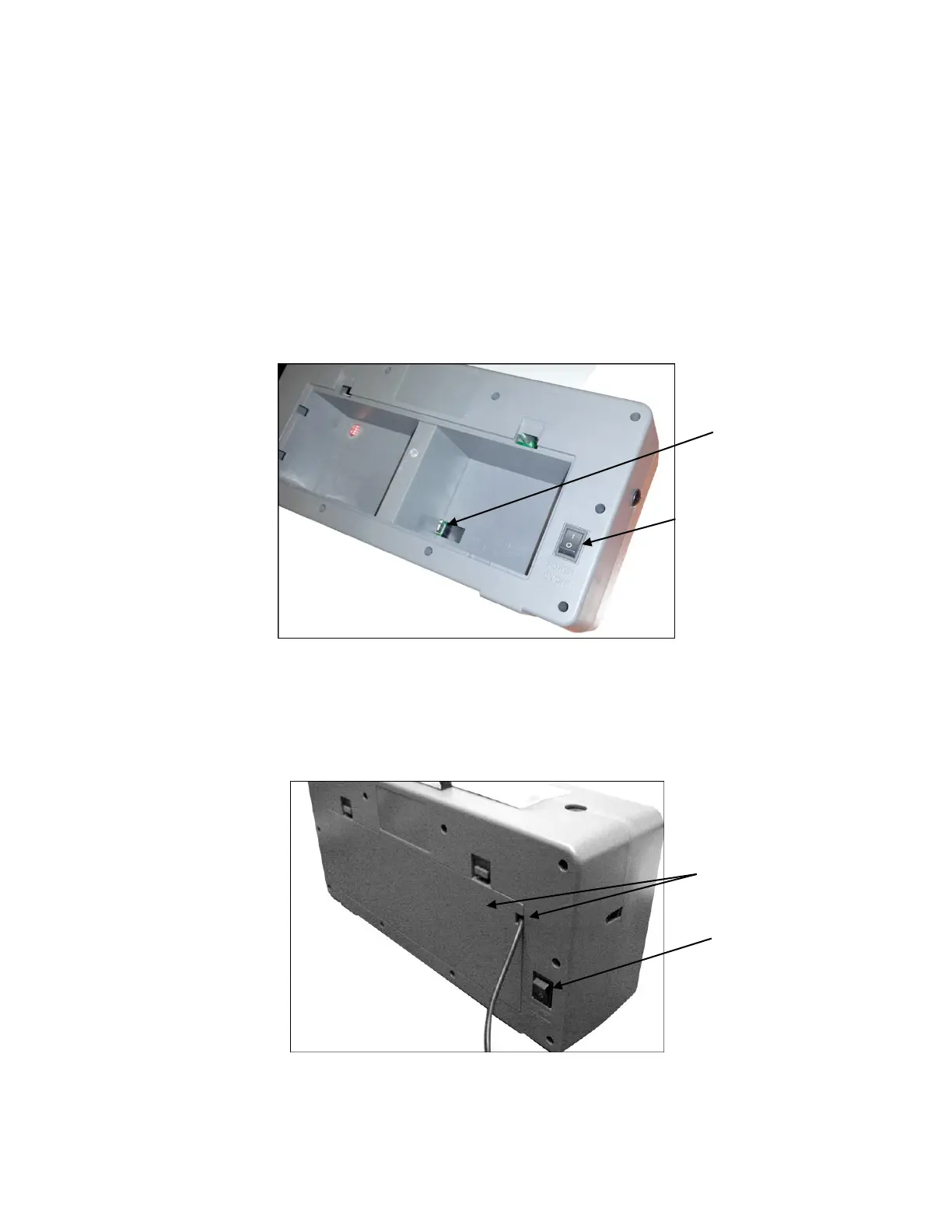
1) Sit LED Unit on a flat sturdy surface.
2) Make sure the power switch is off (down position).
3) Remove the back cover from unit.
4) Connect the power adaptor to a wall outlet.
5) Connect the power connector to the inner connection inside the unit.
5) Replace back cover onto unit.
Note: Feed the power cable through the notch on the right side of the back cover.
6) Turn power switch on (up position).
7) When powered on, the unit will display the number zero.



 To Next Page