OPERATING THE TRIPOD
8) CONVERTING TO A MONOPOD
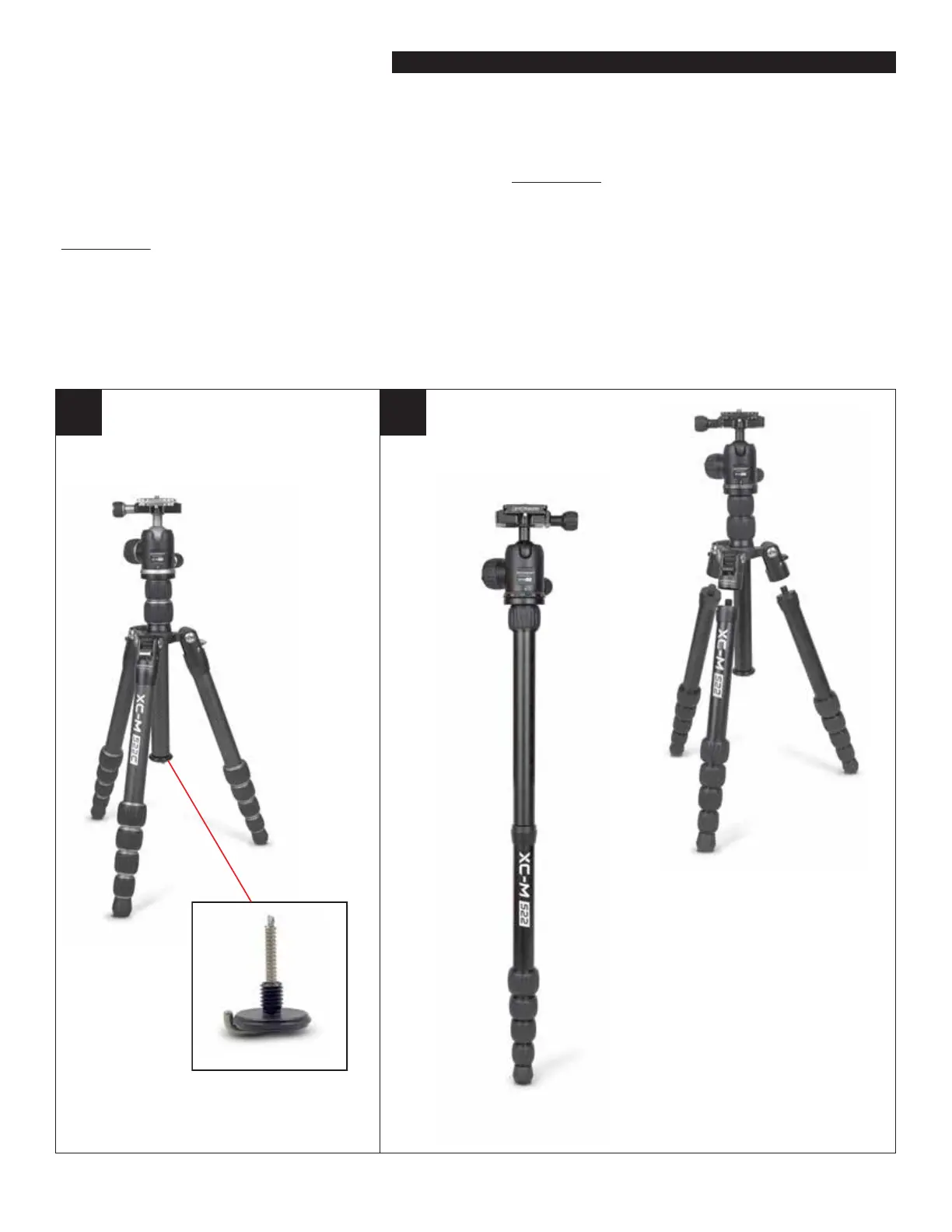
Your XC-M tripod can quickly be converted to a monopod (see gure 5). Remove the Weight Hook from the
bottom of the Center Column. Loosen the Center Column Lower Lock and Slide the Center Column out.
Now remove one of the three legs from the tripod. You can choose any leg, it doesn’t matter which one
(see gure 5). Wrap your hand around one of the legs nears its top. Hold the rest of the tripod with your
other hand. Twist the one leg to the left and it will begin to unscrew from the tripod. Continue unscrewing it
until it is removed. Now connect the Center Column to the leg you just removed by screwing the top of the
leg into the bottom of the Center Column using the threaded port where the Weight Hook normally resides.
You now have a fully functional monopod.
Weight Hook
4 5
XC-M shown in it Monopod State
Each of the 3 XC-M legs can be
detached
Figure 5
XC-M shown in it Monopod State
Each of the 3 XC-M legs can be


 To Next Page
 Loading...