30
狙擊神射手
Shooter
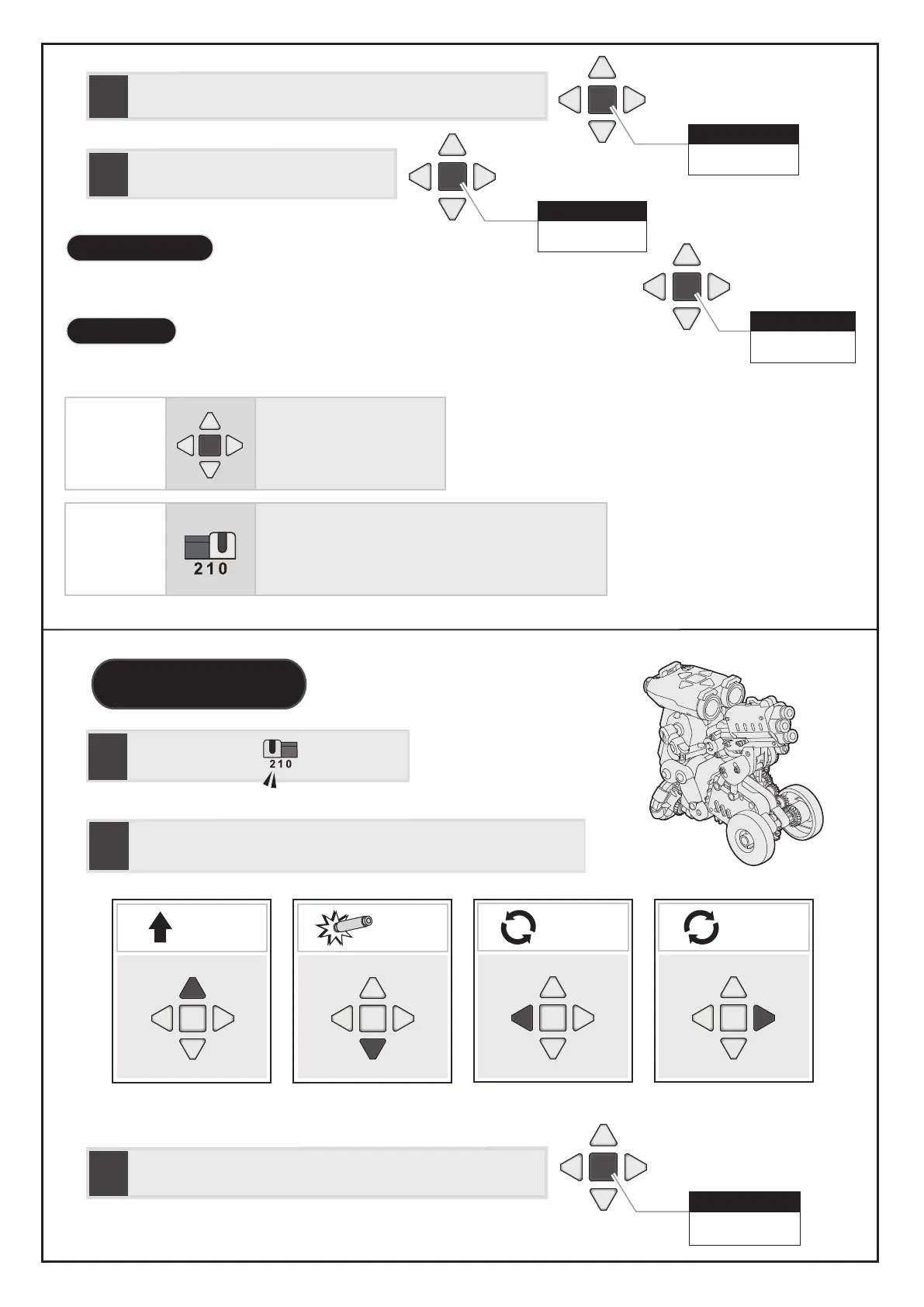
前進
Forward
射擊
Shoot
步驟
STEP
2
利用按鍵編程以設定機器人動作/行走路線
Set a path you want the robot to follow by pressing the buttons below.
完成 Finish
中央鍵
Central Button
中央鍵
Central Button
出發 Go
中央鍵
Central Button
步驟
STEP
4
步驟
STEP
3
完成編程指令後,按下中央鍵確認
Press the central button to confirm the sequence of commands.
再按一次中央鍵,機器人開始執行指令動作
Press the central button again to execute.
步驟
STEP
1
切換至模式2
Switch to Mode 2
完成 Finish
中央鍵
Central Button
方 式 01
Option 01
方 式 02
Option 02
Switch to Mode0, and then switch to another
mode (1or2) to code.
Long-press the central
button for 1 seconds.
步驟
STEP
3
完成編程指令後,按下中央鍵確認
Press the central button to confirm the sequence of commands.
當機器人完成動作後,玩家可以按中間鍵命令機器人重複執行前次動作
經由以下兩種方式可執行新的編程指令
長按中央鍵1秒鐘
先切換到模式0 ,再切換到模式1 或 2
When the robot finishes a program, users could press the central button to replay.
To code a new program, users could do either the options of below.
重複執行 Replay
重置 Reset
編程狙擊神射手
To Code Shooter
原地左轉
Left spin
原地右轉
Right spin
重複執行 Replay


 To Next Page