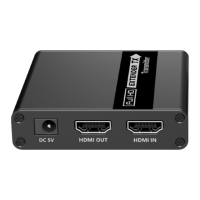
The PRO-SIGNAL PSG3533 is a 4x4 HDMI Matrix Extender designed to distribute and extend high-definition audio/video signals. It supports 4K@60Hz resolution and can extend signals up to 70 meters over network cable. The system comprises a main transmitter unit and four individual receivers.
Function Description:
The PSG3533 acts as a central hub for HDMI signals, allowing users to connect up to four HDMI source devices and distribute their content to up to eight displays simultaneously. Four HDMI outputs on the transmitter unit provide local display connections, while four RJ45 outputs extend the signals to four remote displays via Cat6/6a/7 network cables, each connected to a receiver. This setup enables flexible routing of any of the four HDMI inputs to any of the eight connected displays (four local, four remote).
The device supports zero-latency transmission, ensuring real-time display of content. It also features EDID management, allowing for optimal resolution and audio settings. A key feature is Power over Cable (PoC), which simplifies installation by powering the receivers directly from the transmitter over the network cable, meaning only the transmitter needs a power supply.
Audio capabilities include support for LPCM, DTS-HD, DTS-Audio, Dolby Digital 5.1CH, and Dolby Atmos. The receivers can also extract digital audio from the transmitter via an S/PDIF port. Additionally, the system supports IR passback (20-60kHz), enabling control of source devices from remote display locations using IR extenders.
Important Technical Specifications:
- HDMI Version: HDMI 2.0
- HDCP Version: HDCP 2.2, HDCP 1.4
- Transmission Distance: Up to 70m over IEEE-568B standard Cat6/6A/Cat7 network cables
- Video Bandwidth: 600MHz (18Gbps)
- Resolution Supported:
- 3840×2160@24/25/30/50/60Hz
- 4096×2160@24/25Hz
- 1080i@50/60Hz, 1080p@50/60Hz
- 720p@50/60Hz, 576i@50Hz, 576p@50Hz
- 480i@60Hz, 480p@60Hz
- Various PC resolutions up to 2560×1440
- HDR Support: HDR10
- HDMI Loop-out: Supported (4 outputs on transmitter)
- IR Passback: Unidirectional supported
- S/PDIF Audio Separation: Supported (on receivers)
- EDID DIP Switch: Supported (16 built-in EDID states)
- Audio Format Supported: LPCM/DTS-HD/DTS-Audio, Dolby Digital 5.1CH/Dolby Atmos
- Input TMDS Signal: 0.5~1.2Vp-p
- Input DDC Signal: 5Vp-p
- Power over Cable (PoC): TX to RX
- I/O Interface (Transmitter): 4x HDMI IN, 4x HDMI Loop Out, 4x 3.5mm jack (IR), 4x RJ45 OUT, 1x RJ45 (Ethernet), 1x 3-Pin RS-232, EDID DIP switch
- I/O Interface (Receiver): 1x HDMI OUT, 1x RJ45 IN, 1x 3.5mm jack (IR), 1x S/PDIF OUT
- HDMI Interface: Type-A 19 Pins, Female
- Transmitter Dimensions (W x D x H): 411 x 147 x 29mm
- Transmitter Weight: 15250g
- Receiver Dimensions (W x D x H): 105.5 x 102.5 x 20mm
- Receiver Weight: 243g
- Power Supply: DC12V/3A
- Working Temperature: -20°C~60°C
- Storage Temperature: -30°C~70°C
- Humidity: 0~90%RH (No Condensation)
- Protection: ESD protection (Contact discharge level 2 (±4KV), Air discharge level 3 (±8KV) per IEC61000-4-2), Lightning protection, Surge protection
Usage Features:
The PSG3533 offers multiple control methods for ease of use:
- Button Control: The transmitter features physical buttons for selecting HDMI inputs and outputs.
- Remote Control: An included IR remote control replicates the front panel buttons, allowing for convenient switching from a distance. The remote uses a 3V CR2025 coin-type battery.
- Ethernet Control: The device can be controlled via TCP/IP by connecting its Ethernet port to a PC. Users can access a web-based interface (IP address: 192.168.1.200) to manage output routing. This interface displays a 4x4 matrix setting, allowing users to select the HDMI input content for each output and apply settings to all outputs.
- RS-232 Control: For integration into professional control systems, the device supports RS-232 serial control with a baud rate of 9600, 8 data bits, 1 stop character, and no parity. Specific commands (e.g.,
PAPXPXPXPX for setting outputs, PAXXXR for reading status) are provided for advanced control.
- EDID Management: A DIP switch on the transmitter allows users to select from 16 built-in EDID states, optimizing resolution and audio settings for connected displays. The DIP switch positions (up for "1", down for "0") correspond to various resolutions and audio configurations, including 4K@60Hz with 2CH, 5.1CH, 7.1CH, and HDR, as well as 1080p/i@60Hz with different audio channels and HDR. There is also an option to read the EDID from the first connected output or from HDMI 1 output when multiple outputs are connected.
- Audio Switch (on Receiver): Each receiver has an audio switch to select between a second audio output from the HDMI source (S/PDIF side) or an audio output from the TV on the receiving end (ARC side).
- IR Passback System: The system includes IR sender and receiver extenders. IR-TX extenders plug into the transmitter's IR-IN port and are directed towards source devices for remote control. IR-RX extenders plug into the receivers' IR-IN ports and are positioned to receive signals from the remote control at the display location, sending them back to the source.
- Power/Signal Indicator (on Receiver): A blue LED indicator on the receiver flashes when there is power but no HDMI signal, and lights solid blue when an HDMI signal is present.
- Reset Button (on Receiver): A reset button is available on each receiver.
Maintenance Features:
- Cleaning: The outside casing of the device should be cleaned with a soft cloth lightly moistened with mild soap and water. Abrasive cleaners or solvents should never be used.
- Battery Replacement: If the remote control loses effective range, the battery may need replacement. The battery holder can be pulled out, and the 3V CR2025 coin-type battery should be replaced, ensuring correct polarity.
- Device Restart/Factory Reset: RS-232 commands are available for device restart (
Reset) and restoring factory settings (Recover).
- Always follow basic safety precautions when using electrical appliances.
- Do not expose the product to rain or moisture to prevent fire or shock hazards.
- For indoor use only.
- Ensure the power supply matches the mains voltage.
- Only use the provided power supply or one of identical specification.
- Ensure adequate ventilation and do not obstruct ventilation slots.
- Do not hot-plug any HDMI, network, or IR connections; always power off first.
The product is designed with lightning protection, surge protection, and ESD protection to ensure durability and reliable operation. It complies with Waste Electrical & Electronic Equipment (WEEE) directives, encouraging proper disposal and recycling.

 Need help?
 General

 To Next Page