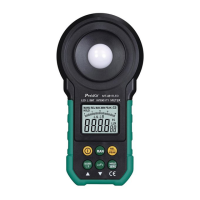
In any mode with sensor covered, press and hold data hold/zero
calibration key ⑦ for one second, “ADJ” will appear on the LCD
interface, and the device will enter the zero calibration mode: several
seconds later “ADJ” will disappear from the LCD interface, and the
device will exit the data hold mode and return to auto measurement
mode.
Tips
1: The reference position of light source test is at top of sphere surface
under light.
2: In various measurement modes, analog bar in the middle of the LCD
screen will change with figures of Nixie tubes.
3: When reading, existing data can be locked by pressing and holding
“HOLD/ZERO” key for a short time;
4: In zero calibration mode, the opto-sensor must be covered by
opto-sensor visor before calibration.
Applications
Application of manual switchover of range measurement mode
Long press the RAN key, “MANU” will appear on the top left position
of the LCD, it means the meter is in the manual measurement mode
(as shown in figure 3-1-1);
When in manual measurement mode, long press RAN key for each
time, it will switch to 20.00Lux 200.0Lux 2000Lux 20000Lux
200000Lux (or 20.00Fc—>200.0 Fc—> 2000 Fc—>20000 Fc) in
sequence;
Press and hold RAN key for one second, “MANU” will switch to
“AUTO” on the top left position of the LCD, the device will return to
auto range measurement mode;


 To Next Page