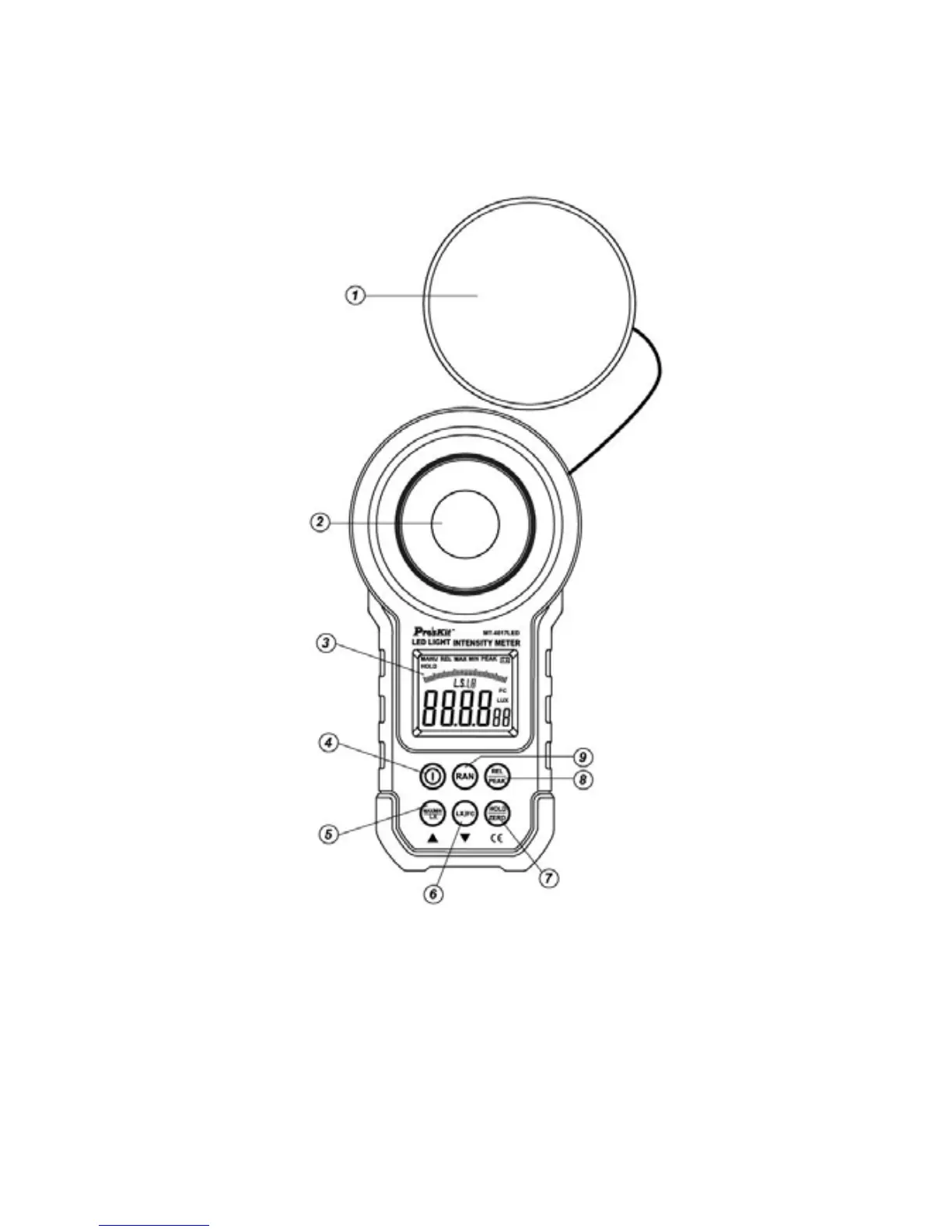
Name and function of components
Plan view
1. Opto-sensor protection cover
2. Opto-sensor
3. LCD display screen
4. Compound key for main power and touch tone:
Power on/off: Short press the key to activate the instrument and long
press for 1 second to shut it down.
Touch tone on/off: Under working mode short press the key to turn
the touch tone on and off. Default is key with tone.



 To Next Page