15
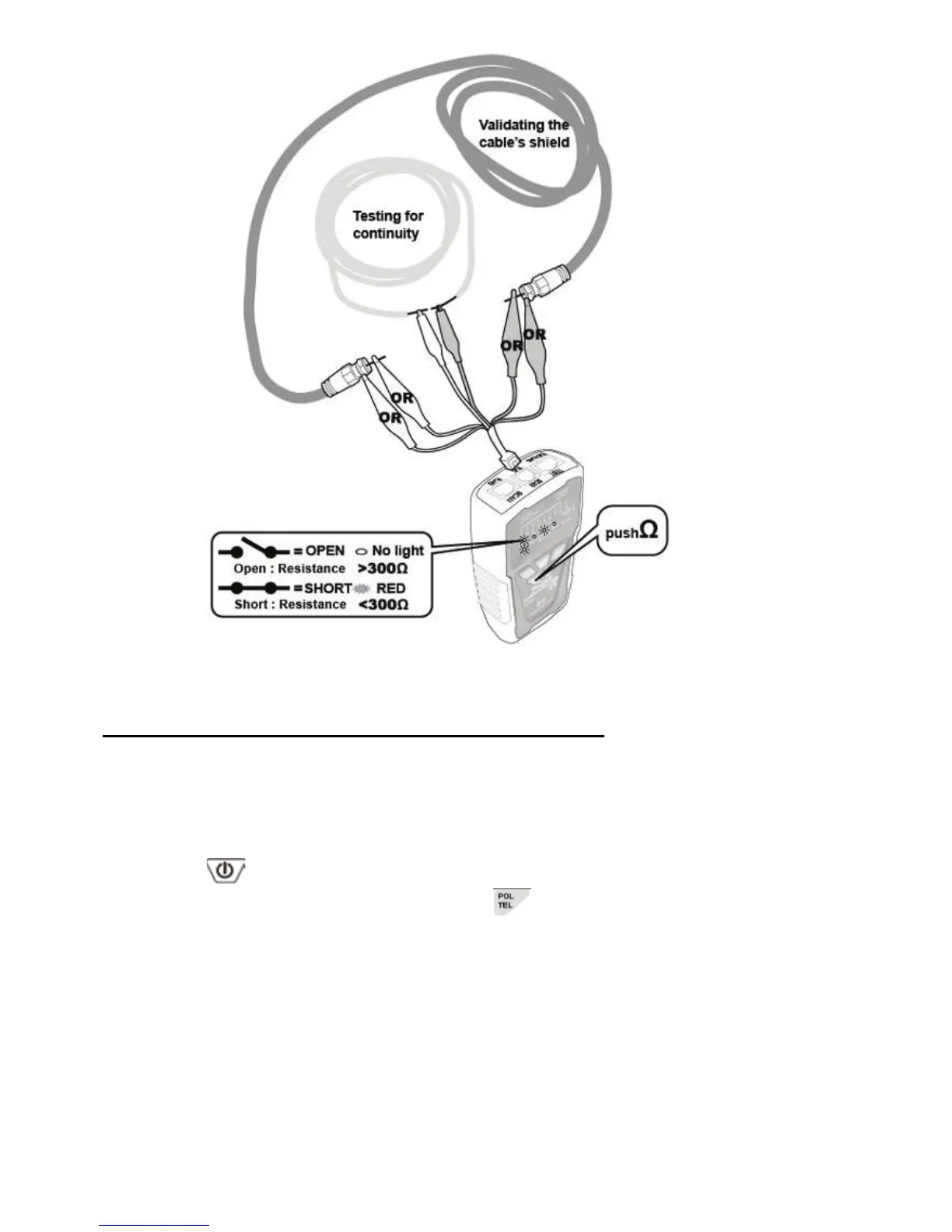
Figure 9 Coaxial Cable & Continuity Test
Validating Telephone Service and Polarity:
Please follow the following steps to check the polarity of telephone
lines:
1. Connect the red and black alligator clip of the Transmitter to the
telephone line jack or socket or punch-down block.
2. Press
button to turn on the power, “POWER/ BAT LOW”
indicator will light up. Then press
to operate the polarity
indication feature and the LED indicator will light up. According
to the function of the phone positive/negative polarity test start.
3. 「POL-/G,POL+/R」LED indicator is dual color (Red/ Green).
The LED indicator of the Transmitter indicates the status as
below:
• Red light:Red alligator clip at positive (+) polarity;Black
alligator clip at negative (-) polarity.
• Green light:Red alligator clip at negative (-) polarity;
Black alligator clip at positive (+) polarity.



 To Next Page