These instructions do not apply to all vehicles. They are only meant as a general
guide due to the number of different makes & models. For vehicle specific
questions contact your vehicle’s manufacturer.
Camera installation
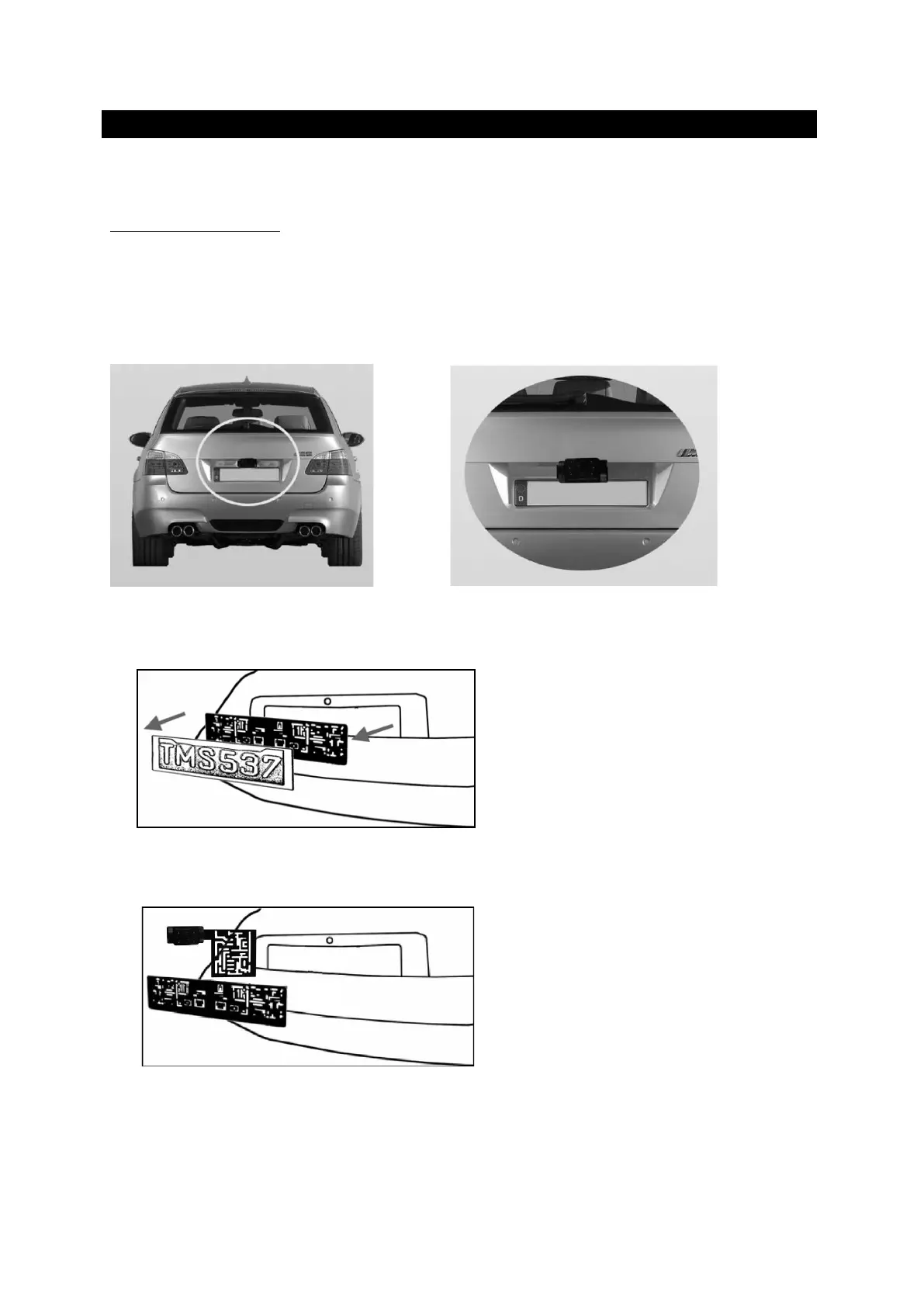
There are several ways to mount the camera on the back of your car. But the most
convenient is to mount it near the license plate. Supplied is one mounting plate that can
be fixed behind the license plate.
The camera itself is screwed on the mounting plate. The camera is tiltable; camera angle
can be adjusted manually on vertical direction. Make sure that its field of view and
detection are not obstructed.
With some type of cars it is not possible to mount the camera near the license plate. You
may have to find another spot at the back of your car to mount it.
1. Remove the rear license plate, and then loosen the license plate bolts/screws.
2. Position the supplied mounting plates (with camera together) behind the license plate
bracket. Secure both license plate bracket and mounting plates with the license plate
bracket bolts/screws.



 To Next Page