3
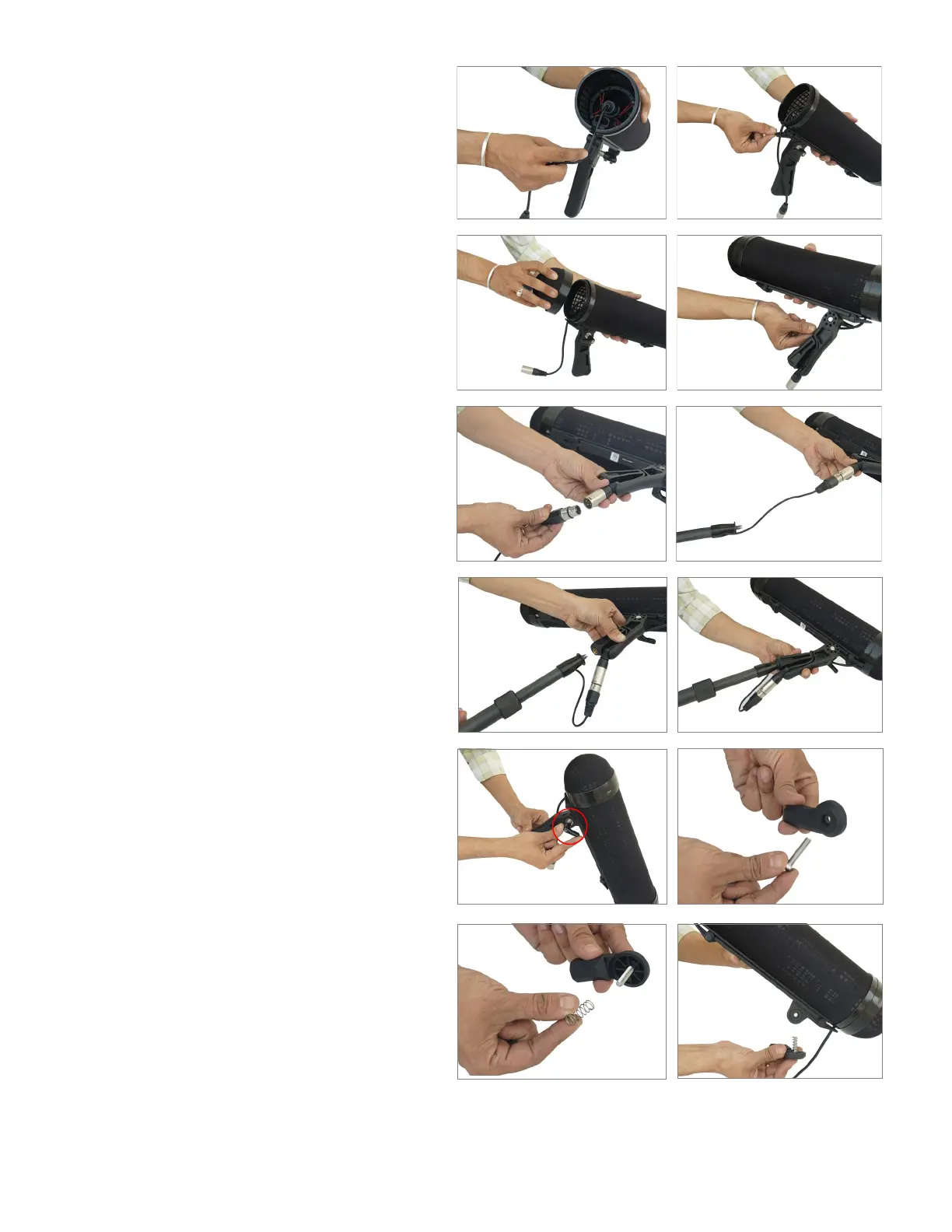
Adjust the wire on the blimp cage with the
handle.
Now close the cap on the blimp cage, and ad-
just the wire of the blimp cage with the han-
dle again.
Securely connect the XLR connectors on the
coiled audio cable to the XLR connectors on
the blimp cage.
NOTE: Boom pole height can be increased/
decreased with the help of a boom pole adapter
Tighten the 3/8"-16 screw on the boom pole
together with the thread on the blimp cage
handle.
Put the given spring on the screw and insert
the screw into the thread of the boom pole
cage.
To increase the height of the boom pole, loos-
en and remove the ratchet knob on the han-
dle of the blimp cage. Then aach the adapt-
er set to the handle. Finally, insert the screw
inside the thread of the adapter set.


 To Next Page