EasyManua.ls Logo

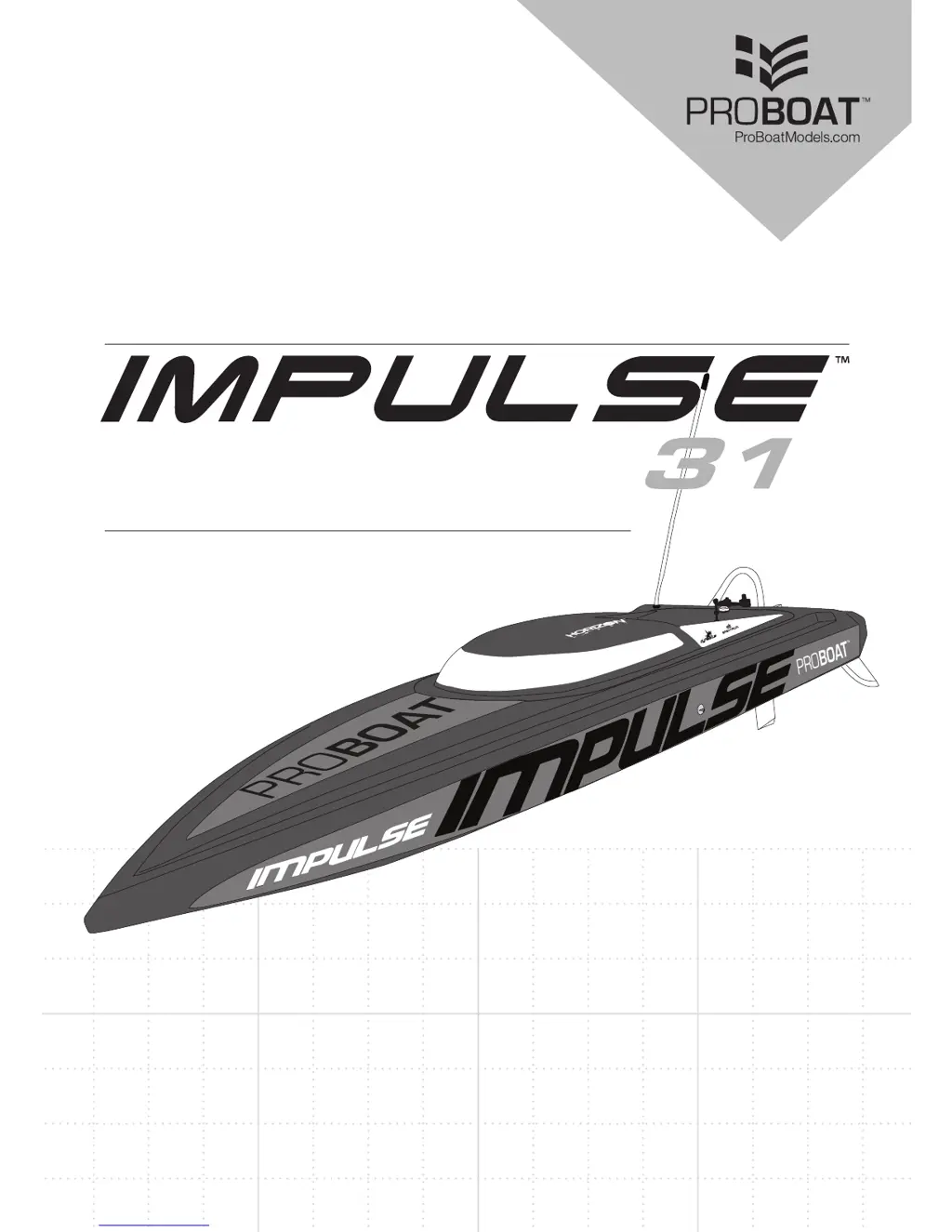
ProBoat Impulse 31 PRB4250B - User Manual

ProBoat Impulse 31 PRB4250B
20 pages
Print Icon
To Next Page IconTo Next Page
Loading...


PRB4250B

Questions and Answers

  • W
    weeksmaryAug 22, 2025
    What to do if my ProBoat Impulse 31 PRB4250B will not connect after binding?
    • C
      Connie SmithAug 22, 2025
      If your ProBoat Toy does not connect after binding, here are a few things to check: The transmitter might be too close to the boat during the connecting process, so move the powered transmitter a few feet away, disconnect, and reconnect the battery. The boat or transmitter could be near metal objects or other wireless sources, so move to a different location. Ensure the bind plug is removed after binding by rebinding the transmitter and removing the plug before cycling power. Also, check battery levels and replace or recharge if low. The transmitter may have been bound to a different model, so rebind the boat to the transmitter. Finally, ensure the ESC switch is powered on.
  • J
    John BarnesAug 25, 2025
    How to fix a ProBoat Impulse 31 PRB4250B that will not respond to throttle?
    • S
      Stephanie ValentineAug 26, 2025
      If your ProBoat Toy is not responding to the throttle, there are a couple of things you can check. First, ensure that the throttle servo travel is set to 100% or greater. Second, verify that the throttle channel is not reversed; if it is, reverse the throttle channel on the transmitter.
  • W
    Whitney NormanAug 27, 2025
    Why does the rudder on my ProBoat Impulse 31 PRB4250B not move?
    • M
      Mr. Kenneth Greene MDAug 27, 2025
      If the rudder on your ProBoat Toy is not moving, it could be due to several reasons: There may be damage to the rudder, linkage, or servo, so replace or repair any damaged parts and adjust the controls. A wire may be damaged or connections may be loose, so check the wires and connections and connect or replace them as needed. The transmitter may not be bound correctly, or the incorrect model was selected, so re-bind or select the correct model in the transmitter. The BEC (Battery Elimination Circuit) of the ESC may be damaged, so replace the ESC. Finally, make sure the ESC switch is on.
  • D
    Derrick BairdAug 30, 2025
    Why is my ProBoat Impulse 31 PRB4250B making extra noise or vibrating?
    • A
      Alan JosephAug 30, 2025
      Extra noise or vibration in your ProBoat Toy could be due to a damaged propeller, shaft, or motor. Replace any damaged parts. Alternatively, the propeller might be out of balance, so balance or replace the propeller.
  • M
    Megan WhiteheadSep 1, 2025
    What to do if ProBoat Impulse 31 PRB4250B Toy dives in the water or takes on water?
    • R
      ryandanaSep 1, 2025
      If your ProBoat Toy tends to dive or take on water, it might be because the boat hull is not completely closed. Dry out the boat and ensure the hatch is fully closed on the hull before returning the boat to the water. Another reason might be that the center of gravity is too far forward, so move the batteries back in the hull. Also, check the trim tabs on the back of the boat; if they are angled incorrectly, adjust them. Angle each trim tab up a small amount to lift the bow or down a small amount to lower the bow.
  • S
    Stephanie NelsonSep 4, 2025
    Why does my ProBoat Impulse 31 PRB4250B Toy tend to turn in one direction?
    • M
      Margaret ChavezSep 4, 2025
      If your ProBoat Toy tends to turn in one direction, the rudder or rudder trim may not be centered. Repair the rudder or adjust the rudder and rudder trim for straight running when the control is at neutral. Alternatively, the vertical fins may be angled incorrectly, so angle the fins a small amount right or left so that the boat goes straight when the rudder is at neutral.
  • J
    james16Sep 7, 2025
    Why does the motor power pulse and then lose power on my ProBoat Impulse 31 PRB4250B?
    • J
      Joseph MooreSep 7, 2025
      The motor power pulsing and then losing power on your ProBoat Toy could be due to several reasons. The ESC might be using the default soft Low Voltage Cut-off (LVC), so recharge the boat battery or replace the battery if it is no longer performing well. Weather conditions might be too cold, so postpone use until the weather is warmer. The battery could be old, worn out, or damaged, so replace it. Finally, the battery C rating might be too small, so use the recommended battery.
  • G
    Glenn HartSep 10, 2025
    How to correct reversed controls on my ProBoat Impulse 31 PRB4250B?
    • W
      William BirdSep 10, 2025
      If the controls on your ProBoat Toy are reversed, it means the transmitter settings are reversed. To correct this, perform the Control Direction Test and adjust the controls on the transmitter appropriately.
  • D
    Danny SmithSep 10, 2025
    What to do if my ProBoat Toy will not bind?
    • J
      Jonathan GilbertSep 12, 2025
      If your ProBoat Toy will not bind, it could be due to several reasons. The transmitter might be too near the boat during the binding process, so move the powered transmitter a few feet from the boat, then disconnect and reconnect the battery to the boat. The boat or transmitter might be too near a large metal object, wireless source, or another transmitter; in this case, move the boat and transmitter to another location and attempt binding again. Check if the bind plug is not installed correctly and install it to bind the boat to the transmitter. Also, the boat or transmitter battery charge may be too low, so replace or recharge the batteries. Finally, make sure the ESC switch is on.
  • J
    Jessica BennettSep 12, 2025
    Why is the motor or ESC overheating on my ProBoat Impulse 31 PRB4250B?
    • C
      Calvin FullerSep 12, 2025
      If the motor or ESC is overheating on your ProBoat Toy, it could be due to blocked water cooler tubes. Clean or replace the water tubes.

Summary

Meaning of Special Language

Safety Precautions and Warnings

Introduction to Pro Boat Models

Recommended Tools and Materials

Lists essential tools and materials required for assembly and maintenance of the boat.

Product Inspection and Initial Checks

Guides users on how to inspect the boat and transmitter for damage upon unboxing.

Product Specifications

Assembling the Boat Stand

Installing Propeller, Rudder, and Fins

Antenna Tube Installation

Battery Safety Precautions

Installing the Battery Pack(s)

Transmitter Battery Installation

Transmitter Controls Overview

Control Functions: Switches and Dials

Explains the operation of the reverse switch, steering trim, throttle trim, and steering rate controls.

Power, Battery, and Trigger Controls

Details the functions of the power switch, battery indicator, steering wheel, and throttle trigger.

RF Mode and Transmitter Modes

Describes the different RF modes (France, Standard) for transmitter operation.

Getting Started with Operation

Checking the Radio System

Failsafe Functionality Explained

Binding the Transmitter and Receiver

Testing Your Boat in the Water

Boating Tips and Safety Advice

Center of Gravity Adjustment

Drive Height and Propeller Strut Adjustment

Motor Care and Overheating Prevention

End of Operation Procedures

Maintenance and Flexshaft Lubrication

ESC Settings and Operation

Programmable Settings and Factory Defaults

Covers selectable ESC features like reverse, cutoff voltage, and factory default settings.

Brake, Timing, and Throttle Curve Options

Explains the configurable brake, timing, and throttle curve settings for ESC performance.

Using the ESC Programming Card

Provides instructions on how to use the programming card to set ESC parameters.

Pre-Boating Checklist

Post-Boating Checklist

Troubleshooting Common Issues

Limited Warranty

Warranty Terms, Exclusions, and Liability

Details what the warranty covers, what it excludes, and limitations of liability.

Legal Clauses and Purchasers Acceptance

Covers governing law, warranty modifications, and user acceptance of liability.

Warranty Services and Support

Obtaining Assistance and Service Procedures

Explains how to get technical help and the process for submitting products for service.

Warranty Requirements and Non-Warranty Service

Warranty and Service Contact Information

FCC Compliance Information

Antenna Separation Distance Requirements

European Union Compliance and Disposal

Identification of Components

Replacement Parts List

Optional Parts and Accessories

ProBoat Impulse 31 PRB4250B Specifications

General IconGeneral
Speed30+ mph
Hull MaterialABS Plastic
Drive SystemFlex Shaft
Power SourceElectric
Motor TypeBrushless
Battery TypeLiPo
Recommended Age14+
Length31 in
Width/Beam8.5 in
Motorbrushless
Speed ControlWaterproof ESC
ChargerNot included
Radio System2.4GHz Radio
ServosWaterproof

Related product manuals