4
PRECAUTION
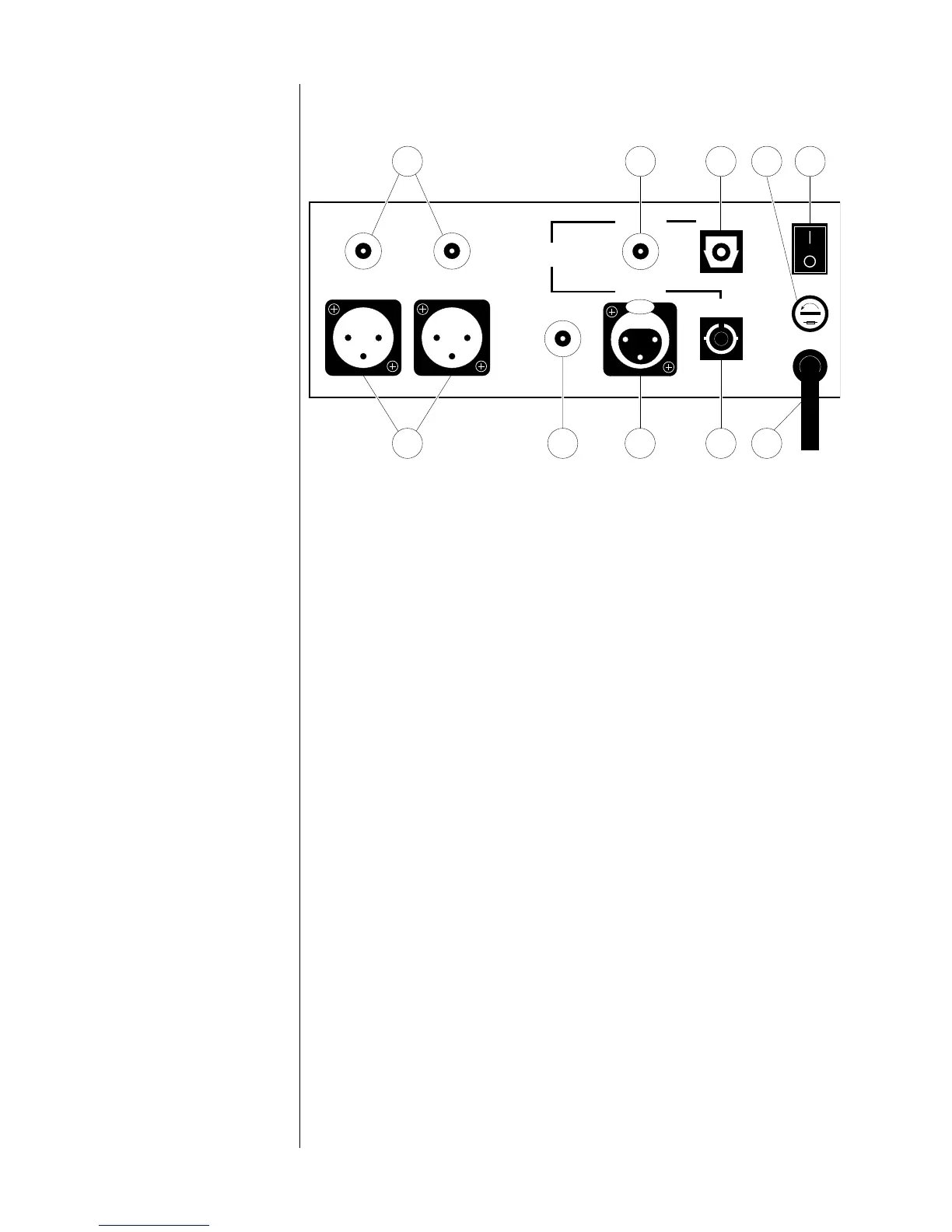
Rear panel
made in u.s.a.
PROCEED
®
PDP 3
master
power
digital
out
line out right line out left
source 1source 3
source 2
source 4
3 4 8 6 9
75101
PUSH
2
digital
inputs
1 master power
This switch turns the PDP 3 on and off. The switch must be in the "|"
(on) position for the processor to operate. (See "Set-up and
installation.")
NEVER operate the master power switch without first making sure
that power is turned off to your receiver, integrated amplifier, or
preamplifier/power amplifier.
2 Single-ended analog outputs
These outputs provide single-ended analog audio (via cables
equipped with RCA-type connectors) to a receiver, integrated
amplifier, or preamplifier equipped with unbalanced inputs. Most
components accept this type of output. (See "Set-up and
installation.")
3 Balanced analog outputs
These outputs provide balanced analog audio (via cables
equipped with XLR-type connectors) to a preamplifier, integrated
amplifier, or receiver equipped with balanced inputs. (See "Set-up
and installation.")
4 digital out
This output provides digital audio (via a cable equipped with
RCA-type connectors) to the digital input of a receiver,
integrated amplifier, preamplifier, or digital processor. (See "Set-
up and installation.")
5 source 1 digital input
This input accepts digital audio (via an optical cable equipped
with TOSLINK-type connectors) from the digital output of a digital
FM tuner, compact disc player, or digital audio tape recorder.


 To Next Page