Prodigy Diabetes Care, LLC www.prodigymeter.com
14
PRODIGY Mini-Mist
™
Owner’s Manual
Remove the mouthpiece from the
main unit of the Prodigy Mini-Mist
™
nebulizer.
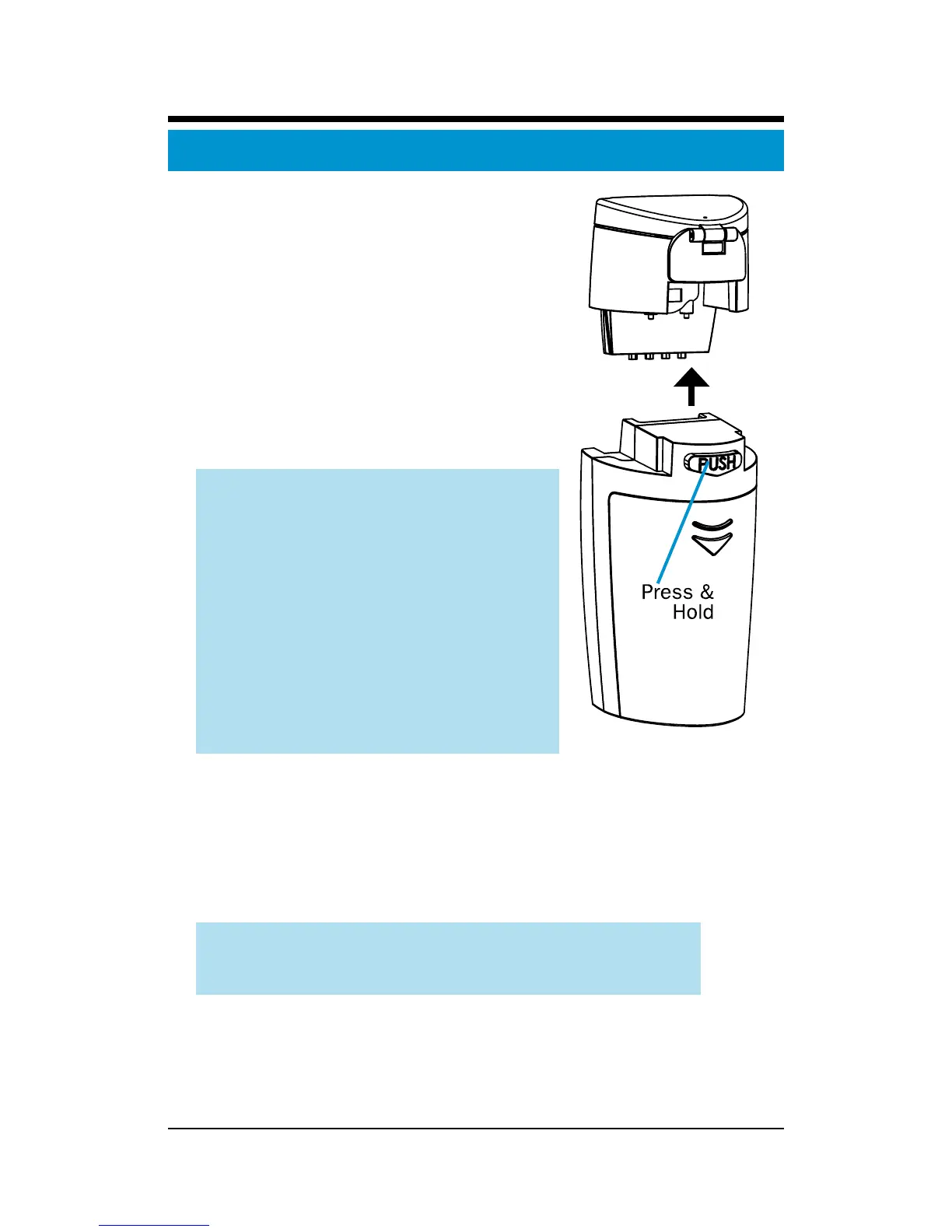
Step 1: Remove the medication
chamber from the main unit
Press the PUSH button on the rear
side of the main unit and pull the
medication chamber up and off of
the main unit. See Figure 12.
ATTENTION:
• To avoid damaging the
nebulizer, please ensure the
PUSH button is pressed
down before pulling upward
on the medication chamber.
• To avoid rupturing the
mesh, please do not poke
themeshwithyourngeror
any foreign object.
Step 2: Insert the medication
Open the medication chamber by pulling up on the
medication chamber locking lever. Add the medication
slowly.Donotallowmedicationtooverowoverthe
medication port.
ATTENTION:Therecommendedllvolumeisa
maximum of 8 mL and a minimum of 0.5 mL.
Filling the Medication Chamber
Figure 12



 To Next Page